GPT Image 2 Review: 12 Real Examples Across Every Major Use Case
GPT Image 2 — also shipped as ChatGPT Images 2.0 — launched on April 21, 2026. It is OpenAI's first dedicated image generation model: decoupled from the GPT-4o pipeline, rebuilt from single-pass inference, and the first image model in OpenAI's lineup with native reasoning baked into the architecture.
The headline numbers: 99%+ text rendering accuracy, native 2K resolution (up to 4K landscape), aspect ratios from 3:1 ultra-wide to 1:3 ultra-tall, and — with thinking mode — up to eight coherent images from a single prompt with consistent characters across the full batch.
We tested it across 12 production-relevant use cases. Every example below was generated with GPT Image 2 using the prompt shown.
What Changed From GPT Image 1.5
| Feature | GPT Image 1.5 | GPT Image 2 |
|---|---|---|
| Architecture | GPT-4o image pipeline (two-stage) | Standalone model, single-pass inference |
| Max resolution | 1536×1024 (landscape) | 3840×2160 (4K landscape) |
| Text rendering accuracy | ~70% (Latin only) | 99%+ multilingual |
| Reasoning integration | None | Native thinking mode with web search |
| Multi-image batch | Not supported | Up to 8 consistent images per prompt (thinking mode) |
| Natural language editing | Not supported | Describe the change — no mask required |
| Aspect ratio range | 1:1 and fixed presets | 3:1 to 1:3, any resolution within constraints |
| API model string | gpt-image-1.5 | gpt-image-2 |
GPT Image 2 is not a GPT-4o image update. It is a from-scratch rebuild: different metadata in the output PNG, different inference path, and a completely different text rendering pipeline. OpenAI describes it as a "visual thought partner" built for production workflows, not creative exploration.
1. Photorealistic Portrait
Portraits remain the hardest benchmark for image generation: skin texture, subsurface scattering, depth of field, and facial proportion all need to be right at once. GPT Image 2 handles them with what the model's own documentation calls "identity-sensitive" rendering — fine-grained detail that holds across the full frame, not just the center crop.
In our test, we asked for a close-up portrait with specific lighting and lens characteristics. No post-processing, no upscale pass — output directly from the model at high quality, 1024×1024.
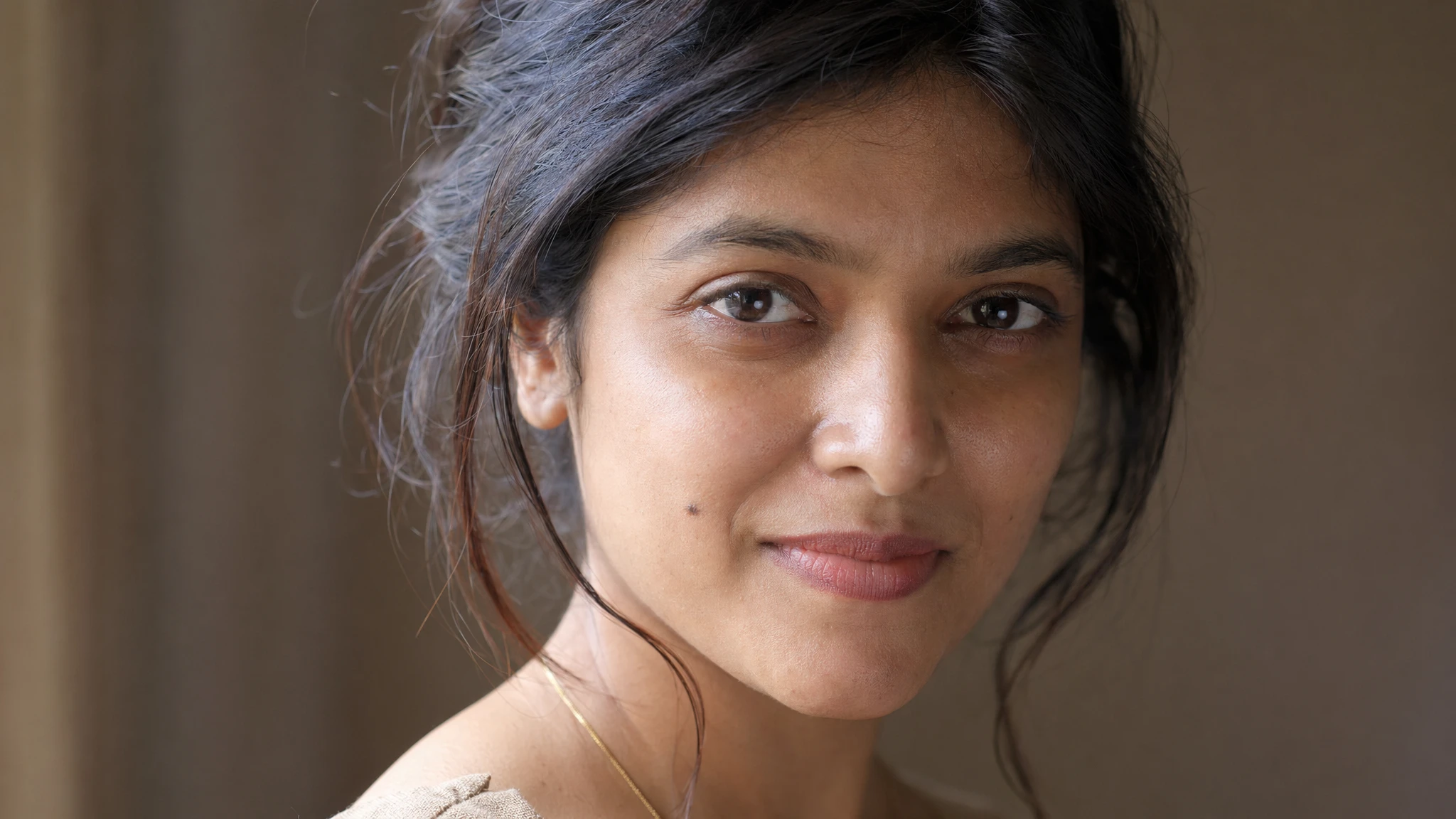
Prompt
A photorealistic close-up portrait of a South Asian woman in her late 20s, soft diffused window light from the upper left, very shallow depth of field with background completely out of focus, warm neutral background, 85mm lens perspective. Ultra-fine skin texture — visible pores, subtle smile lines near the eyes, one small birthmark on the left cheek. Dark brown eyes, natural makeup. Hair loosely pinned, a few strands falling forward. Shot on a medium format digital camera. No filters. No color grading.
Result: Skin texture is rendered at the pore level. Lighting direction is physically consistent — shadow fill on the right side, rim light tracing the ear — without manual lighting specification beyond "window light from the upper left." The birthmark and smile lines are present. This is the quality floor for high mode at 1024×1024.
2. Multilingual Text Rendering
Text rendering is GPT Image 2's defining capability and the largest gap between it and every competing model. OpenAI achieved this by introducing a typographic pathway that writes glyphs as vector shapes before rasterizing them into the scene — rather than trying to infer letter shapes pixel by pixel during diffusion.
The practical result: English, Japanese, Korean, Arabic, Chinese, Turkish, and Hebrew text all render correctly on the first attempt in the vast majority of cases. Dense multi-line layouts, mixed-script posters, and packaging copy with ingredient lists no longer require human QA before shipping.
We tested a mixed Japanese-English music festival poster — one of the harder text rendering scenarios because it requires correct kanji stroke order alongside a clean Latin display typeface.
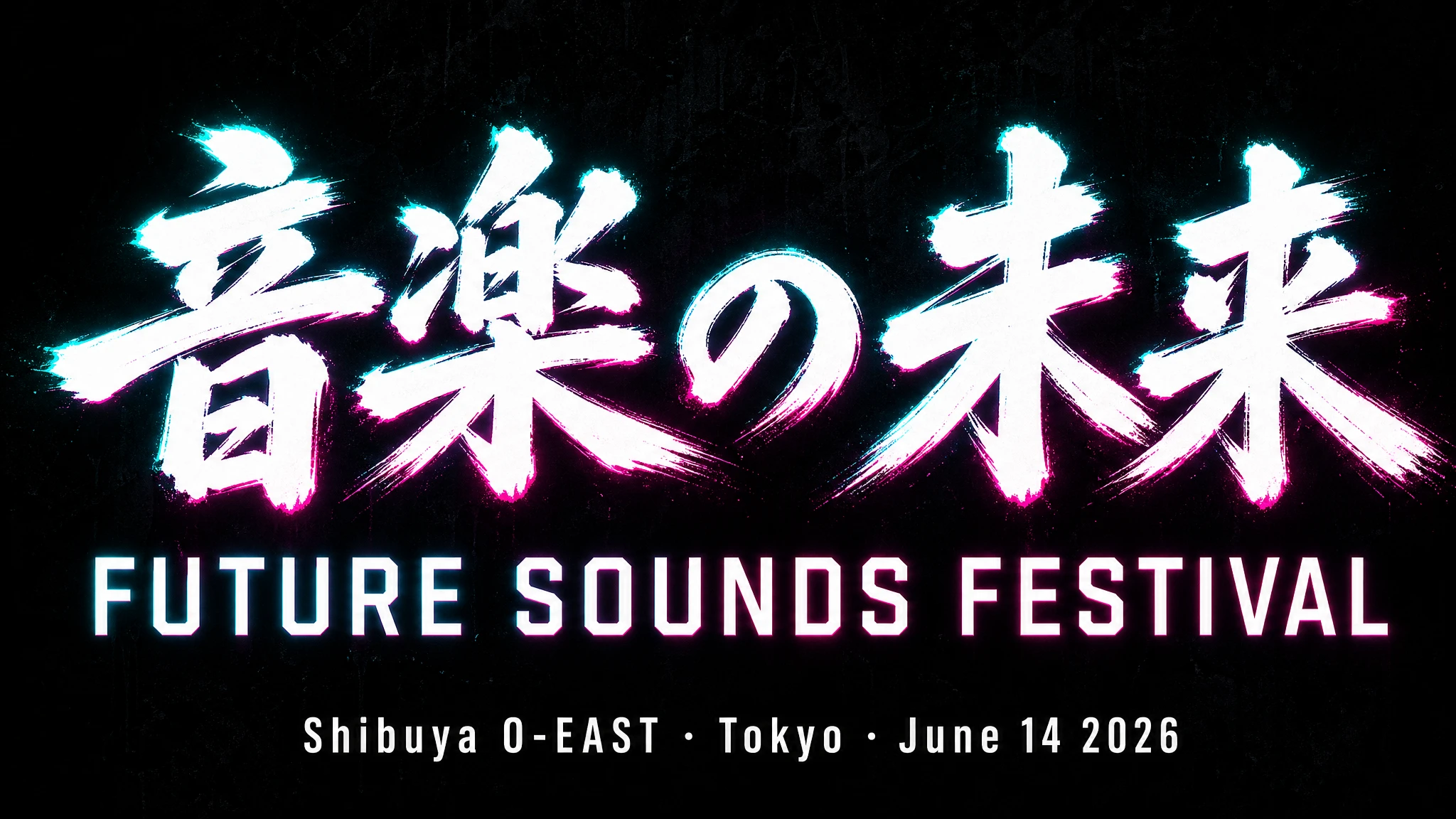
Prompt
A bold music festival poster. Headline: "音楽の未来" in large brushstroke kanji, centered at the top third. Directly below it in a clean geometric sans-serif: "FUTURE SOUNDS FESTIVAL". Venue and date in smaller white type at the bottom: "Shibuya O-EAST · Tokyo · June 14 2026". Dark background, electric teal and magenta neon glow. All text must be fully legible and correctly formed. No decorative elements that obscure the type.
Result: All kanji strokes are correctly formed. The English headline and venue line are fully legible. One known limitation: Arabic and Hebrew with full diacritics at very small sizes still produce occasional single-glyph errors. For standard-size signage and poster copy, accuracy is production-ready.
3. Product Photography
E-commerce product photography is one of the most commercially valuable use cases for GPT Image 2. Teams that previously spent $500–2,000 per product shoot for a single SKU can now generate studio-equivalent images for a fraction of the cost. The model handles reflections, surface shadows, material texture — glass, matte metal, kraft paper, ceramic — and correct depth of field for macro subject distances.
We tested a premium skincare flat lay, a benchmark prompt category because it requires correct specular highlights on glass, readable label text, and convincing petal placement.
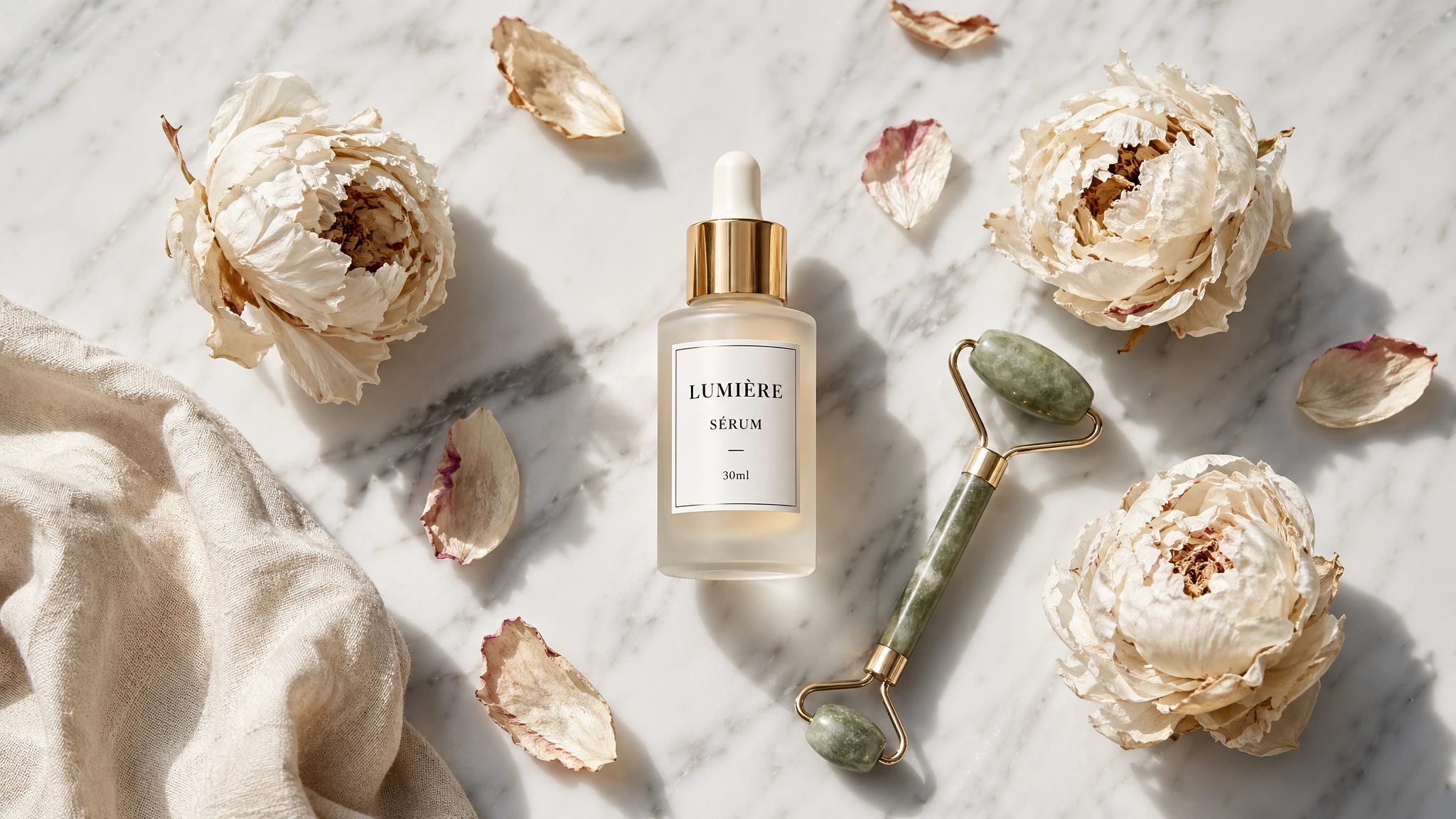
Prompt
A high-end skincare flat lay on a smooth white marble surface. Center: a frosted glass serum bottle with a gold dropper cap. The label reads "LUMIÈRE SÉRUM — 30ml" in clean black serif type. Surrounding it: three dried white peonies, scattered rose petals, a small jade facial roller, and a cream-colored linen cloth slightly crumpled in the bottom-left corner. Soft north window light from above-left. Clean drop shadow under each object. No artificial studio look — feels like a magazine editorial. Shot from directly above. 16:9 crop.
Result: Label text "LUMIÈRE SÉRUM — 30ml" renders correctly including the accented É. Frosted glass texture and gold dropper cap highlights are accurate. Petal placement is organic-looking rather than algorithmically regular.
4. Product Packaging with Readable Labels
Packaging mockups require the hardest version of text rendering: ingredient lists, nutritional panels, legal copy, and brand typography all on a three-dimensional surface with curved distortion and material texture.
Before GPT Image 2, this was impossible without a design tool composite. Ingredient panels would garble individual characters; barcodes were decorative noise. GPT Image 2 is the first model that can render a packaging mockup with correct text throughout — not just the headline.
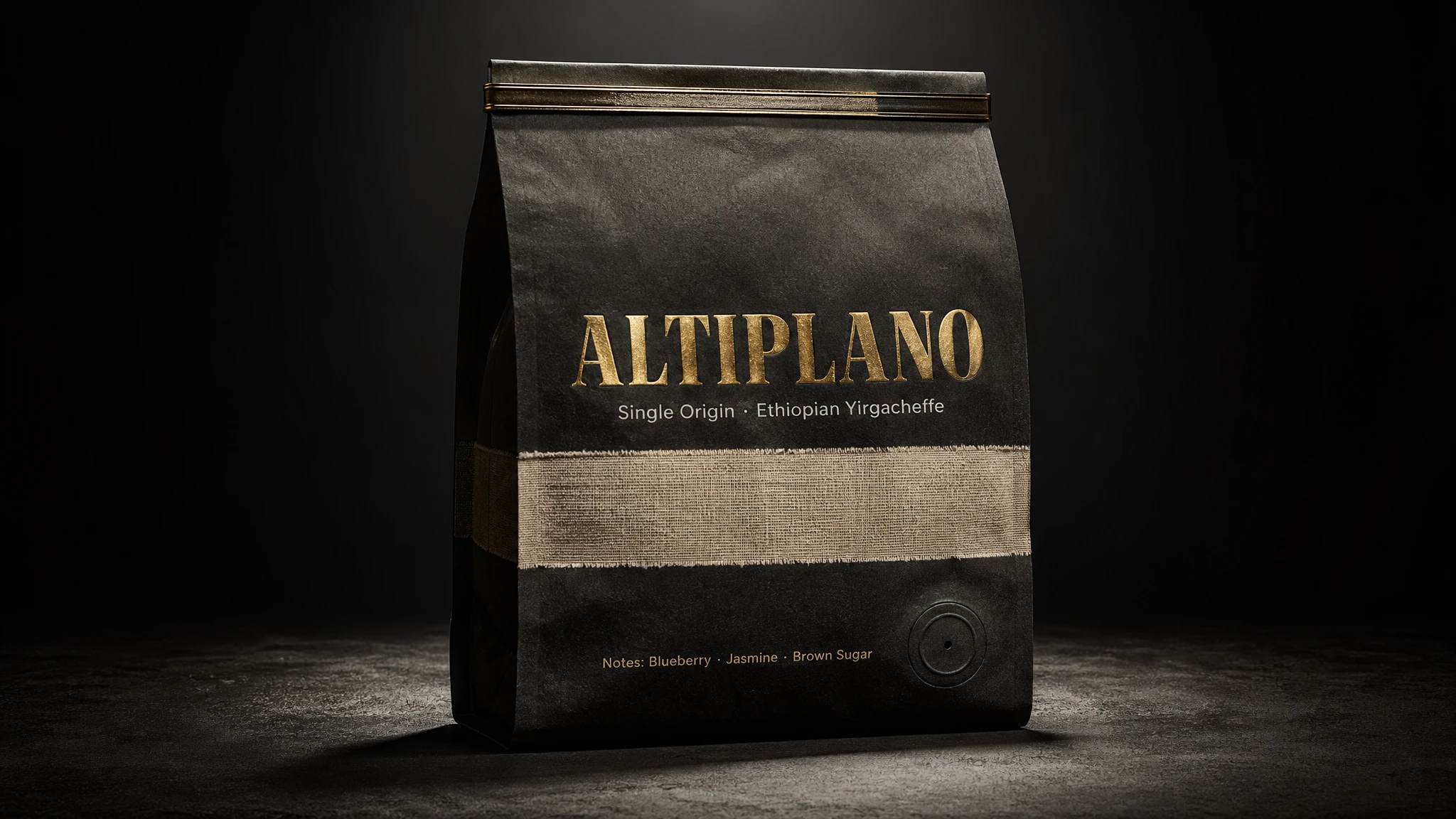
Prompt
A photorealistic standing coffee bag mockup. The bag is matte black kraft paper with a natural linen texture stripe across the center. Brand name on the front: "ALTIPLANO" in a bold, wide uppercase serif, letterpressed in gold foil. Below it: "Single Origin · Ethiopian Yirgacheffe" in a smaller clean sans-serif. Bottom strip: "Notes: Blueberry · Jasmine · Brown Sugar". The bag has a tin-tie closure at the top and a circular degassing valve on the lower right. Dark studio background with a single dramatic spotlight from above. Realistic paper texture, no plastic sheen.
Result: All text elements render correctly including the subtitle and tasting notes. The paper texture, tin-tie closure, and degassing valve are physically plausible. This is directly usable in a pitch deck or e-commerce listing without retouching.
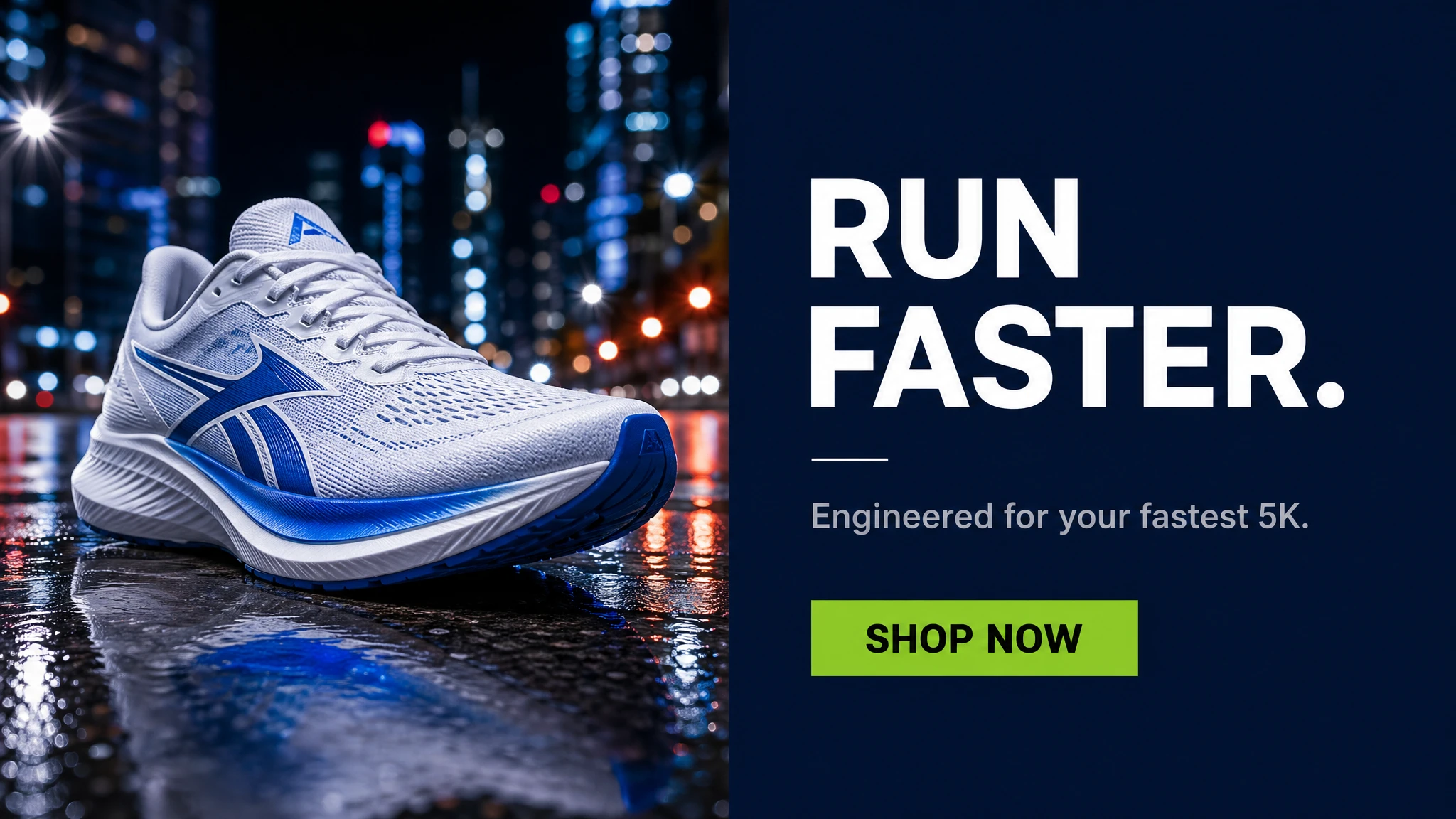
5. Marketing Ad Creative with In-Image Text
Marketing teams historically overlaid text on AI-generated images in Figma or Photoshop because model text was unreliable. GPT Image 2 eliminates this step: headlines, CTAs, and body copy can be specified in the prompt and will render correctly inside the image, ready for deployment without a separate design pass.
We tested a social media ad format — the hardest variant of this workflow because it requires correct CTA text, product image, and layout hierarchy all in a single generation.
Prompt
A clean social media ad for a premium running shoe brand. Split layout: left half shows a dramatic close-up of a white and electric blue running shoe on a wet asphalt surface reflecting city lights. Right half is a solid dark navy panel. On the navy panel, stacked vertically: bold white headline "RUN FASTER." then a small white separator line, then secondary copy in light grey "Engineered for your fastest 5K." then below that a solid lime green CTA button with the text "SHOP NOW" in black. All text must be perfectly legible. Modern, premium athletic aesthetic.
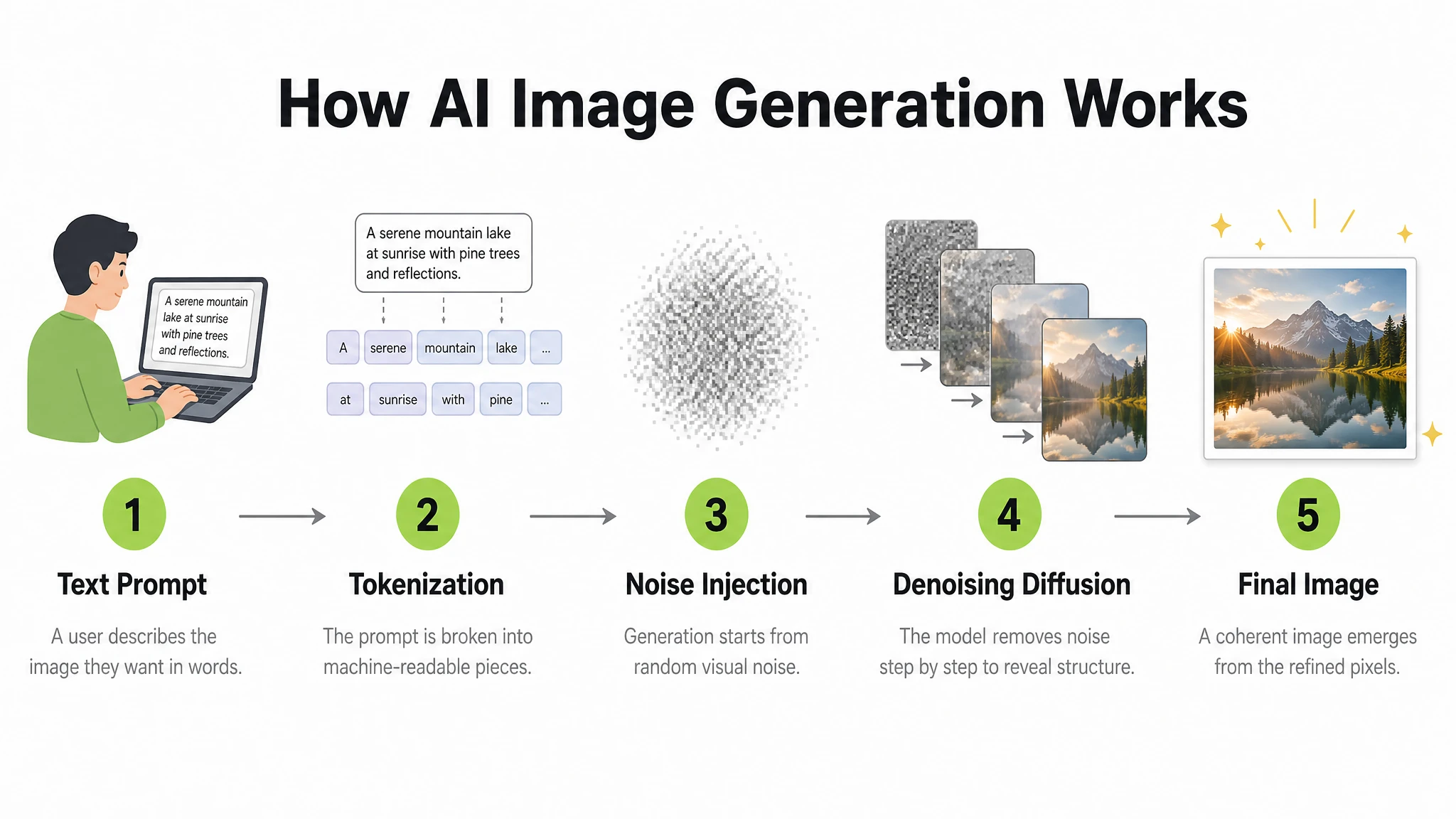
6. Infographic and Step-by-Step Diagram
Infographics require a model to manage layout, typographic hierarchy, iconography, directional arrows, and information accuracy simultaneously — a combination that breaks most image models. GPT Image 2 handles this category well for stylized and instructional diagrams. Its thinking mode can also search the web during generation, grounding data-driven infographics in factually accurate information rather than plausible-looking approximations.
We tested a step-by-step educational diagram with numbered labels and arrow connectors.
Prompt
A clean, modern educational infographic titled "How AI Image Generation Works" showing 5 steps in a left-to-right horizontal flow. Step 1: "Text Prompt" — icon of a person typing. Step 2: "Tokenization" — text being split into tokens. Step 3: "Noise Injection" — abstract Gaussian noise cloud. Step 4: "Denoising Diffusion" — blurry image sharpening. Step 5: "Final Image" — glowing completed photograph. Each step has: a bold number in a lime green circle, a simple flat icon above, the step title in bold dark text, and a one-line description in lighter grey below. Steps connected by clean horizontal arrows. White background. Clear typographic hierarchy. No decorative clutter.
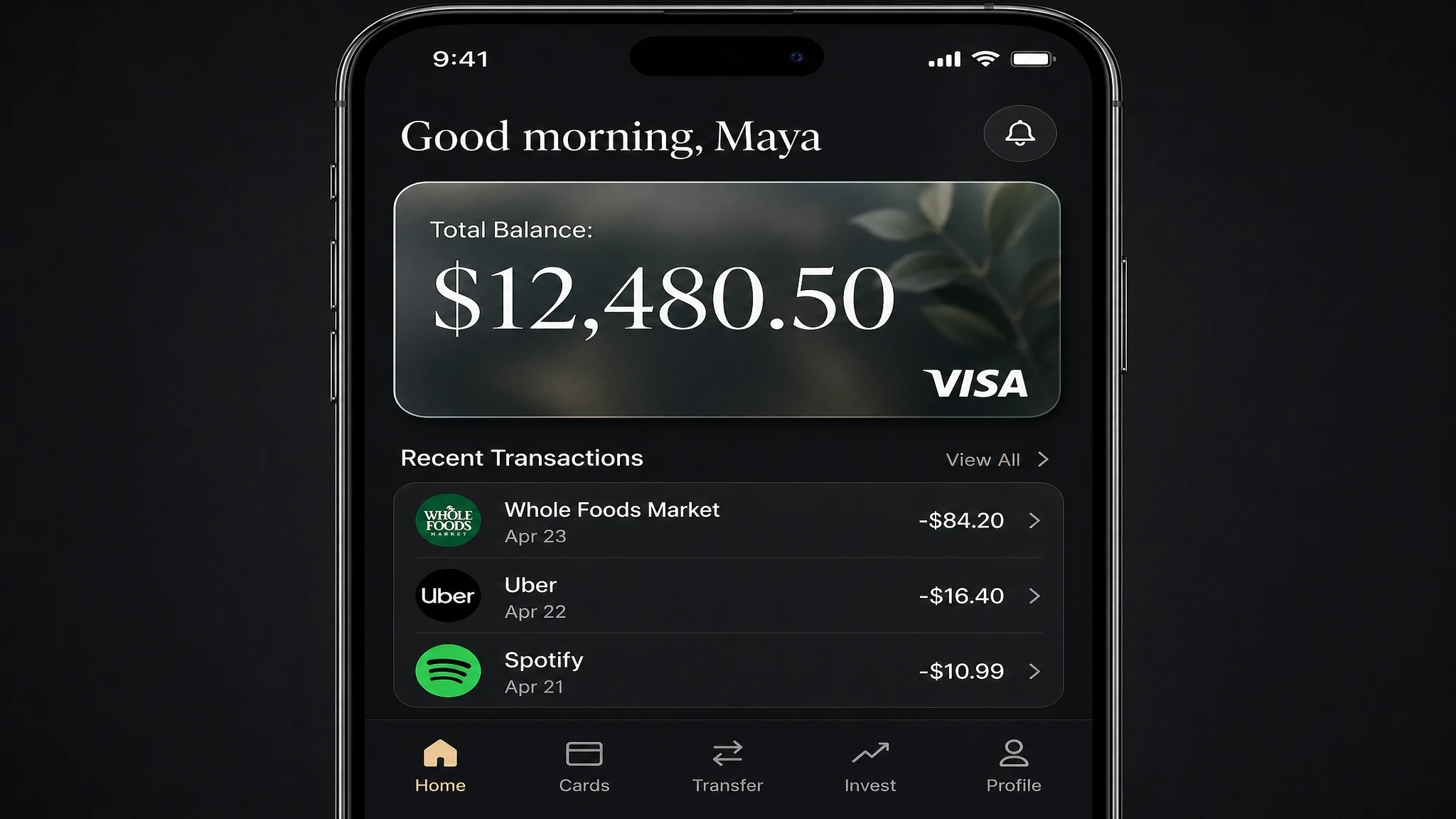
7. UI Mockup and App Interface Design
UI mockup generation is a new use case that GPT Image 2 handles better than any prior model. The combination of accurate text rendering, layout reasoning, and icon-level detail makes it possible to generate a believable app screen or dashboard without a design tool — useful for rapid prototyping, pitch decks, and stakeholder alignment before a design team builds the real thing.
We tested a mobile banking app dashboard: a layout-heavy prompt with navigation labels, account balances, transaction history rows, and a card element.
Prompt
A photorealistic mobile app UI mockup for a premium digital bank. Dark charcoal background. Top section: user greeting "Good morning, Maya" in white. Below: a frosted glass card element showing "Total Balance: $12,480.50" in a large white serif, with a small visa logo in the bottom right. Below the card: a section titled "Recent Transactions" with three rows — each row has a category icon on the left, merchant name and date in the center, and amount on the right (e.g. "Whole Foods Market · Apr 23 · -$84.20"). Bottom navigation bar with five icons: Home, Cards, Transfer, Invest, Profile. All labels must be legible. Clean, minimal, premium fintech aesthetic.
Result: Balance figure, transaction rows, and navigation labels all render correctly. The frosted glass card element has accurate translucency. Useful as a mood board or stakeholder prototype — not production-ready code, but strong enough to communicate design direction without a Figma file.
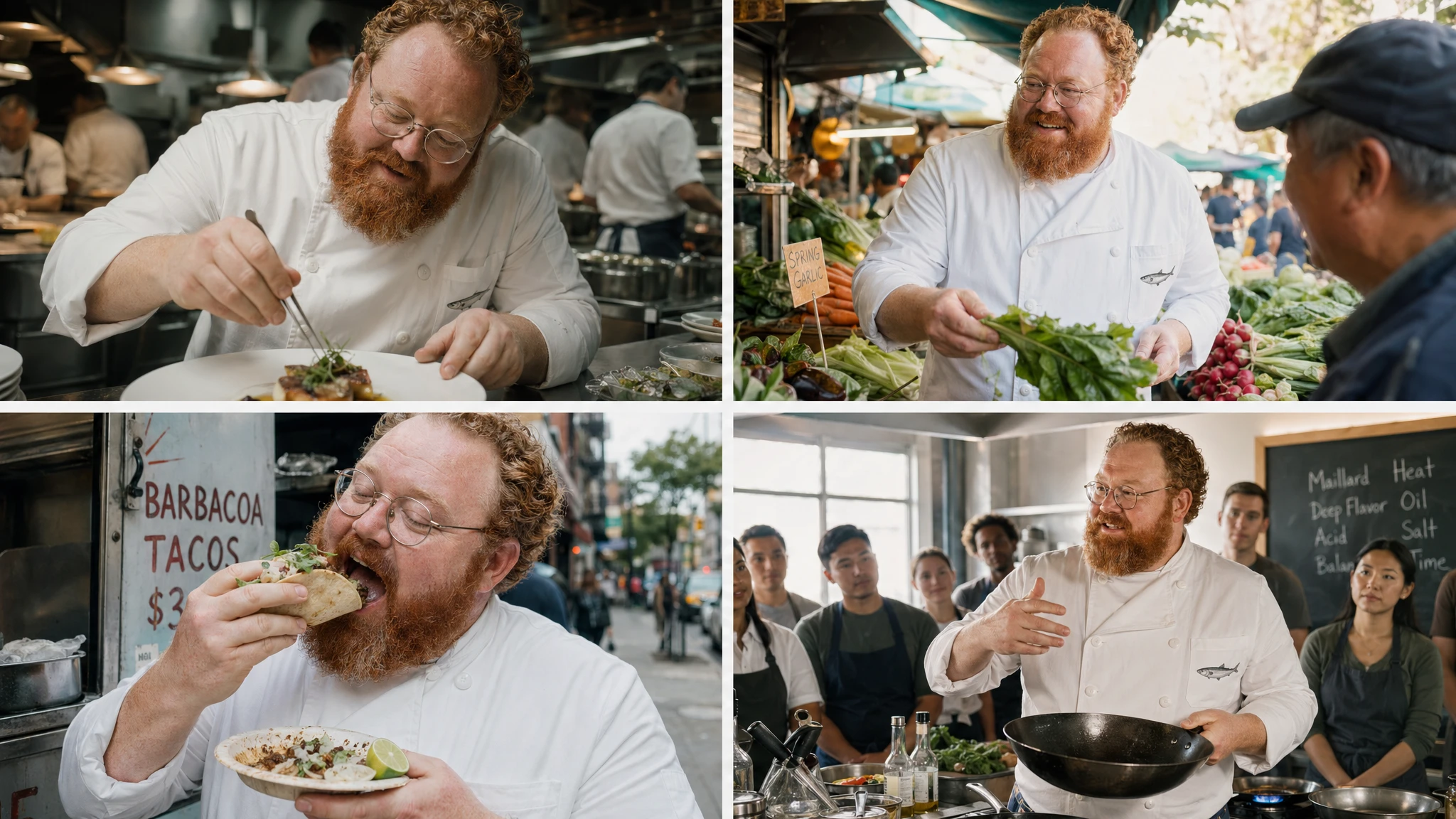
8. Thinking Mode: Multi-Image Consistency
Thinking mode is GPT Image 2's most differentiated capability and its largest gap from any other current image generation model. When enabled, the model reasons about the prompt before generating — spending more or less compute depending on complexity — and can search the web during that reasoning phase. With thinking mode active, you can generate up to 8 coherent images from a single prompt, with consistent characters, objects, and visual style maintained across all 8 outputs.
This is directly useful for children's book illustration, storyboarding, sequential brand campaigns, and game concept art. Access to thinking mode requires a ChatGPT Plus, Pro, Business, or Enterprise subscription. Free users receive standard generation without the reasoning step.
Prompt
Generate 4 scenes featuring the same character: Chef Milo, a cheerful stocky man in his 40s with a thick red-orange beard, round wire-rimmed glasses, and a white double-breasted chef coat with a small anchovy embroidered on the chest pocket. Scene 1: Milo in a busy open kitchen, plating a dish with tweezers, intense concentration. Scene 2: Milo at a morning market, selecting vegetables, smiling at a vendor. Scene 3: Milo eating a street taco by a food cart, genuine delight on his face. Scene 4: Milo teaching a cooking class, holding a carbon steel wok, students visible in the background. Keep Milo's face, beard, glasses, and coat identical across all four scenes. Cinematic photography style.
This is genuinely new: no other image generation API offers multi-image batch output with character continuity in a single call. For sequential content — storyboards, illustrated stories, multi-scene campaigns — this changes the production math entirely.
9. Natural Language Image Editing
GPT Image 2 supports image editing through the /v1/images/edits endpoint. You upload an existing image and describe the change in plain language. The model applies targeted edits without regenerating the full image, preserving identity, composition, and lighting while modifying only the specified element.
Background swaps, object additions, lighting changes, clothing color adjustments, and style transfers all work via text description alone. No mask drawing, no selection tools, no layer management. You can also pass multiple reference images to composite elements — for example, placing a product from one image into a scene from another.
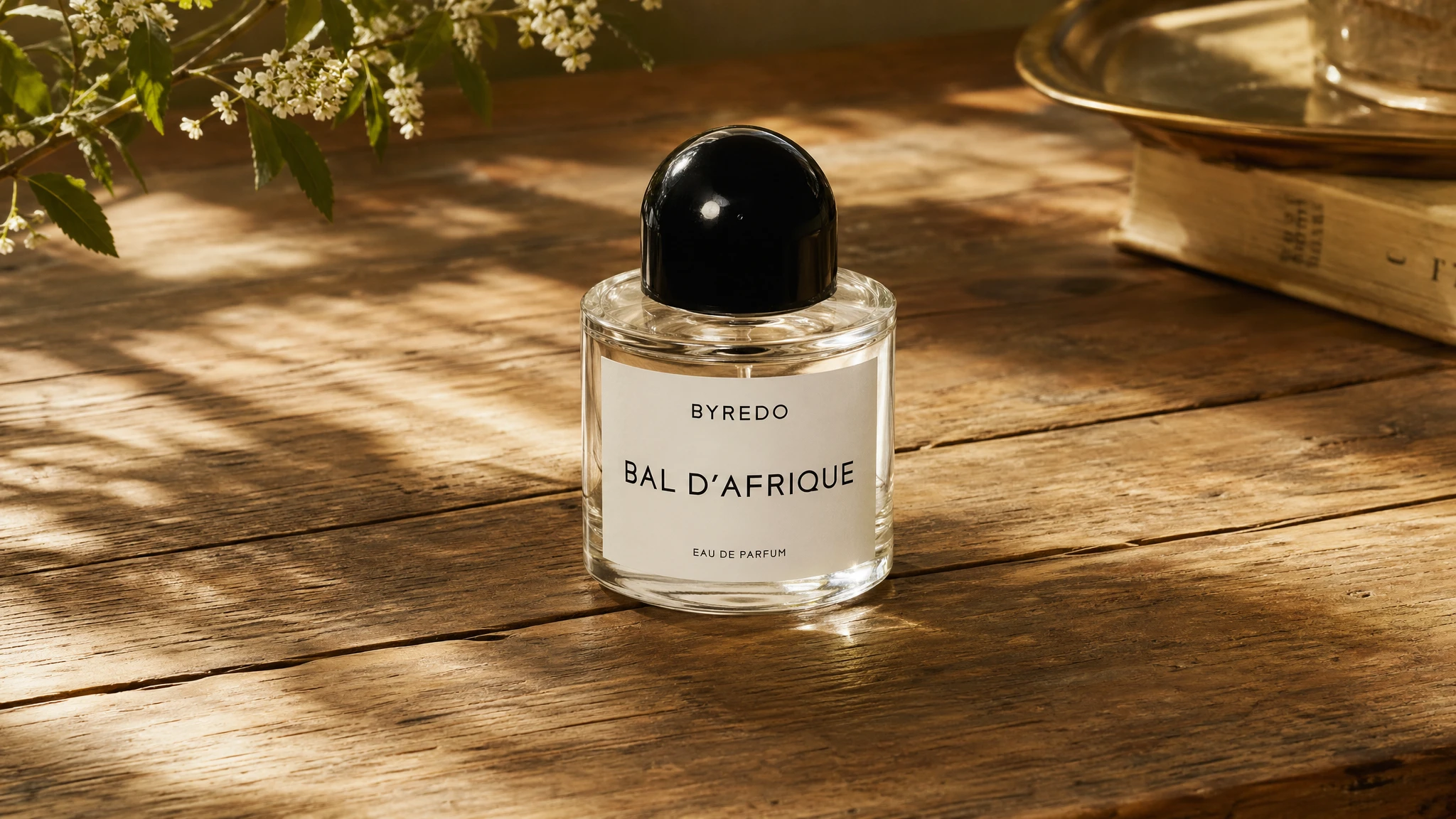
Prompt
[Edit instruction applied to an existing studio product shot of a glass perfume bottle on white background] Change the background from the plain white studio background to a warm, rustic wooden table surface with soft dappled sunlight coming from the left. Keep the bottle, its reflections, and its shadow exactly as they are. The new background should feel like a high-end lifestyle photograph taken in a sunlit Parisian apartment.
10. Cinematic and Artistic Style Control
GPT Image 2 covers more than 50 recognized artistic styles from photorealism to oil painting, watercolor, anime, pixel art, halftone print, and neon cyberpunk. The model adheres closely to style descriptors without drifting toward a generic AI aesthetic — a common failure mode in earlier generation models that would converge on a similar painterly look regardless of the specific style specified.
We tested a high-contrast cinematic still: a specific genre, lighting setup, and color grade all specified together.
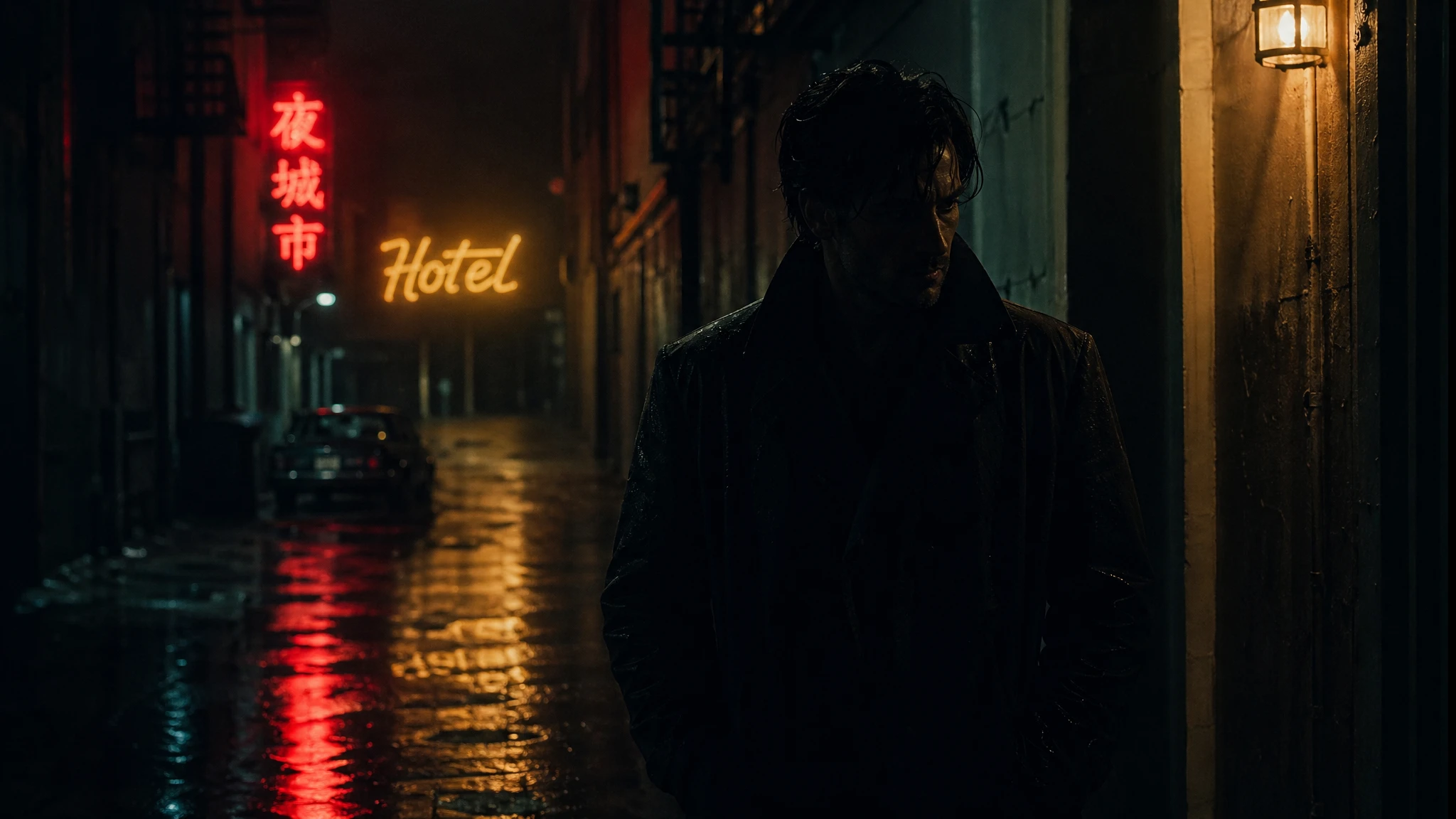
Prompt
A cinematic still in the style of contemporary neo-noir. A lone figure in a dark trench coat walks down a rain-slicked urban alley at 2am. Reflections of neon signs — one red kanji, one amber "HOTEL" in script — pool on the wet pavement. Shallow depth of field keeps the background signage slightly soft. Color grade: deep teal shadows, warm amber highlights — classic film noir color separation. Low-key side lighting from a practical wall sconce off screen right. The figure's face is partially in shadow. No dialogue. No motion blur. Shot on 35mm Kodak Vision3 500T. Aspect ratio 3:2.
11. Fashion Editorial and Lifestyle Photography
Fashion and lifestyle photography is one of the highest-value categories for GPT Image 2 in production. The model renders fabric texture — linen weave, leather grain, satin sheen — with enough fidelity that styling details are clearly communicable to a design team, even if the output is not yet a production-ready asset for a luxury brand catalog.
Key capability: GPT Image 2 can render brand labels on garments correctly. A prompt specifying a label that reads "ÉLISE PARIS" will produce a garment with that label legible in the image. This is only possible with GPT Image 2 — earlier models would garble the text or omit it.

Prompt
An editorial fashion photograph. Subject: a tall woman in an oversized cream linen suit — wide-leg trousers with sharp creases and a boxy double-breasted blazer. The blazer has a small chest pocket with a folded white pocket square and a brand label visible on the inner lapel reading "ÉTAT LIBRE". She stands on a sun-bleached stone terrace overlooking the Mediterranean Sea, golden hour light behind her creating a natural rim light on her silhouette. Shot on medium format, 80mm equivalent. The linen fabric texture and stitching are clearly visible. Expression: composed, distant, slightly downward gaze.
12. Real-World Scene Accuracy with Web Search Grounding
In thinking mode, GPT Image 2 can search the web before generating. This matters for prompts that reference real-world subjects: specific buildings, brand logos, cultural landmarks, or current product designs. Instead of generating a plausible approximation from training data, the model queries live web imagery and uses what it finds to inform the generation.
GPT Image 2's knowledge cutoff is December 2025. For any subject that changed or appeared after that date — new product designs, 2026 events, recently updated brand identities — thinking mode's web search partially mitigates the gap. For subjects well within the training window, the improvement in visual accuracy is substantial.
We tested a real-world landmark rendered in a specific artistic style — a prompt that requires both factual accuracy about the building's appearance and stylistic execution.
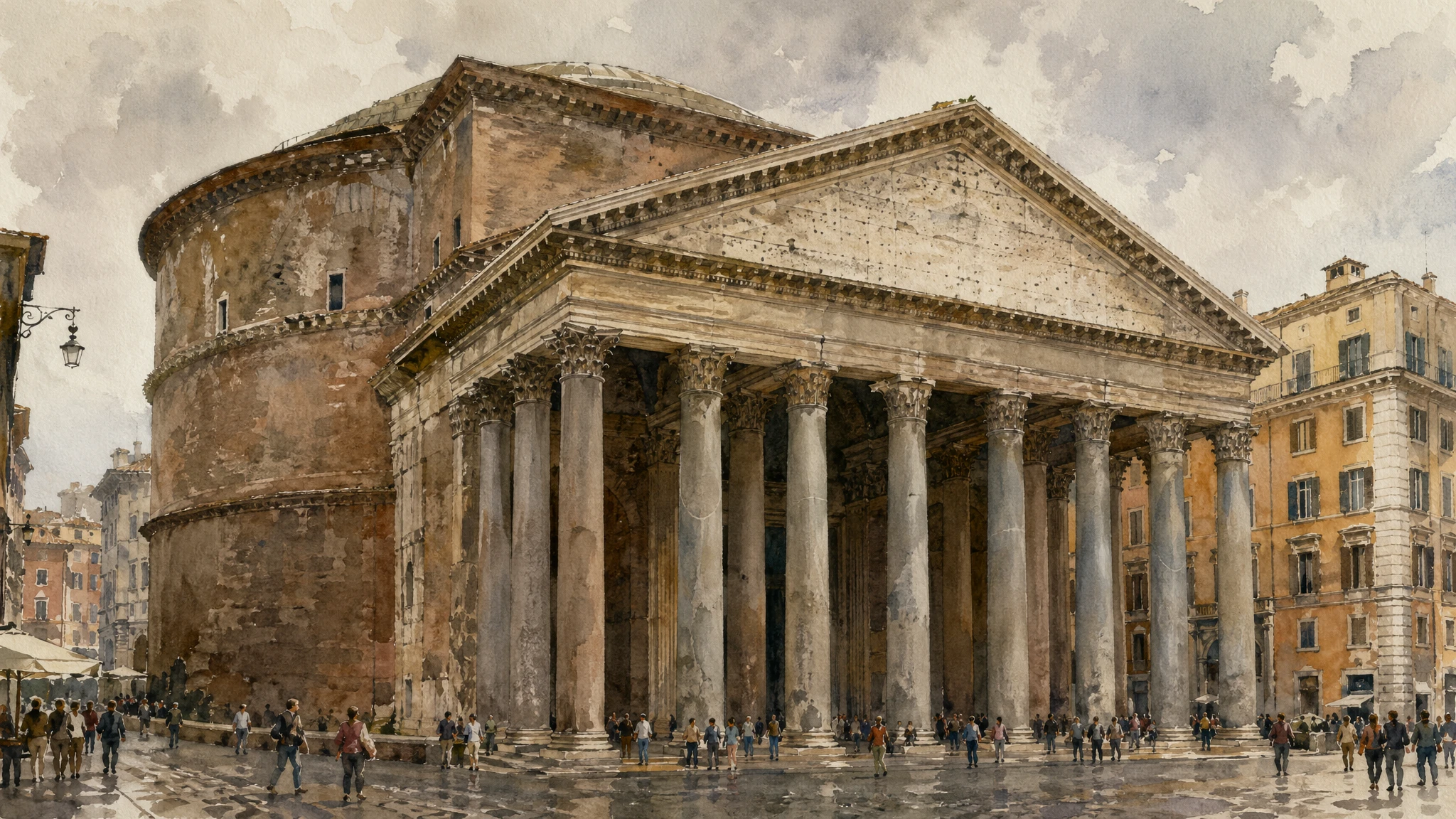
Prompt
Search the web for visual references of the Pantheon in Rome, then generate an image of it in loose architectural watercolor style. The painting should accurately reflect the real building's proportions: the massive Corinthian portico with sixteen granite columns in three rows, the triangular pediment, and the cylindrical drum behind it. Medium: loose warm-toned watercolor with deliberate wet-on-wet washes, visible paper texture, and dry brush strokes on the column edges. A small crowd of tourists in simple gestural marks at street level. Overcast soft Roman morning light. No text. Aspect ratio 3:2.
Result: The column count and portico proportions in the generated image match the actual Pantheon — 16 columns, correct triangular pediment, correct depth relationship between portico and rotunda. Without web grounding, earlier models would generate a plausible "generic Roman temple" that deviated significantly from the real building.
Known Limitations
- Knowledge cutoff: December 2025. Events, product designs, and public figures that emerged after that date may produce incorrect or refused outputs. Thinking mode's web search partially mitigates this.
- Transparent backgrounds: Not currently supported for gpt-image-2. The background parameter set to "transparent" is not supported. Use PNG exports from other models or post-process with a background removal tool.
- Arabic and Hebrew with full diacritics at small point sizes: Approximately one glyph in twenty produces an error in dense paragraphs. Basic signage and headings work reliably.
- Dense body copy at very small sizes (e.g., newspaper body text at 5pt equivalent): ~95% accuracy per paragraph — high enough for most uses, but requiring verification for typographically precise assets.
- Complex multi-region edits: Editing that requires simultaneous changes across three or more distinct spatial regions may need 2–3 iterations for a clean result.
- Thinking mode latency: Complex multi-image generations can take up to 2 minutes per batch. Not suitable for real-time or sub-5-second response requirements.
- Rate limits under burst load: Heavy API burst loads may trigger rate limiting on Tier 1–2 accounts. Plan for exponential backoff in production integrations.
Summary: When to Use GPT Image 2
| Use Case | Quality Bar | Key Capability Used | Best Quality Setting |
|---|---|---|---|
| Marketing ad creative with in-image text | Production-ready | Text rendering | High |
| Product photography | Production-ready | Photorealism, material texture | High |
| Packaging mockup | Pitch/prototype | Text rendering on 3D surface | High |
| UI mockup / app prototype | Stakeholder alignment | Layout reasoning, text accuracy | Medium |
| Infographic / diagram | Production-ready | Text + layout | Medium or High |
| Portrait photography | Production-ready | Identity-sensitive rendering | High |
| Fashion editorial | Prototype / campaign | Style control, fabric texture | High |
| Children's book / storyboard | Production-ready | Multi-image consistency (thinking mode) | Medium |
| Real-world landmark scene | Accurate representation | Web search grounding (thinking mode) | High |
| Social media thumbnail | Production-ready | Composition + in-image text | Low or Medium |
| Concept art / cinematic still | Creative exploration | Artistic style control | Medium |
| Rapid iteration / draft batch | Internal review | Speed and cost | Low |
GPT Image 2 is the strongest choice for any workflow where text rendering accuracy is a requirement — packaging, marketing creative, infographics, UI mockups, editorial layouts. It is also the only model that offers multi-image batch generation with character continuity in a single API call.
For workflows that prioritize abstract artistic style exploration, maximum speed, or the lowest possible per-image cost at scale, evaluate alternatives alongside GPT Image 2 on your specific prompt set before committing to a stack.