What Is GPT Image 2? OpenAI's Most Capable Image Model Explained
GPT Image 2 is OpenAI's latest and most capable image generation model, released on April 21, 2026, under the official API name `gpt-image-2`. Also marketed as ChatGPT Images 2.0, it is the direct successor to GPT Image 1.5 (December 2025) and represents the most significant leap forward in the GPT Image family to date.
The headline story is not just image quality — it is reasoning. GPT Image 2 is the first OpenAI image model to integrate native "thinking" capabilities, allowing it to plan, search the web, self-check its outputs, and generate up to eight coherent images from a single prompt with consistent characters and objects throughout. OpenAI describes it not as a creative toy but as a "visual thought partner" built for production workflows.
Release Date and Availability
OpenAI announced and released GPT Image 2 on April 21, 2026. All ChatGPT and Codex users gained access the following day, April 22. The API (model ID: `gpt-image-2`, snapshot: `gpt-image-2-2026-04-21`) became available to developers shortly after launch.
The rollout coincides with the scheduled retirement of DALL-E 2 and DALL-E 3 on May 12, 2026, making the GPT Image family — and GPT Image 2 specifically — OpenAI's singular image generation platform going forward.
Core Capabilities
GPT Image 2 ships with a set of capabilities that distinguish it from every earlier OpenAI image model. Below is a breakdown of what makes it categorically different.
1. Native Reasoning (Thinking Mode)
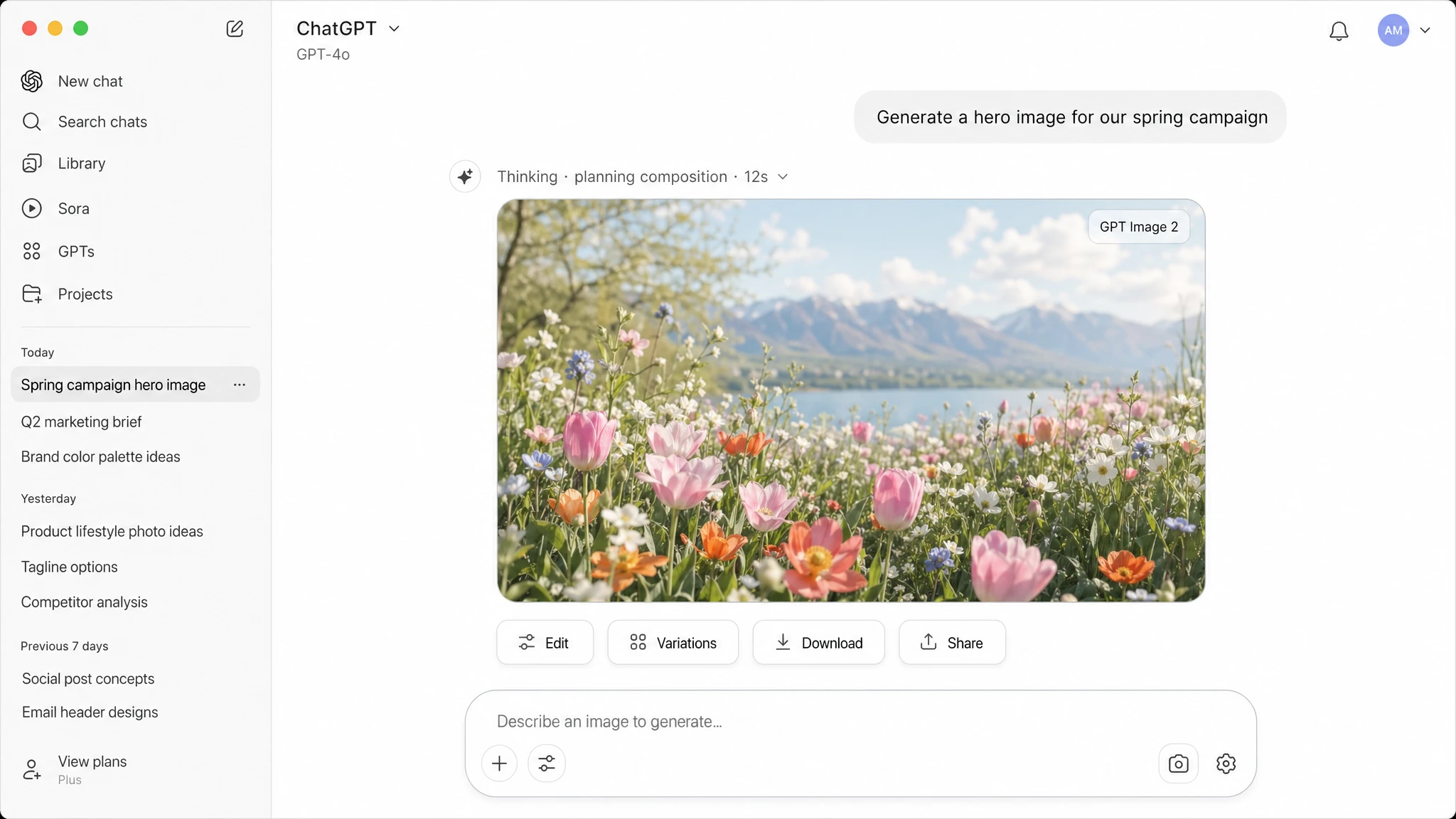
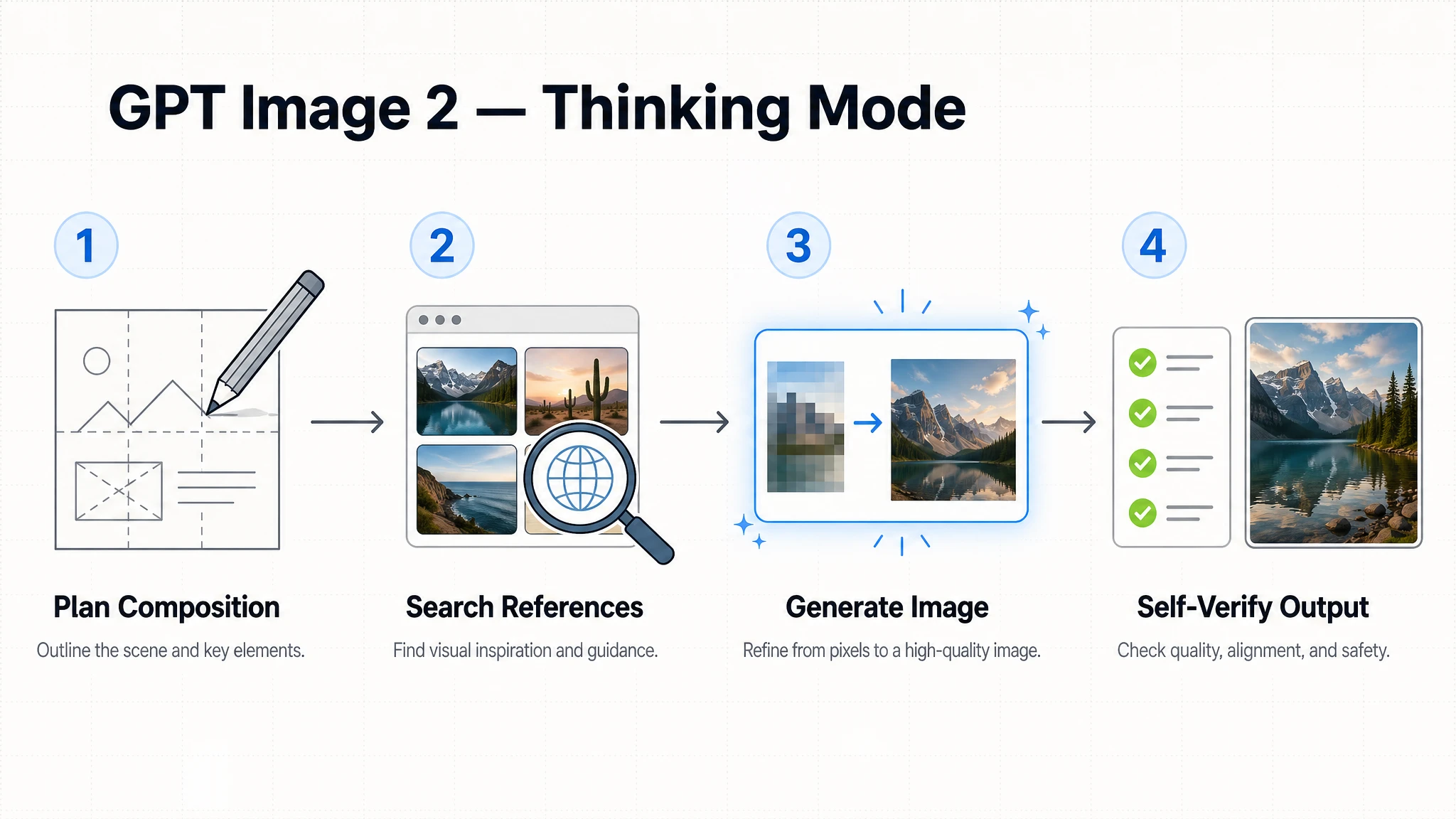
The single most transformative feature in GPT Image 2 is its native reasoning layer. In Thinking mode, the model does not jump straight to pixel generation — it first plans the composition, reasons about layout, and can search the web for real-world visual references before producing an image. After generation, it performs a self-check pass to verify the output matches the original intent.
This makes GPT Image 2 fundamentally different from all diffusion-based predecessors. For complex prompts — a multi-panel comic, a detailed infographic, a brand-consistent marketing asset in five aspect ratios — Thinking mode dramatically increases first-attempt success rates.
Thinking mode is restricted to paid ChatGPT subscribers (Plus at $20/month, Pro at $200/month, Business, and Enterprise). Instant mode — which still delivers the core quality improvements — is available to all users including the free tier.
2. Text Rendering
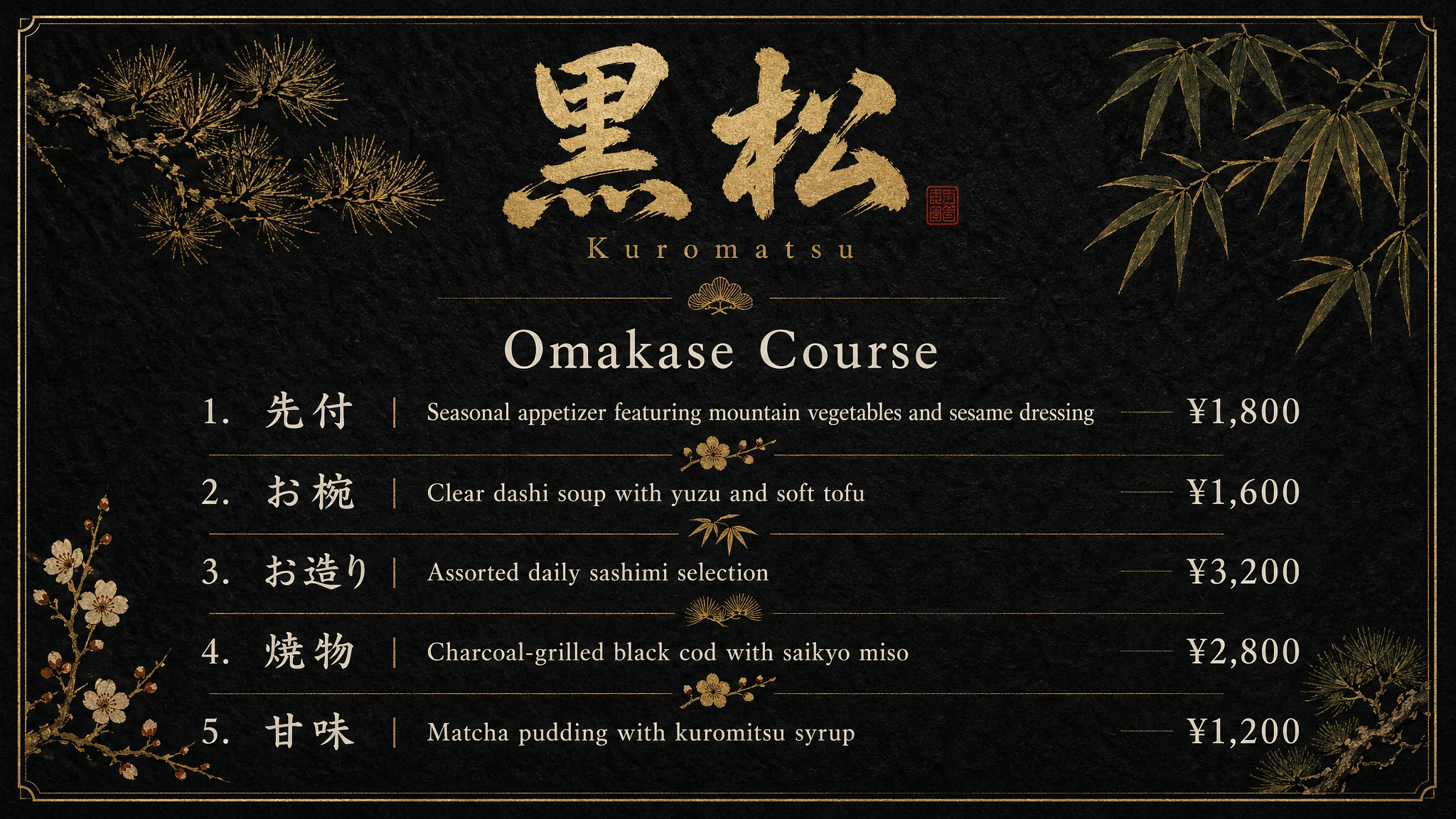
Text rendering inside generated images has historically been a hard problem for AI models. GPT Image 2 delivers a decisive improvement. OpenAI specifically highlights it as capable of handling "small text, iconography, UI elements, and dense compositions" — the precise elements where earlier models reliably broke down.
For Latin scripts, the model renders display fonts, body text, and stylized typography with near-perfect accuracy at 2K resolution. For non-Latin scripts — Japanese, Korean, Chinese (CJK), Hindi, and Bengali — it achieves character-level accuracy that earlier models failed to deliver. TechCrunch noted that the model can produce a restaurant menu in Spanish where "customers wouldn't notice something's off."
This has direct implications for marketing teams, publishers, game studios, and e-commerce brands that previously required manual post-processing to fix AI-generated text.
Prompt
A premium Japanese restaurant menu printed on dark washi paper. The restaurant name "黒松" (Kuromatsu) appears at the top in large calligraphic brushstroke lettering. Below it, a clean section titled "Omakase Course" lists five dishes with Japanese names on the left and English descriptions on the right — each with a price in yen on the far right. Small illustrated botanical motifs separate each section. A thin gold border frames the entire menu. Typography is elegant and legible. All text must be fully accurate.
3. 2K Resolution and Flexible Aspect Ratios
GPT Image 2 natively supports up to 2K (2048px) output resolution. Unlike GPT Image 1 and 1.5, which were constrained to a fixed set of sizes, GPT Image 2 accepts any resolution that meets its dimensional constraints — with square images generating fastest.
Aspect ratio support spans 3:1 (ultra-wide cinematic) to 1:3 (ultra-tall portrait), covering the full range of real production formats: social media posts, billboard mockups, editorial layouts, mobile app screens, and more. This eliminates the upscaling step that degraded quality in professional workflows using earlier models.
One concrete demonstration: generating a campaign asset in one prompt and receiving it in square, 9:16 portrait, 16:9 landscape, and 21:9 ultra-wide — all in a single batch with identical composition.
4. Multi-Image Generation with Character Continuity
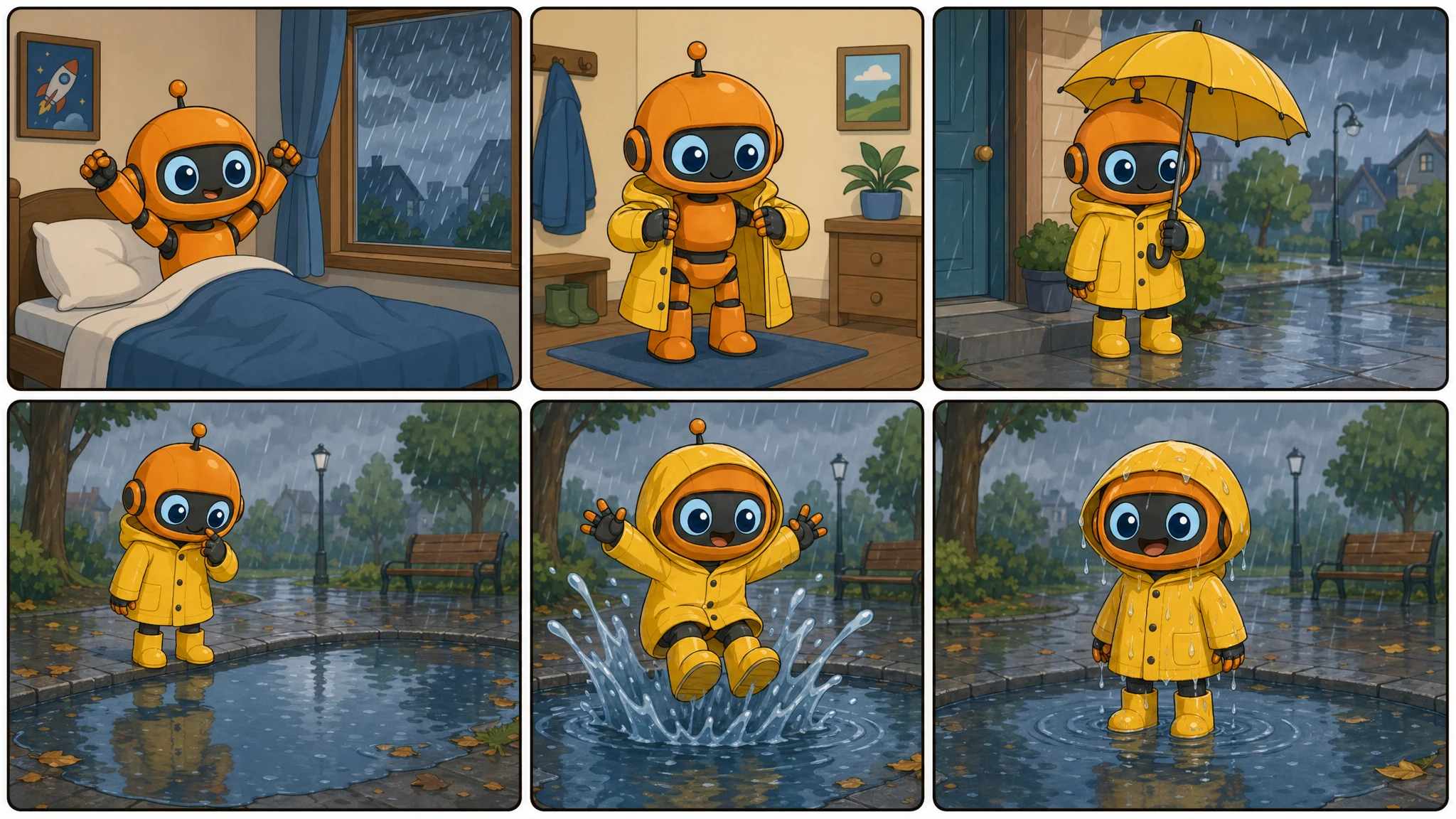
In Thinking mode, GPT Image 2 can generate up to eight coherent images from a single prompt — with consistent characters, object placement, and visual style maintained across the entire batch. This is a new primitive for production workflows.
Use cases that are now practical in a single generation: a complete children's book spread, a multi-scene product campaign, a six-panel comic strip, a storyboard sequence for a video production. The character consistency is enforced by the model's reasoning layer, which tracks identity attributes — appearance, clothing, proportions — across the full output set.
Via the Image API, the `n` parameter accepts values from 1 to 8.
Prompt
A six-panel comic strip in a clean flat-color illustration style. The main character is a small orange robot with a round head and large blue eyes. Panel 1: The robot wakes up and sees it is raining outside. Panel 2: It puts on a tiny yellow raincoat. Panel 3: It steps outside and opens a matching yellow umbrella. Panel 4: It spots a large puddle and hesitates. Panel 5: It jumps into the puddle with both feet. Panel 6: It stands in the puddle, soaking wet but smiling widely. Each panel has a thin rounded border. The robot must look identical in all six panels.
5. Web Search Integration
When Thinking mode is active, GPT Image 2 can search the web during the generation process. This is most useful for prompts involving real-world subjects: a specific building, a brand's visual identity, a scientifically accurate diagram, or a news-event illustration.
Instead of producing a generic approximation, the model retrieves real visual references first, then uses that information to ground the generated image in factual accuracy. For infographics, educational diagrams, and location-specific scenes, this closes the gap between "plausible-looking" and "actually correct."
Instant Mode vs Thinking Mode
GPT Image 2 ships with two distinct access modes, each suited to different use cases and subscription tiers.
| Feature | Instant Mode | Thinking Mode |
|---|---|---|
| Access | All users (including free) | Plus, Pro, Business, Enterprise |
| Generation speed | Fast | Slower (reasoning takes time) |
| Web search during generation | No | Yes |
| Multi-image batch (up to 8) | No | Yes |
| Character continuity across batch | No | Yes |
| Output self-verification | No | Yes |
| Layout planning before generation | No | Yes |
| 2K resolution | Yes | Yes |
| Text rendering improvement | Yes | Yes |
| Multilingual text | Yes | Yes |
The quality improvements in GPT Image 2 — text rendering, 2K resolution, multilingual support, photorealism — are available in both modes. Thinking mode unlocks the agentic layer: web search, multi-image batching with continuity, and self-verification. For straightforward single-image generation, Instant mode is sufficient and faster.
What Can You Build with GPT Image 2?
OpenAI positioned GPT Image 2 explicitly as a production tool, not a creative toy. The launch announcement highlighted five categories of output that the model handles better than any previous OpenAI image model:
- Marketing assets: Campaign images, social media graphics, and product mockups in multiple sizes from a single prompt
- Infographics and diagrams: Step-by-step visual guides, data visualizations, and educational charts with accurate text labels
- UI mockups: App screens, web interface wireframes, and design system components with readable UI elements
- Comic strips and storyboards: Multi-panel narratives with consistent characters across all frames
- Slides and presentations: Slide decks with proper text hierarchy, charts, and on-brand visuals

Prompt
A premium skincare product campaign for a brand called "LUNE." The hero visual shows a clean white serum bottle on a marble surface with soft golden-hour light, surrounded by dried botanicals. The brand name "LUNE" appears in a thin modern serif typeface at the top. A tagline "Refined by Nature" appears below the bottle in small caps. Generate this composition in three formats: 1:1 square, 16:9 landscape, and 4:5 portrait. Keep the product, lighting, text placement, and color palette identical across all three.
Technical Specifications
| Specification | Value |
|---|---|
| API model ID | gpt-image-2 |
| Model snapshot | gpt-image-2-2026-04-21 |
| Release date | April 21, 2026 |
| Max resolution | 2K (2048px on longest side) |
| Aspect ratio range | 3:1 (ultra-wide) to 1:3 (ultra-tall) |
| Images per prompt (API) | 1 to 8 (n parameter) |
| API endpoints | v1/images/generations, v1/images/edits |
| Input fidelity | Always high fidelity (not configurable) |
| Transparent background | Not supported |
| Output formats | JPEG, WebP (with compression 0–100%), PNG |
| Knowledge cutoff | December 2025 |
| C2PA metadata | Included in all outputs |
One important technical note: `gpt-image-2` processes every image input at high fidelity automatically — the `input_fidelity` parameter that existed in earlier models is not supported and cannot be changed. This means edit requests that include reference images use more input tokens than lower-fidelity alternatives, which should be accounted for when estimating costs.
How GPT Image 2 Compares to Earlier Models
GPT Image 2 sits at the top of a three-generation API lineup. DALL-E 3 was a standalone diffusion-based model connected to ChatGPT as an external tool. GPT Image 1 (April 2025) introduced native multimodal integration — better instruction-following, text rendering, and world knowledge. GPT Image 1.5 (December 2025) added image preservation editing and faster generation times.
GPT Image 2 builds on GPT Image 1.5 with a fundamentally new capability layer: native reasoning. This makes across-the-board improvements rather than targeted tweaks. The table below summarizes the generational differences.
| Feature | DALL-E 3 | GPT Image 1 | GPT Image 1.5 | GPT Image 2 |
|---|---|---|---|---|
| Native multimodal integration | No | Yes | Yes | Yes |
| Native reasoning / Thinking mode | No | No | No | Yes |
| Max resolution | 1024px | 1536px | 1536px | 2048px (2K) |
| Multi-image batch | No | No | No | Up to 8 |
| Web search during generation | No | No | No | Yes (Thinking) |
| CJK / Hindi / Bengali text | Poor | Moderate | Good | Accurate |
| Image preservation editing | No | No | Yes | Yes |
| Output tokens per 1M | — | $40 | $32 | $30 |
Current Limitations
- No transparent background support: `background: "transparent"` returns an error for gpt-image-2. This rules it out for generating cutout assets without post-processing.
- Knowledge cutoff is December 2025: The model cannot accurately generate visuals tied to events, products, or public figures that emerged after that date. Thinking mode can supplement with web search, but the underlying visual knowledge still has this ceiling.
- Thinking mode is paid-only: The most powerful features — multi-image batching with continuity, web search, and self-verification — require a ChatGPT Plus ($20/mo) or higher subscription when using ChatGPT.
- Free tier rate limits: In the API, free-tier accounts do not have access at all. Tier 1 starts at 5 images per minute (IPM).
- High-quality generation is slower: Complex prompts in Thinking mode can take several minutes. This is a deliberate tradeoff for accuracy, not a bug.
The transparent background limitation is the most impactful for design and e-commerce workflows. Product photography on a white background, logo generation, and sticker asset creation all require transparent PNGs — currently only GPT Image 1, 1.5, and GPT Image 1 Mini support that output format. OpenAI has not announced a timeline for adding transparent background support to gpt-image-2.
Safety and Content Policy
GPT Image 2 carries over the safety infrastructure from GPT Image 1, including standard safeguards against generating harmful imagery and mandatory C2PA (Coalition for Content Provenance and Authenticity) metadata embedded in every output. The C2PA metadata makes GPT Image 2 outputs machine-verifiable as AI-generated — relevant for platforms that enforce AI content disclosure.
Developers accessing the model via the API can control moderation sensitivity through the `moderation` parameter: `auto` applies standard filtering, while `low` reduces filtering for less restrictive applications. OpenAI does not train on customer API data by default.
Summary
GPT Image 2 is a generational step for OpenAI's image generation platform. It is not a faster DALL-E — it is an image model that thinks before it draws, verifies its own outputs, searches the web when accuracy demands it, and can deliver an eight-image storyboard from a single prompt with consistent characters throughout.
For production teams, the breakthrough features are: text rendering that no longer needs manual correction, 2K native resolution that eliminates upscaling, and multi-image batch generation with continuity. For casual users, the quality improvement in Instant mode alone makes it the most capable version of ChatGPT image generation available.
| Property | Value |
|---|---|
| Official name | ChatGPT Images 2.0 / gpt-image-2 |
| Released | April 21, 2026 |
| Biggest new feature | Native reasoning (Thinking mode) |
| Max resolution | 2K (2048px) |
| Max images per prompt | 8 (in Thinking mode) |
| Best text rendering | Latin, CJK, Hindi, Bengali, Arabic |
| Transparent background | Not supported |
| Knowledge cutoff | December 2025 |