GPT Image 2 提示词指南:来自 OpenAI 官方 Cookbook 的 12 项技巧
GPT Image 2 于 2026 年 4 月 21 日发布,是 OpenAI 最先进的图像生成模型——任何新启动的图像工作流都推荐将其作为默认选择,具备更强的生成质量、近乎完美的多语言文字渲染、身份敏感编辑,以及最高 4K 的灵活尺寸。模型发布的同时,OpenAI 在 OpenAI Cookbook 中放出了一份官方提示词指南,记录了生产环境中反复出现的模式。
本文把这份指南压缩为 12 个以技术为导向、可直接复制的示例。下文每个模式都基于 OpenAI 的公开文档:提示词结构、四种受支持的提示词格式、图内文字规则、用于外科手术式编辑的约束语言、多图引用约定,以及迭代式打磨方法。把它当作工作参考,而不是一次读完就丢的文章。
GPT Image 2 提示词的解剖结构
OpenAI 的 cookbook 推荐每条提示词都按一致的结构顺序撰写:先背景和场景,再主体,接着关键视觉细节,最后是约束。提示词遵循该顺序时,模型的表现明显好于把同样的信息打乱成一段自由形式的句子,因为靠前的 token 决定了渲染"模式"——广告、UI 效果图、信息图、照片——靠后的 token 再填充细节。
官方指南还建议明确写出资产的预期用途("a marketing ad for…"、"a UI mockup for…"、"an educational diagram for…")。这一行就能改变模型默认选择的精修程度、排版风格与构图。
- 场景/背景——图像发生的地点("a sun-bleached stone terrace overlooking the Mediterranean")。
- 主体——画面中的人或物,包括尺度、姿态、目光与动作("a tall woman in an oversized cream linen suit, gaze slightly downward")。
- 关键视觉细节——材质、纹理、面料、表面、配色("matte black kraft paper with a natural linen texture stripe across the center")。
- 构图与镜头——取景、视角、透视、焦距("medium close-up at eye level, 50mm lens, shallow depth of field")。
- 光线与氛围——方向、质感、时间("soft diffused window light from the upper left, golden hour rim light")。
- 约束——保留什么、不要添加什么("no watermark, no extra text, preserve identity and layout")。
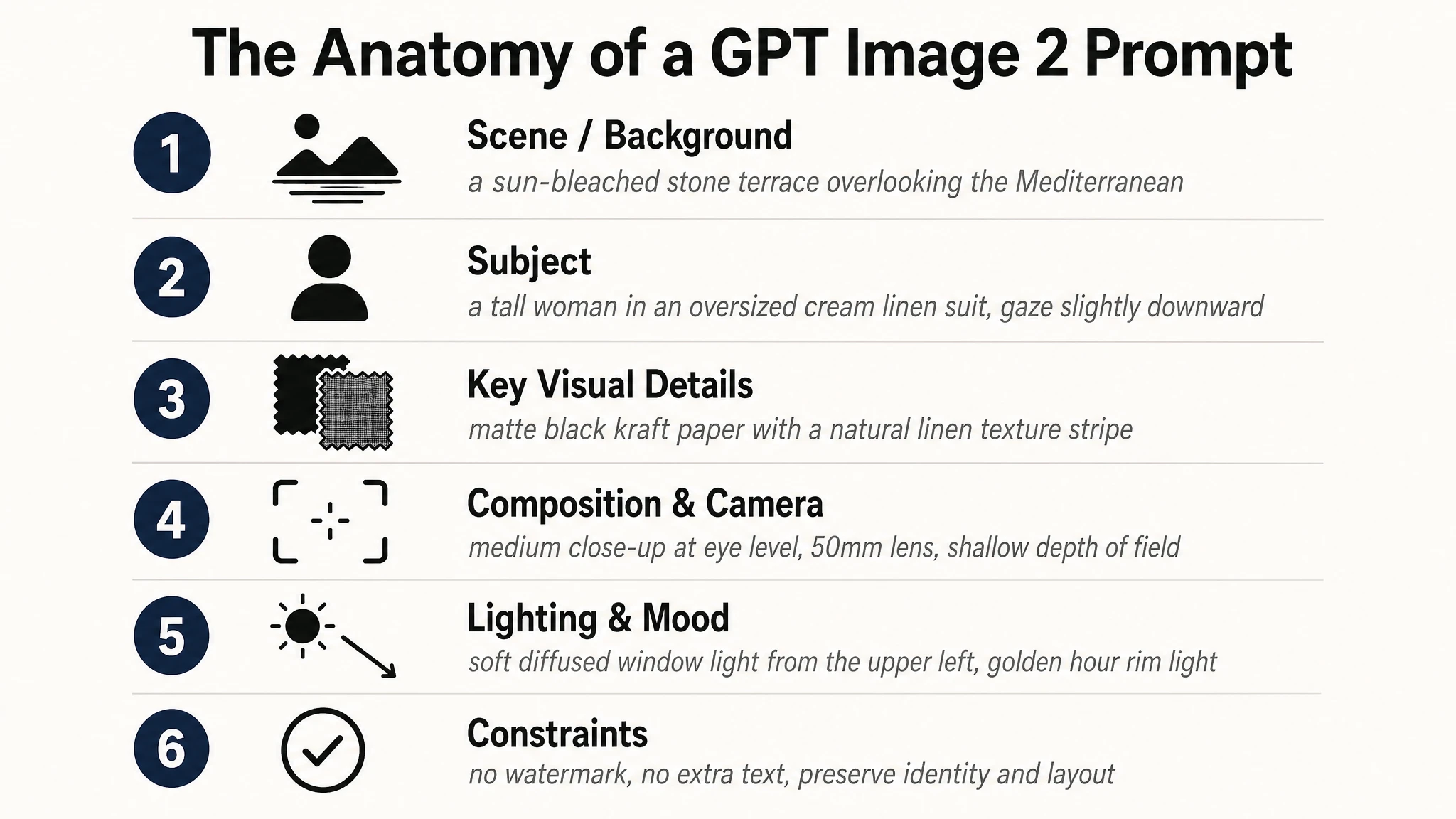
对于复杂提示词,OpenAI 建议使用带标签的短段或换行,而不是一整段长文本。可快速浏览的模板在生产代码中更易维护,某一段需要收紧时也更容易调试。
四种都管用的提示词格式
GPT Image 2 在训练时就支持多种提示词格式。cookbook 明确指出,极简提示词、描述性段落、类 JSON 结构、指令式提示词和标签式提示词都能良好工作,"只要意图和约束足够清晰"。在生产系统中,推荐优先选择可快速浏览的模板,而不是聪明的语法——挑一种格式,在整个代码库中坚持使用。
| 格式 | 适用场景 | 示例片段 |
|---|---|---|
| 描述性段落 | 大多数场景的默认选择。读起来自然,易于编辑。 | "A photorealistic candid portrait of a man in his late 50s, weathered skin with visible pores and sun lines, soft window light from the upper left…" |
| 带标签的分段指令 | 包含多个不同关注点(主体 + 品牌 + 文案 + 约束)的复杂提示词。 | Scene: … / Subject: … / Style: … / Constraints: … |
| 类 JSON / 结构化 | 在生产管线中由应用状态模板化生成的提示词。 | { "scene": "…", "subject": "…", "text": "…", "constraints": ["no watermark", "no logos"] } |
| 标签式 | 撰写速度比细腻度更重要的高频批量生成。 | photorealistic, close-up portrait, 50mm, soft window light, no retouching, no watermark |
示例 1 — 触发写实模式
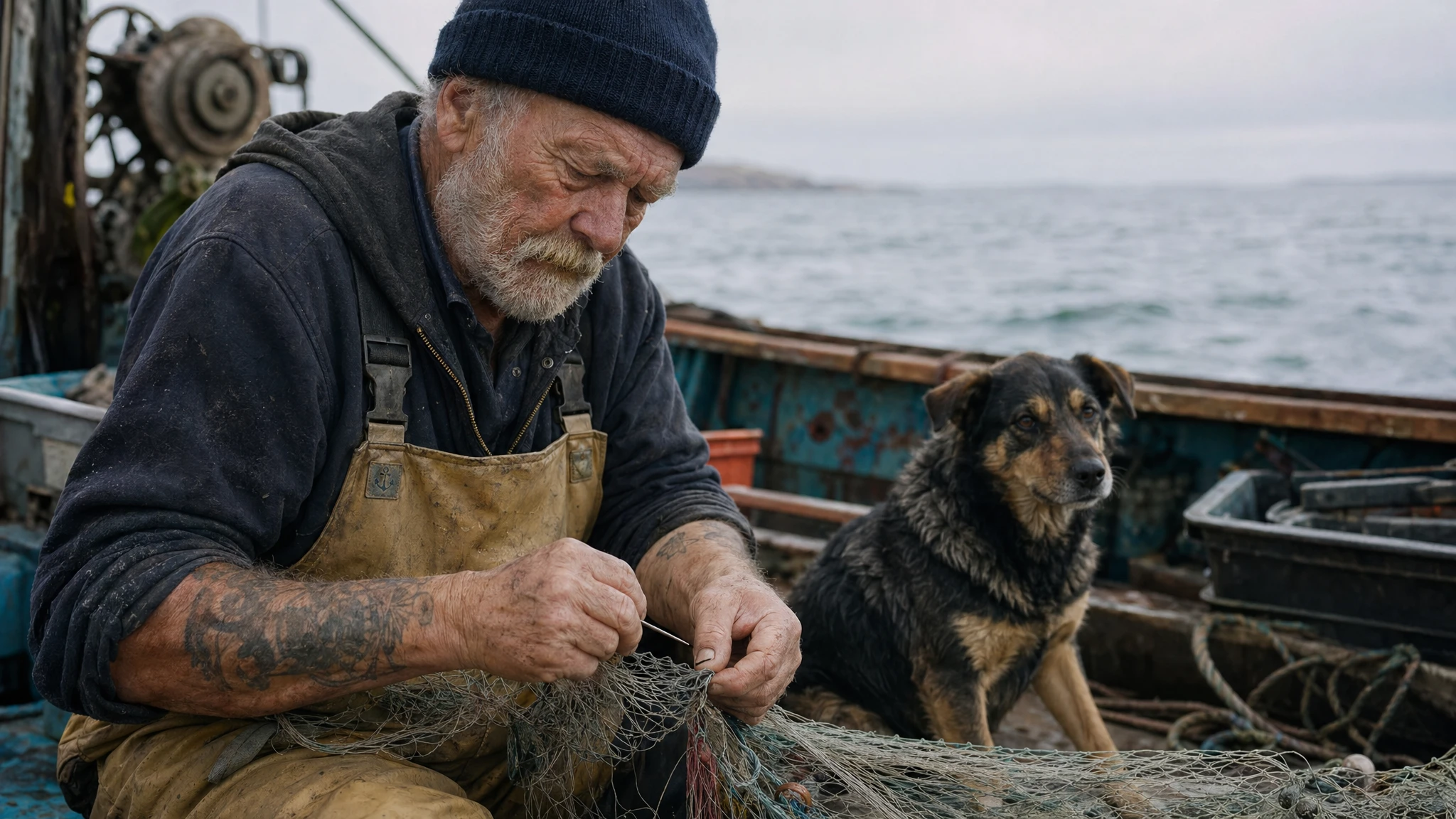
GPT Image 2 有一个显式的写实渲染模式,触发它最可靠的方式是直接在提示词中使用 "photorealistic" 这个词。cookbook 还点名了几个相近的有效替代写法——"real photograph"、"taken on a real camera"、"professional photography"、"iPhone photo"。
详细的相机规格(具体镜头型号、传感器尺寸、ISO)会被宽松解读;把它们当成观感线索,而不是物理模拟。让真实感更扎实的更大杠杆,是把缺陷写出来:毛孔、细纹、不对称、面料磨损、自然光。"no glamorization"、"no heavy retouching" 这类反向线索能把模型从通用 AI 人像感中拉出来。
提示词
A photorealistic candid photograph of an elderly sailor standing on a small fishing boat. He has weathered skin with visible wrinkles, pores, and sun texture, and a few faded traditional sailor tattoos on his arms. He is calmly adjusting a net while his dog sits nearby on the deck. Shot like a 35mm film photograph, medium close-up at eye level, using a 50mm lens. Soft coastal daylight, shallow depth of field, subtle film grain, natural color balance. The image should feel honest and unposed, with real skin texture, worn materials, and everyday detail. No glamorization, no heavy retouching.
为什么有效:提示词点明了媒介(35mm、50mm)、光照条件(柔和的海岸日光),以及具体的反向线索。这三者合在一起把模型拉入纪实摄影模式,而不是精修棚拍模式。
示例 2 — 构图控制
cookbook 对构图的建议很直接:写清取景与视角(特写、全景、俯视)、透视与角度(平视、低角度),以及光线与氛围(柔和漫射、黄金时刻、高对比)。当版式重要时,把摆放写明确——"logo top-right"、"subject centered with negative space on left"。对于宽幅、低光、雨夜或霓虹场景,加上尺度、氛围和颜色描述,让模型不必为了表面写实而牺牲氛围。
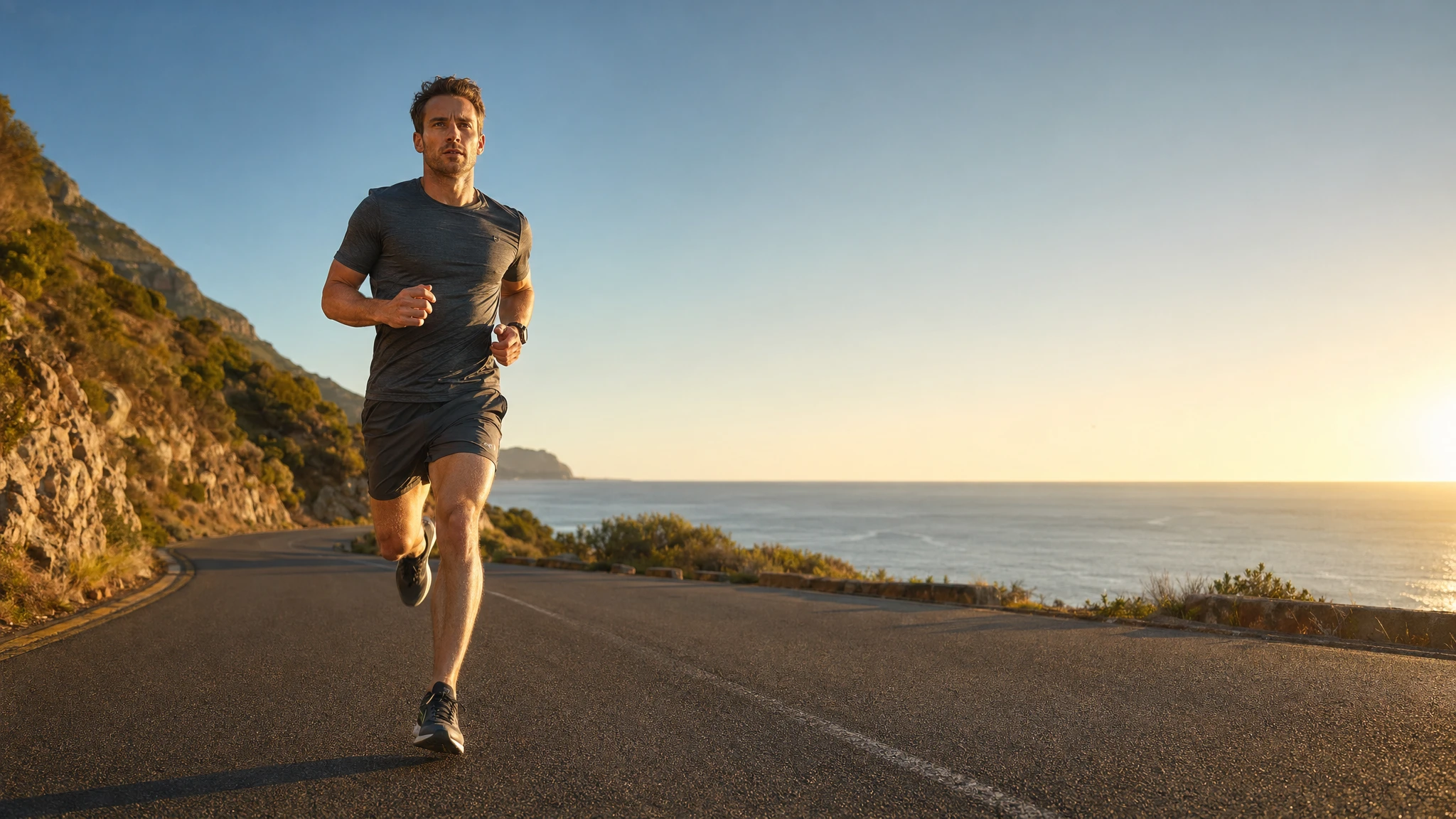
下面这个示例在一条提示词中同时使用了三层构图设定:明确的取景(中景全景)、明确的视角(低角度),以及明确的光线风格(黄金时刻主光 + 柔和补光)。
提示词
A photorealistic editorial sports photograph. Scene: a coastal road at golden hour, ocean horizon visible on the right. Subject: a long-distance runner in a charcoal grey training kit, mid-stride, captured running directly toward the camera. Framing: medium-wide, full body visible, feet included. Viewpoint: low-angle from the asphalt, about 30cm above the ground. Composition: subject placed left of center with generous negative space on the right two-thirds for headline copy later. Lighting: warm golden hour key light from camera-right, soft fill from the ocean reflection on the left, long subject shadow falling toward the lower-left corner. Lens look: 35mm equivalent, slight motion blur on the rear leg only, sharp on the face and chest. No watermark, no on-image text.
示例 3 — 图内文字:加引号与 EXACT 逐字渲染
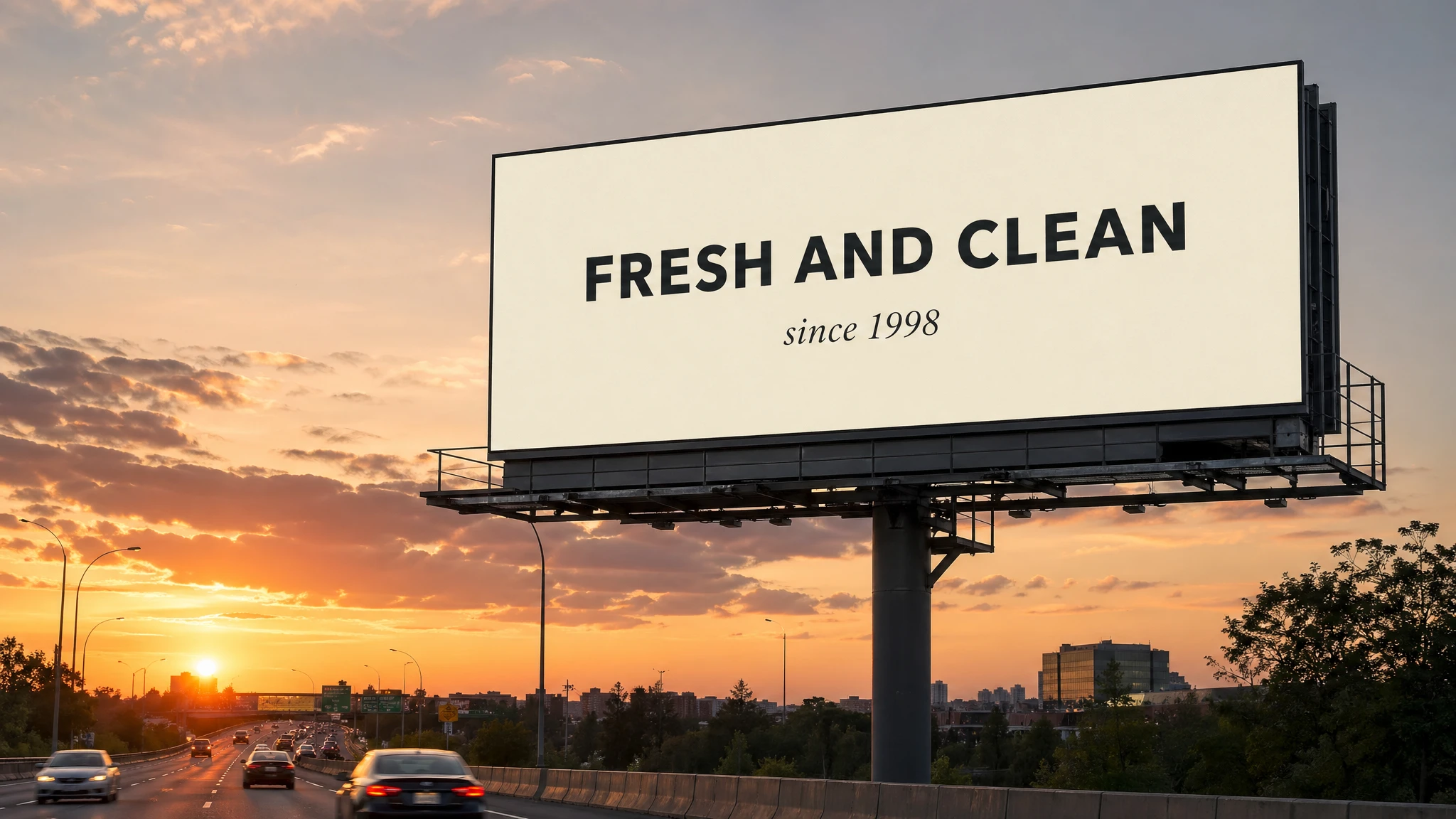
图内文字是 GPT Image 2 相比早期模型差距最大的单项能力。cookbook 明确给出了可靠触发的方法:把字面文案放进引号或写成 ALL CAPS,并把排版细节(字体风格、字号、颜色、位置)作为约束写出来。对难处理的词——品牌名、不寻常的拼写、大小写混合的产品名——在提示词中按字母逐个拼出,可以显著提升字符准确度。
最有用的一句附加语,是把 "EXACT, verbatim, no extra characters" 加在字面文案上。不加这句,模型偶尔会改写或附上装饰性内容;加上后,渲染出的文字会与提示词完全一致。小号文字、信息密集的面板和多字体版式,建议使用中等或高画质。
提示词
A photorealistic billboard mockup at the side of a highway during sunset. The billboard is mounted on a steel pole structure, with cars passing on the road below. Billboard headline (EXACT, verbatim, no extra characters): "FRESH AND CLEAN". Below the headline in smaller type (EXACT): "since 1998". Typography: bold geometric sans-serif for the headline, light italic serif for the tagline, both centered, clean kerning, high contrast on a soft cream background. Ensure each text element appears once and is perfectly legible. No watermarks, no extra logos, no decorative elements that obscure the type.
cookbook 的小贴士:对 "F-U-T-U-R-E"、"L-U-M-I-È-R-E" 这类难处理的词,在提示词里按字母逐个拼出。模型会把每个字母视作显式指令,在不寻常或带重音的单词上,字符准确度会显著提升。
示例 4 — 多语言文字渲染
GPT Image 2 的文字渲染管线在光栅化前先把字形作为矢量形状绘制,因此英语、日语、韩语、阿拉伯语、中文、土耳其语和希伯来语在多数情况下都能一次成图。提示词规则与拉丁文字一致:给文案加引号、点名字体类别、写明位置;若涉及笔画顺序敏感的文字(汉字笔画、阿拉伯连写),加上 "EXACT, verbatim"。
对于混合文字版式,把每个文字元素单独列出,标明文字类别、位置和字体。只要元素无歧义,模型会自动处理文字搭配和字距。
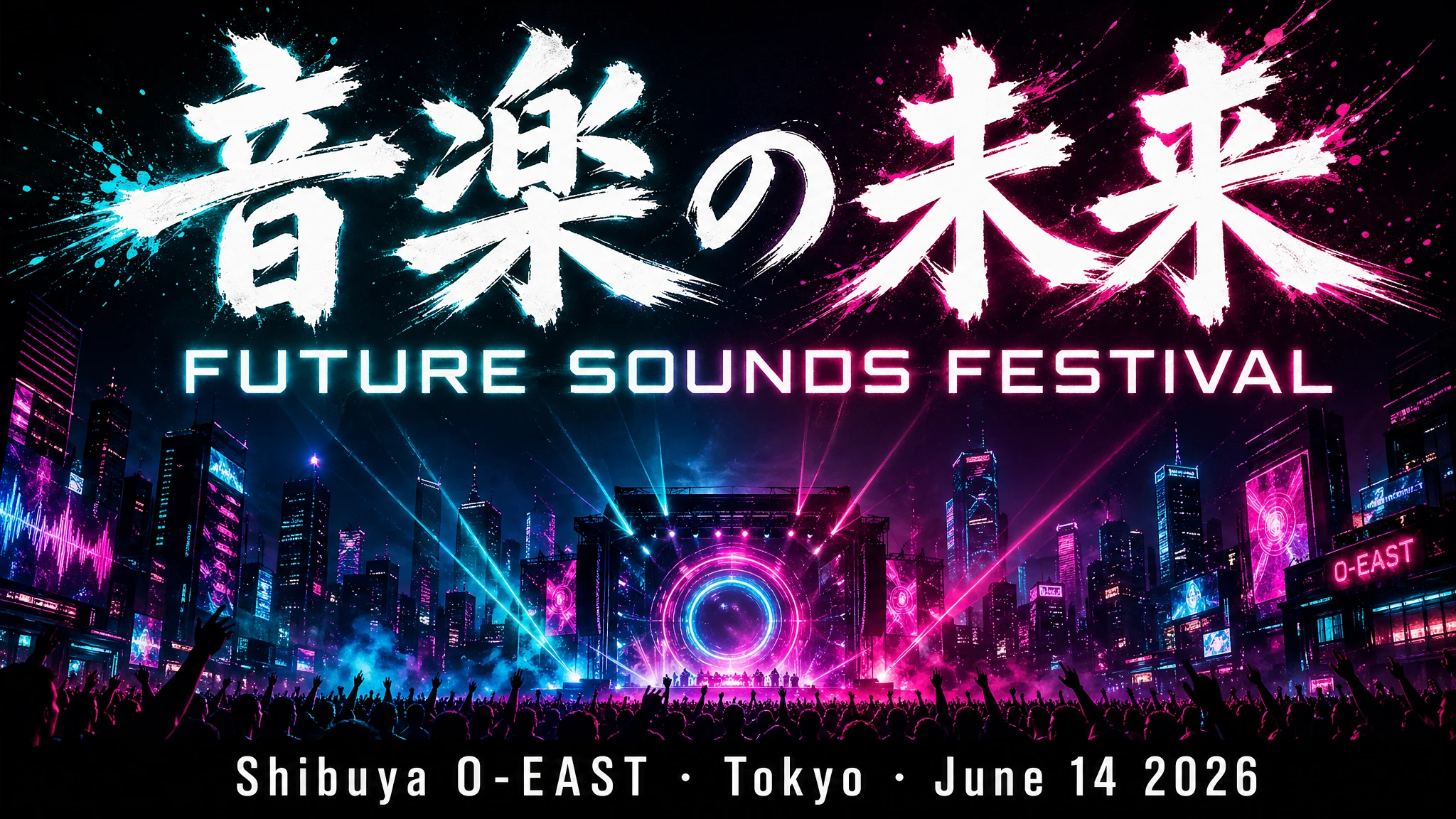
提示词
A bold music festival poster, vertical orientation. Headline at the top third in large brushstroke kanji (EXACT, verbatim): "音楽の未来". Directly below in a clean geometric sans-serif (EXACT): "FUTURE SOUNDS FESTIVAL". Bottom strip in smaller white type (EXACT): "Shibuya O-EAST · Tokyo · June 14 2026". Dark background, electric teal and magenta neon glow. All text must be fully legible and correctly formed. No decorative elements that obscure the type. No watermark.
示例 5 — 人物:尺度、姿态、目光与动作几何
cookbook 专门点出了这一节:画面中有人物时,要描述尺度、身体取景、目光,以及与物体的互动。"a person doing X" 这类通用句式容易让身体比例和肢体活动出现漂移。具体的句式——"full body visible, feet included"、"child-sized relative to the table"、"looking down at the open book, not at the camera"、"hands naturally gripping the handlebars"——能把几何关系钉死。
这是"两位朋友大笑"被渲染成僵硬宣传照,还是被渲染成可信的抓拍瞬间之间的区别。
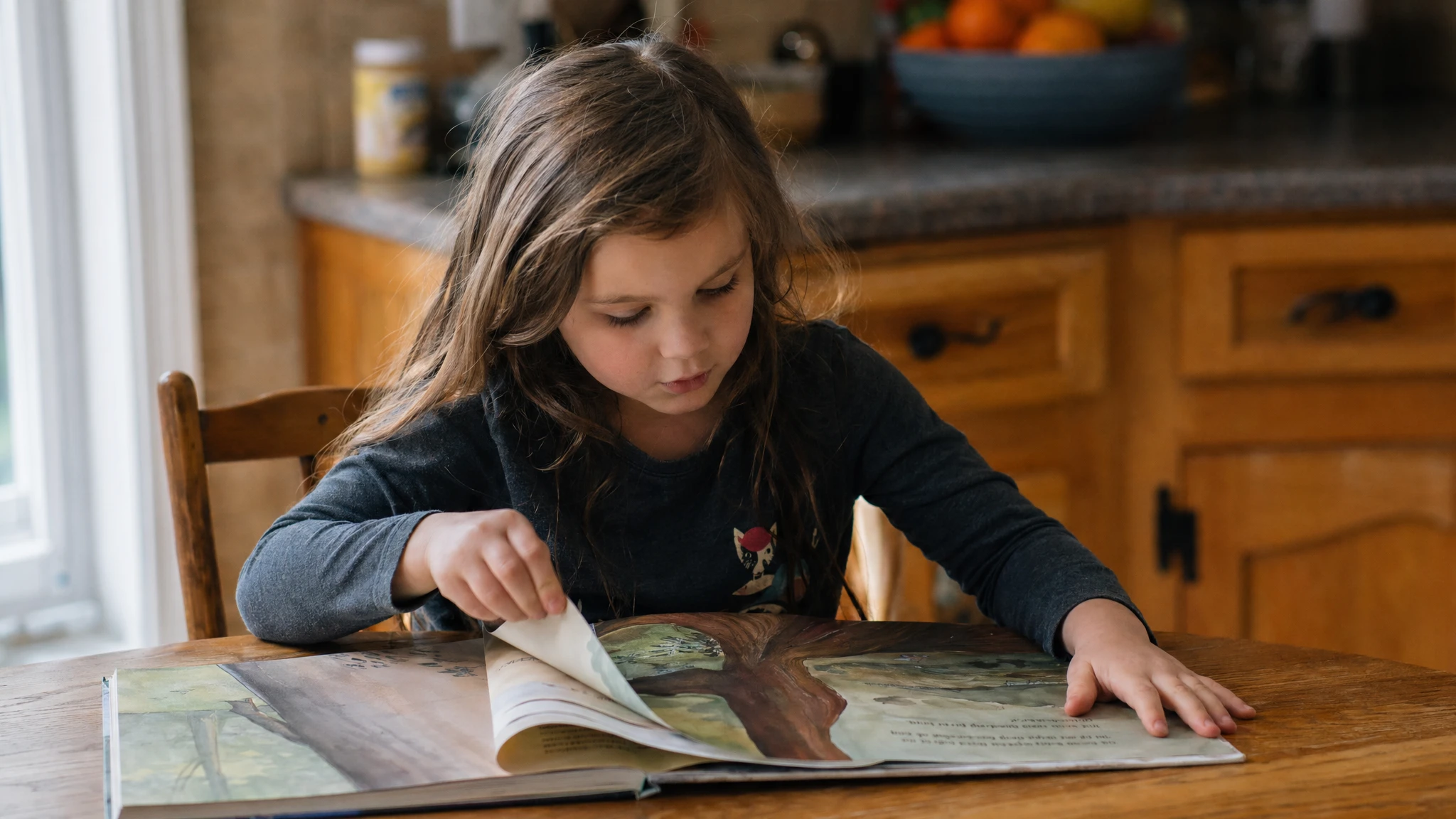
提示词
A photorealistic candid photograph. Scene: a sunlit kitchen, late morning, soft window light from camera-left. Subject: a six-year-old child sitting at a wooden kitchen table, reading an oversized hardcover picture book. Scale and framing: child-sized relative to the table, the book takes up about half the visible tabletop, full upper body visible. Pose and gaze: leaning slightly forward on the elbows, looking down at the open book, not at the camera; right hand turning a page, left hand resting flat on the corner of the book. Action geometry: fingers naturally curled around the page edge, no over-rendered grip. Background: a slightly out-of-focus kitchen counter with a fruit bowl. Lens look: 50mm, shallow depth of field. No glamorization, no heavy retouching. No watermark.
示例 6 — 约束:原创、无商标的标识生成模式
约束是 GPT Image 2 提示词中最被低估的部分。cookbook 建议把排除项与不变项明确写出来:"no watermark"、"no extra text"、"no logos/trademarks"、"preserve identity/geometry/layout/brand elements"。对于品牌标识和包装工作,推荐的模板是要求一个 "original, non-infringing" 的标志,这能避免模型直接复刻已有商标,转而生成干净、原创的轮廓。
Logo 工作的另一根杠杆是,显式要求干净的类矢量造型、强烈的轮廓、平衡的负空间,以及在不同尺寸下的可缩放性——相当于一条以提示词形式给出的简短创意 brief。
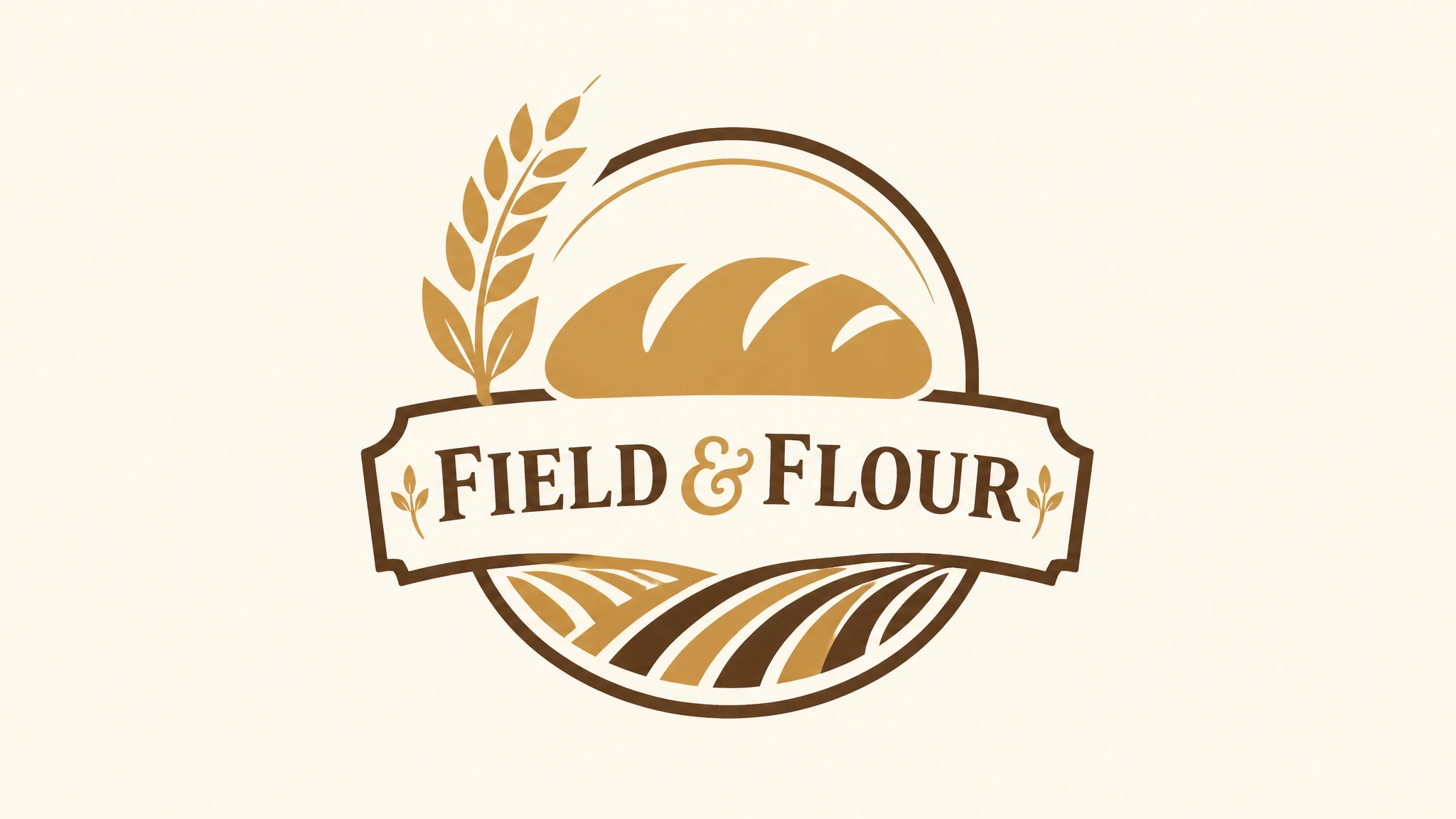
提示词
Create an original, non-infringing logo for a company called "Field & Flour", a local bakery. The logo should feel warm, simple, and timeless. Use clean, vector-like shapes, a strong silhouette, and balanced negative space. Favor simplicity over detail so it reads clearly at small and large sizes. Flat design, minimal strokes, no gradients unless essential. Plain background. Deliver a single centered logo with generous padding. No watermark, no trademarks, no extra text outside the brand mark.
在 API 中可以传入 n=4(或更高),一次调用就能基于同一提示词获得多个变体。适合干系人评审与品牌探索阶段,无需把提示词重写四次。
示例 7 — 基于参考图的风格迁移
风格迁移是 GPT Image 2 最干净的编辑模式之一。把一张参考图和一段文字指令传给模型;模型会保留参考图的视觉语言(色板、笔触、线宽、纹理、胶片颗粒),同时替换主体。cookbook 把提示词配方写得很清楚:描述什么必须保持一致(风格线索)、什么必须改变(新内容),并加上硬约束——背景、取景、"no extra elements"——防止外围漂移。
关键句式是 "use the same style from the input image and generate…",而不是 "make this look like…";后者有时会被模型当作宽松的创意发挥。
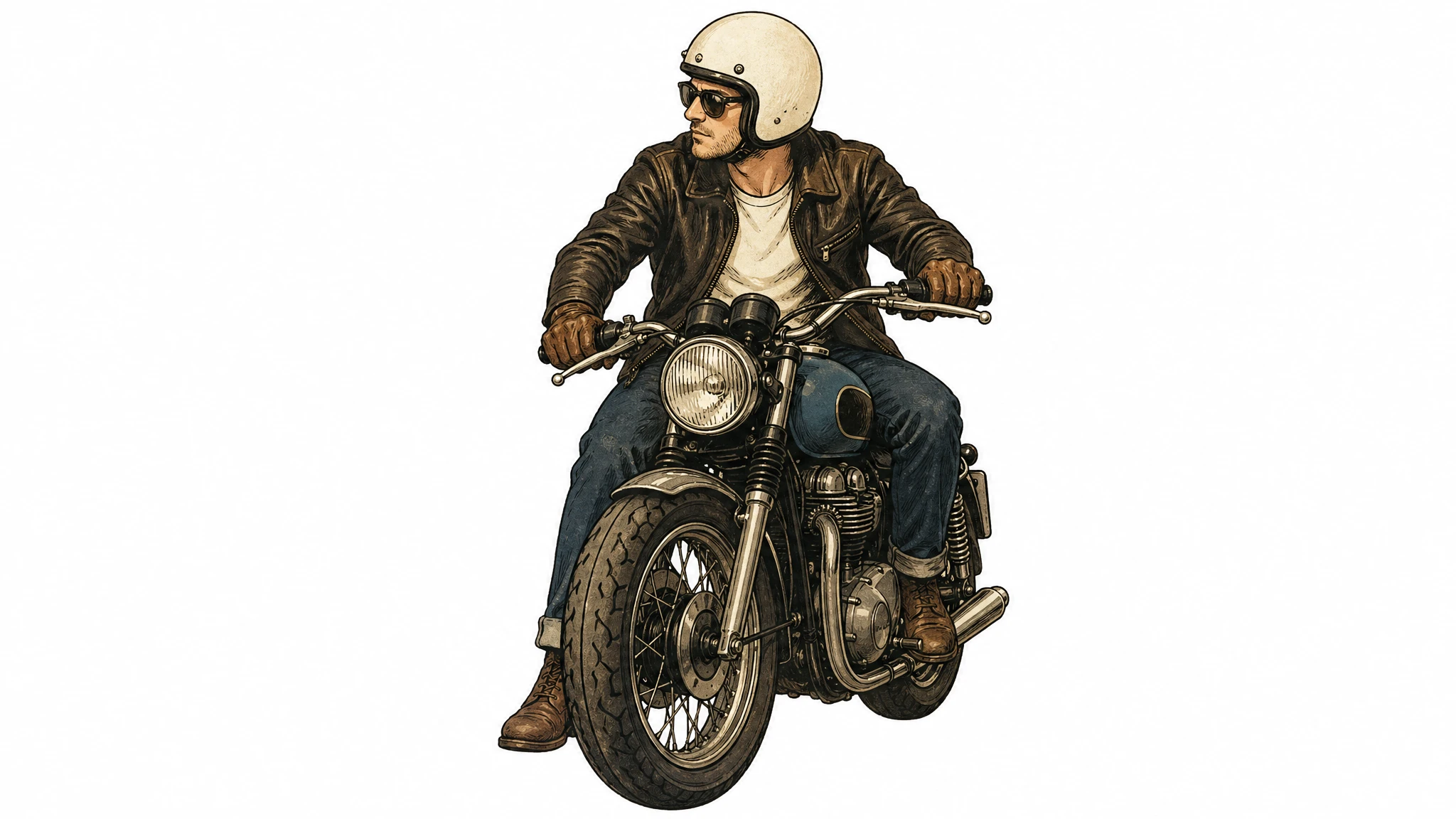
提示词
Use the same style from the input image — same palette, brushwork, line weight, texture, and film grain — and generate a new subject: a man riding a motorcycle on a plain white background. Keep the visual style identical to the reference. Centered subject, generous padding, no extra elements, no text, no watermark.
示例 8 — 基于索引引用的多图合成
向 /v1/images/edits 接口传入多张输入图像时,cookbook 推荐为每张输入按编号和描述引用("Image 1: product photo…"、"Image 2: style reference…"、"Image 3: target scene…"),并描述它们之间如何交互("apply Image 2's style to Image 1"、"place the dog from Image 2 next to the woman in Image 1")。把哪些元素从哪里移到哪里写明确。
这套编号约定,是"把这个物体/人物插入那个场景"工作流不必重生整张图的关键。它也允许在一次调用中组合三到四张参考图——例如让 image 1 中的人穿上 images 2、3、4 中的服饰——模型会把每张输入当作独立资产,而不是混合成一张复合参考。
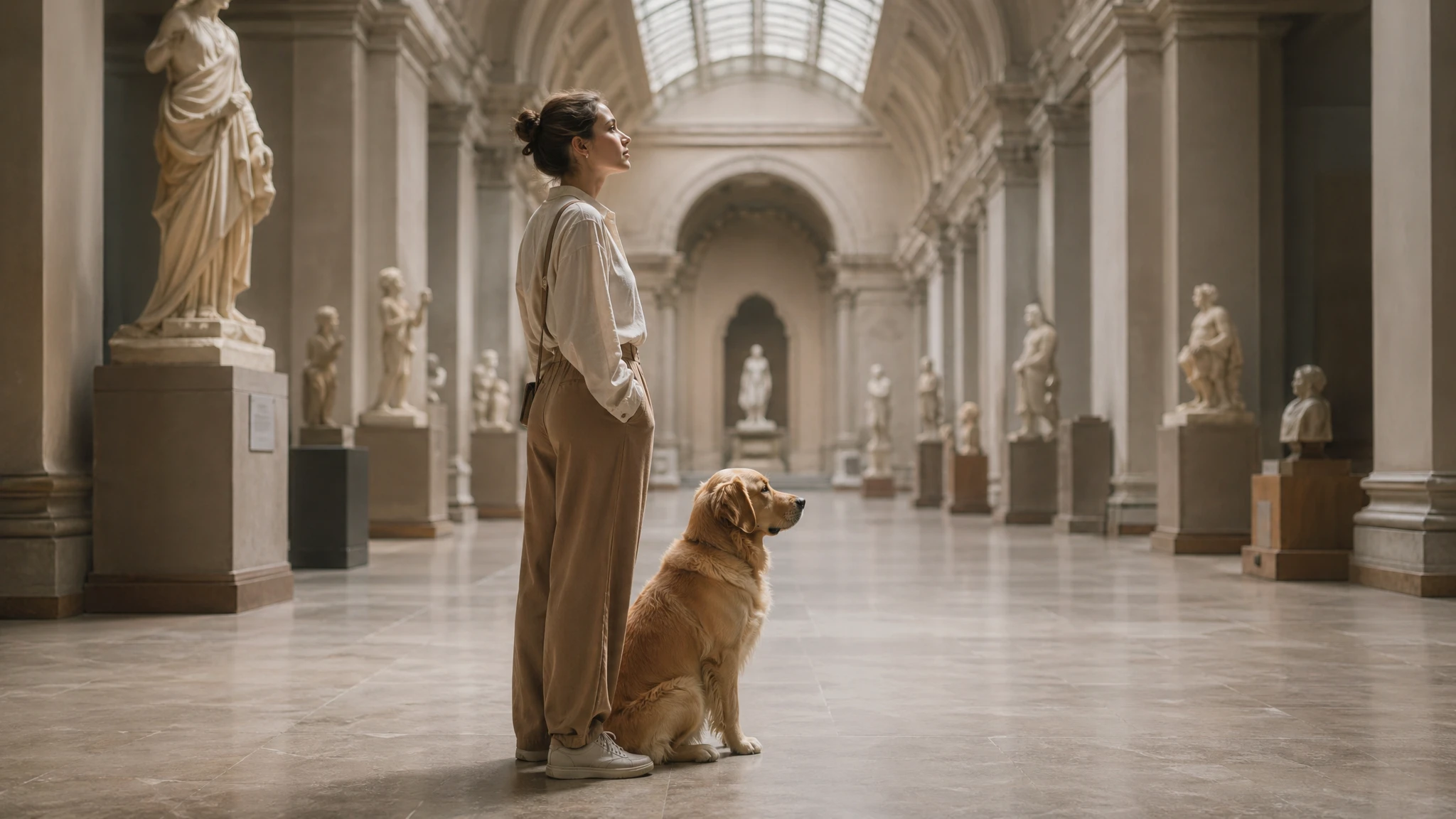
提示词
Image 1 is the target scene: a woman standing in a museum hall under soft skylight. Image 2 is the asset to transplant: a golden retriever sitting in profile. Place the dog from Image 2 into the setting of Image 1, seated on the floor right next to the woman. Match the same style of lighting, shadow direction, color temperature, perspective, and depth of field as Image 1 so the dog looks naturally captured in the original photo. Do not change the woman, the museum hall, the camera angle, the framing, or any other element of Image 1. No watermark, no extra elements, no text.
示例 9 — 外科手术式编辑:"change only X, keep everything else the same"
GPT Image 2 支持无 mask 的针对性编辑,但提示词必须收得很紧才能避免漂移。cookbook 给出的标准句式是:"change only X" + "keep everything else the same" + 在每次迭代中重复保留清单。对于真正外科手术式的编辑——室内陈设替换、物体移除、标签微调——还要明确写出不要改动饱和度、对比度、版式、箭头、标签、相机角度或周边物体。
重申一遍保留清单,是干净的首次编辑与差点成功、需要重试三次之间的关键区别。重复是有意为之:模型会把变更指令和保留清单都当作约束,把保留元素列两次,会提升每一项的权重。
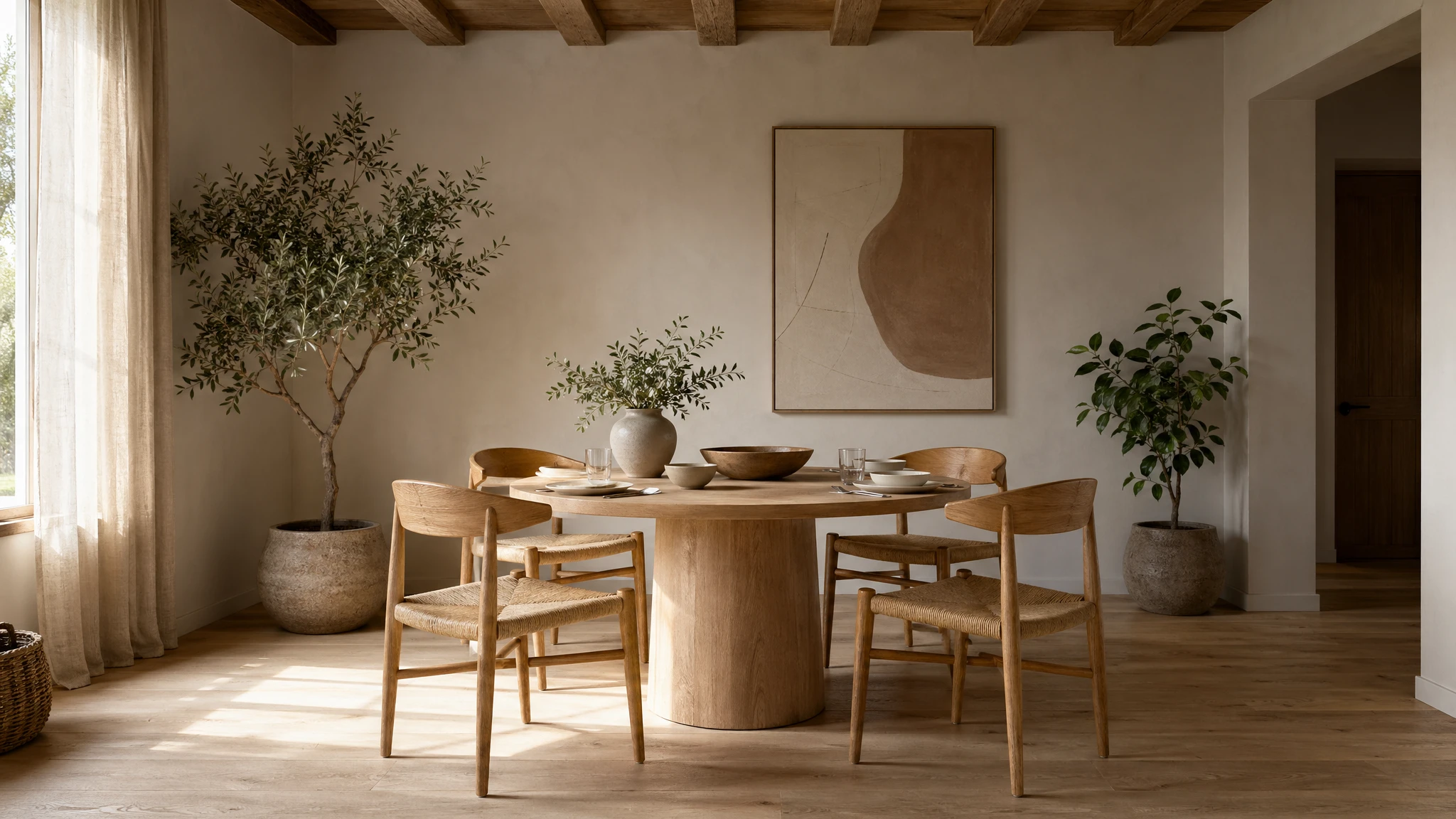
提示词
In this room photo, replace ONLY the white chairs with chairs made of warm oak wood. Preserve the camera angle, room lighting, floor shadows, ceiling, walls, table, dishes on the table, plants, and every other object exactly as they appear. Do not alter saturation, contrast, layout, or any object that is not a white chair. Keep everything else in the image the same. Photorealistic contact shadows where the new wooden chair legs meet the floor, fabric and grain texture consistent with the existing room photography. No watermark, no on-image text.
示例 10 — 迭代式打磨胜过一条巨型提示词
cookbook 明确警告不要写过载的提示词:"长提示词可以工作得很好,但从一条干净的初始提示词出发,再用小步、单点变更的迭代跟进,调试会更容易。"推荐的模式是:先用中等画质交付一条干净的初始提示词,再用 "make the lighting warmer"、"remove the extra tree"、"restore the original background" 这类句式迭代。可以用 "same style as before" 或 "the subject" 来引用上下文——但任何关键细节一开始漂移,就重新写明。
这与设计工具的本能正好相反:在设计工具里,每一轮都会再叠加约束。在 GPT Image 2 中,每一轮打磨都应该削掉上一轮的噪声,只改一两件事。多区域同时编辑(一次调用中改三处或更多独立位置)被明确标记为需要 2–3 次迭代才能拿到干净结果。
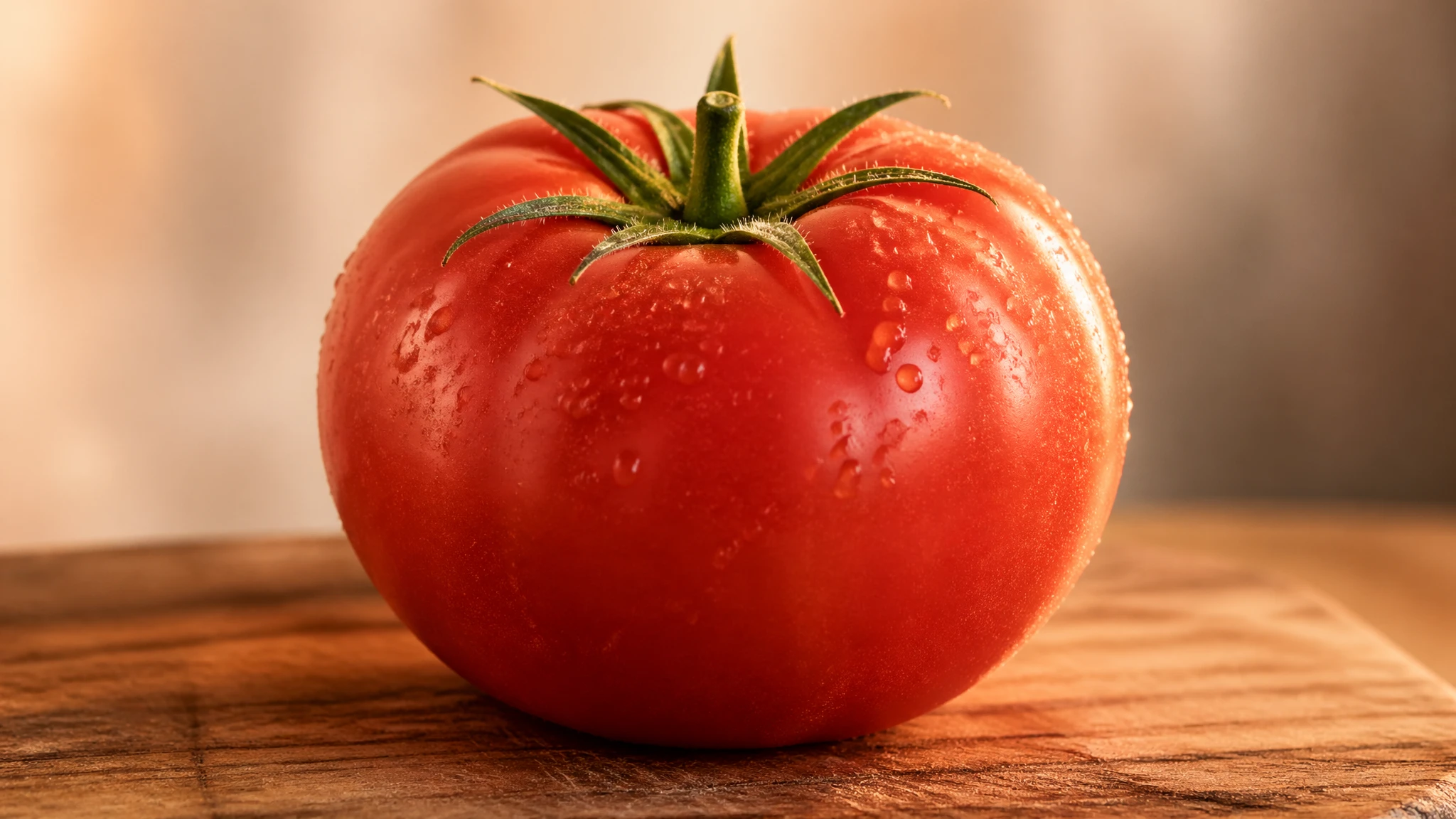
提示词
Pass 1 (base prompt): A photorealistic still life of a single ripe tomato on a wooden cutting board, soft daylight from camera-left, 50mm lens, shallow depth of field, no watermark. Pass 2 (refinement, edit on output of Pass 1): Make the lighting warmer — shift toward golden-hour color temperature, add a subtle rim light on the right side of the tomato. Keep everything else the same: same tomato, same cutting board, same composition, same framing. Pass 3 (refinement, edit on output of Pass 2): Tighten the framing — crop in by about 20%, the tomato should fill more of the frame, cutting board still partially visible at the bottom. Do not change the lighting, color grade, or surface texture. Restate: keep the same tomato, the same cutting board grain, the same background.
示例 11 — 借力世界知识
cookbook 专门点出的一项能力:GPT Image 2 把强推理与世界知识结合起来,所以你可以用情境线索——一个日期、一个地点、一个知名事件——下提示词,让模型自己推断视觉语境,而不必把场景写明。官方指南中的经典示例是 "Bethel, New York on August 16, 1969",模型会正确推断为 Woodstock,并以符合时代的服饰、布景和环境呈现。
这对任何在模型知识截止日期(2025 年 12 月)之内、记录充分的事件、地点或文化时刻都有效。对截止日期之后出现的主题,推断会静默失败——模型会生成一张看似合理但事实错误的图像。对于截止日期之后的主题,改为提供参考图,而不是依赖世界知识。
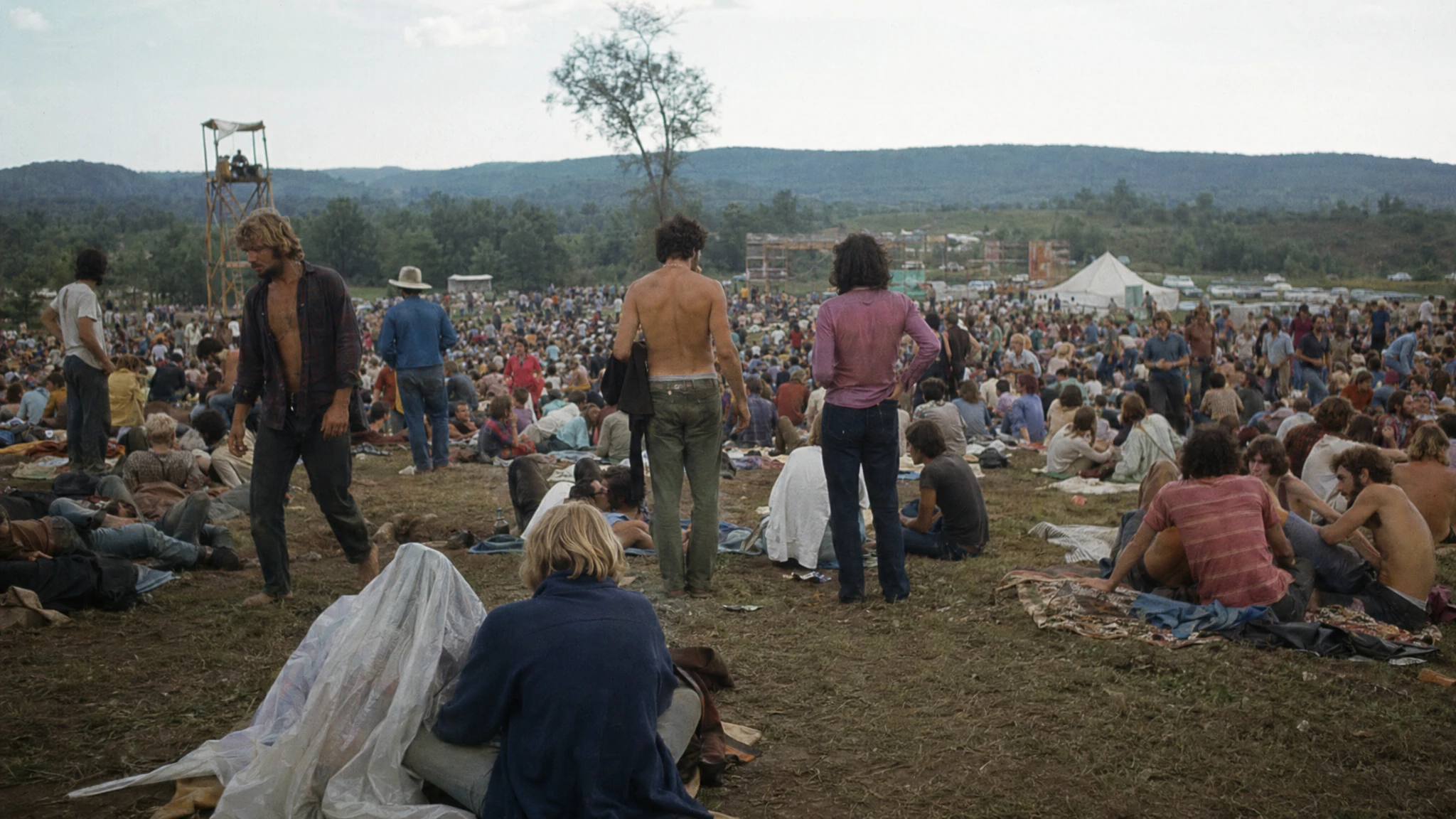
提示词
Create a realistic outdoor crowd scene in Bethel, New York on August 16, 1969. Photorealistic, period-accurate clothing, staging, hairstyles, and environment. Shot like a 35mm film photograph, eye-level wide framing, natural daylight. The image should feel like a documentary photograph from the era — honest, unposed, slightly grainy, no cinematic color grading. No watermark, no on-image text, no anachronistic details.
cookbook 的注意事项:世界知识被限制在 2025 年 12 月的截止日期之内。对截止日期之后的品牌形象、产品设计或 2026 年事件,请提供参考图,而不要依赖模型推断外观。模型不会主动提示这一缺口——它会静默地编造。
示例 12 — 结构化资产:幻灯片、图表、图解
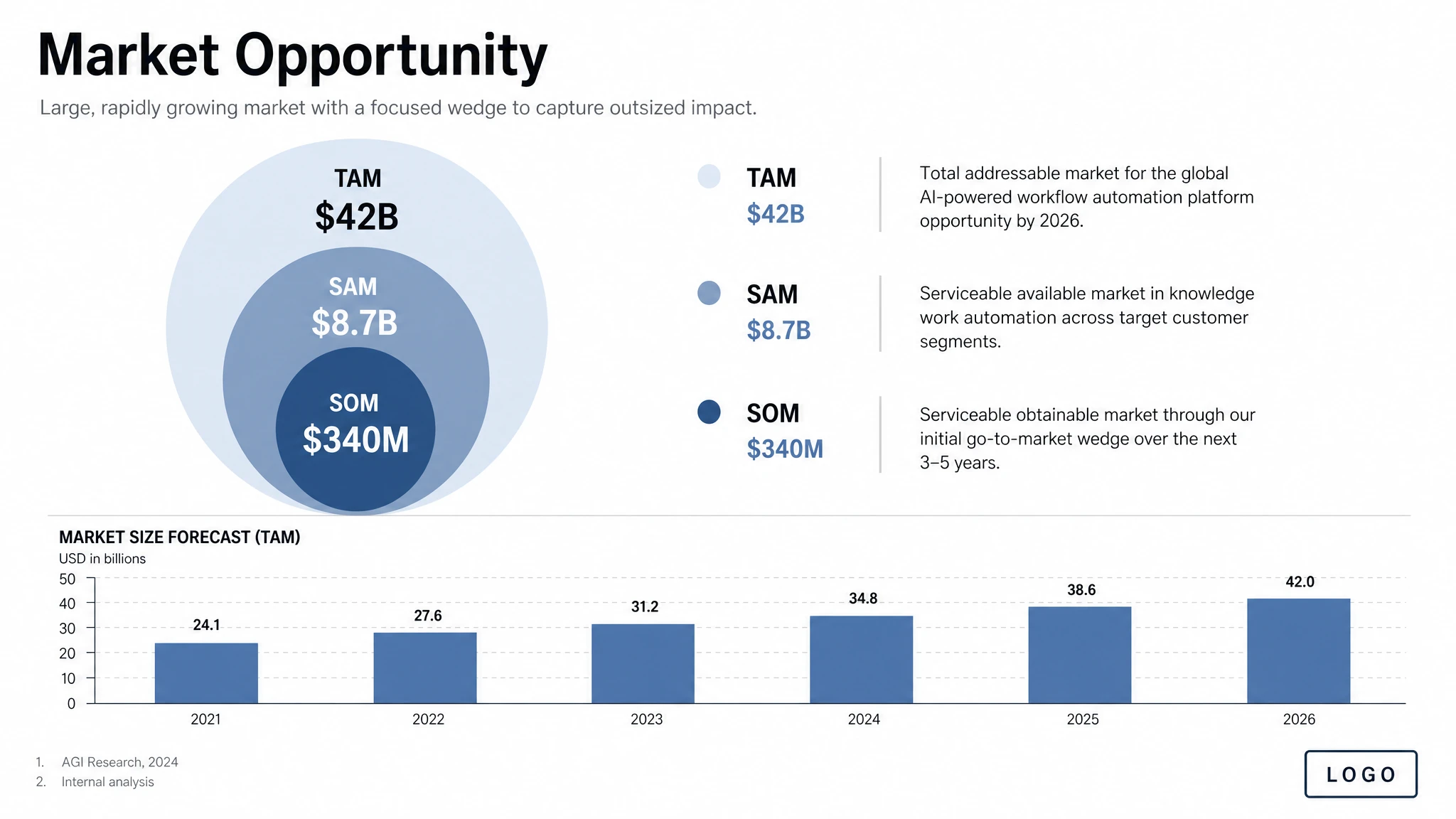
对生产力资产——幻灯片、流程图、图表、信息图——cookbook 建议把提示词写成资产规格,而不是插画请求。点名具体交付物("one pitch-deck slide titled 'Market Opportunity'")、定义画布与层级、给出实际文字与数字,并描述视觉语言。再加上实用约束:可读的排版、精致的间距、无装饰性杂物、不要通用图库照片的味道。
模型不会自己编造数字——它会把你给的数值原样渲染出来。对数据密集的信息图,这意味着准确性的责任在你(或在思考模式的网络搜索)身上,不在模型。幻灯片样式的输出请用横版尺寸;当图像包含小字、图例、坐标轴或脚注时使用 quality="high"。
提示词
Create one pitch-deck slide titled "Market Opportunity" that feels like a real Series A fundraising slide from a YC-backed startup. Use a clean white background, modern sans-serif typography like Inter, and a crisp, minimal layout. The slide should include: a TAM/SAM/SOM concentric-circle diagram in muted blues and grays; specific, believable market sizing numbers — TAM: $42B, SAM: $8.7B, SOM: $340M; a clean bar chart below showing market growth from 2021 to 2026 with a subtle upward trend; small footnotes "AGI Research, 2024" and "Internal analysis"; a company logo placeholder in the bottom-right corner. The design should look like it belongs in a deck that actually raised money: highly readable text, clear data hierarchy, polished spacing, professional startup-style visual language. Avoid clip art, stock photography, gradients, shadows, decorative elements, or anything that feels generic or overdesigned.
对数字必须准确的数据密集型信息图,把字面数字直接写进提示词。模型会把它们当作渲染目标,而不是建议,不会悄悄四舍五入或替换。
画质与尺寸:选对参数
GPT Image 2 提供三档画质——低、中、高——并接受任何满足四项约束的尺寸:最长边小于 3840px、两边都是 16 的倍数、长短边比不超过 3:1、总像素介于 655,360 到 8,294,400 之间。超过 2560×1440(2K)时,cookbook 把结果标记为实验性。正方形图通常生成最快。
cookbook 的首要建议是:对延迟敏感或高频批量场景,先用 quality="low" 起步,只有当保真度真正成为瓶颈时再升档。低画质适合的场景,比大多数团队预期的更广。
| 工作流 | 推荐尺寸 | 推荐画质 | 备注 |
|---|---|---|---|
| 草稿、缩略图、批量构思 | 1024×1024 | 低 | 最快。cookbook 默认的起点。 |
| 写实人像 | 1024×1536 | 高 | 皮肤纹理与身份细节需要高画质。 |
| 产品摄影 | 1536×1024 | 高 | 标签可读性需要高画质。 |
| 含图内文字的营销广告 | 1024×1024 或 1080×1350 | 中或高 | 文案密度大时使用高画质。 |
| 包装效果图 | 1024×1536 | 高 | 3D 表面多行文字需要高画质。 |
| 信息图/教学图解 | 1536×1024 | 高 | 密集标签与图例需要高画质。 |
| UI 效果图 | 1024×1536 | 中 | 版式驱动,中等已足够。 |
| 路演幻灯片 | 1536×864 或 1536×1024 | 高 | 小字与图例需要高画质。 |
| Logo(多变体) | 1024×1024 | 中 | 用 n 参数一次出多版。 |
| 多格漫画/分镜脚本 | 1024×1536 | 中 | 重点在跨格一致性,中等够用。 |
| 编辑/背景替换/物体移除 | 与输入一致 | 中 | 编辑会自动保持输入保真度。 |
| 2K 主视觉 | 2560×1440 | 高 | 可靠性的上限。 |
| 4K 主视觉 | ~3824×2144 | 高 | 实验性,稳定性会下降。 |
常见陷阱与规避方法
- 通用风格增强词("8K、超精细、大师级、电影感")基本是早期扩散模型的遗留套路。cookbook 直说:把那部分提示词预算花在光线、构图与约束上更划算。
- 要求 "perfect skin" 或 "flawless" 会得到通用 AI 人像感——塑料感、过度平滑、身份感弱。把那些词替换成显式的真实照片线索:"visible pores"、"fine lines"、"asymmetry"、"available light"、"no heavy retouching"。
- 详细的相机规格(具体镜头型号、传感器尺寸、ISO)会被宽松解读。把它们用于整体观感和构图,而不是精确的物理模拟。
- 忘了给字面文字加引号。不加引号,模型会改写;加引号并附上 "EXACT, verbatim, no extra characters",才会逐字渲染。
- 版式指令模糊("make it look nice")会导致多次生成结果不一致。需要可预测的摆放时,把位置写明确。
- 想在一次编辑里同时改三处或更多独立部位。cookbook 把多区域编辑标记为需要 2–3 次迭代。把编辑拆成连续的单点修改。
- 超过 2560×1440 的结果是实验性的——文字渲染、细节和提示词遵循度都会变得更不稳定。需要 4K 主视觉时,先在 2K 生成再单独放大。
- gpt-image-2 当前不支持透明背景。请在不透明背景上生成,再走下游抠图流程。
- 知识截止日期为 2025 年 12 月。对截止日期之后的主题,请提供参考图,不要依赖世界知识。
- 在迭代编辑中跳过"保留清单"。每一轮打磨都应该重申不变项——少了这次重申,漂移会跨多轮叠加。
一份可复用的提示词模板
如果你只能从这份指南里带走一样东西,那就是这份模板。它遵循 cookbook 推荐的结构顺序,对本文几乎所有场景都是可直接复制的起点:
预期用途 → 场景/背景 → 主体(含尺度、姿态、目光) → 关键视觉细节(材质、纹理) → 构图(取景、视角、焦距) → 光线(方向、质感) → 加引号的图内字面文字(EXACT, verbatim) → 约束(保留清单/无水印/无多余文字)。
先用 quality="medium" 和 1024×1024 正方形起手,跑两次生成校准提示词,再切到高画质和非正方形比例出最终素材。打磨阶段优先用自然语言指令在已有图像上编辑,而不是从头重生——后者是生产工作流中品牌偏移的最大单一来源。