如何使用 GPT Image 2:含 12 个实战示例的实用指南
GPT Image 2 是 OpenAI 于 2026 年 4 月 21 日发布的最先进图像生成模型。任何新启动的图像工作流,它都是推荐的默认选择:最高质量的生成与编辑能力、近乎完美的多语言文字渲染、身份敏感编辑,以及最高 4K 的灵活尺寸。本指南是一份提示词优先的实战教程——提示词怎么写、要让模型做什么,再加 12 个可直接复用的真实示例。
下文 12 段提示词均遵循 OpenAI 推荐的提示词结构。复制下来,把主体换成你自己的内容,直接交付。
真正管用的提示词配方
GPT Image 2 偏好结构化的提示词。同样的内容,写成清晰的指令序列,效果远好于大段散文。下文每个示例都使用同一份配方——按以下顺序写六个要素:
- 场景/背景——图像发生的地点("俯瞰地中海的阳光直晒石质露台")。
- 主体——画面中的人或物,包括尺度、姿态、目光和动作("一位身穿宽松米色亚麻西装的高个女性,目光略微低垂")。
- 关键视觉细节——材质、纹理、面料、表面("哑光黑色牛皮纸,中央有自然亚麻纹理装饰带")。
- 构图与镜头——取景、视角、透视、焦距("中景近距、平视视角、50mm 镜头、浅景深")。
- 光线与氛围——方向、质感、时间("左上方柔和漫射窗光、黄金时刻边缘补光")。
- 约束——保留什么、不要添加什么("无水印、无多余文字、保留身份与版式")。
另外两条要记住:图内文字必须用引号引用("RUN FASTER."),需要真实照片质感时直接写 "photorealistic"。"8K、超精细、大师级" 之类通用风格词大多是旧版扩散模型的遗留套路,GPT Image 2 基本忽略它们。把那部分提示词预算花在光线、构图与约束上更划算。
示例 1 — 真实皮肤纹理的写实人像
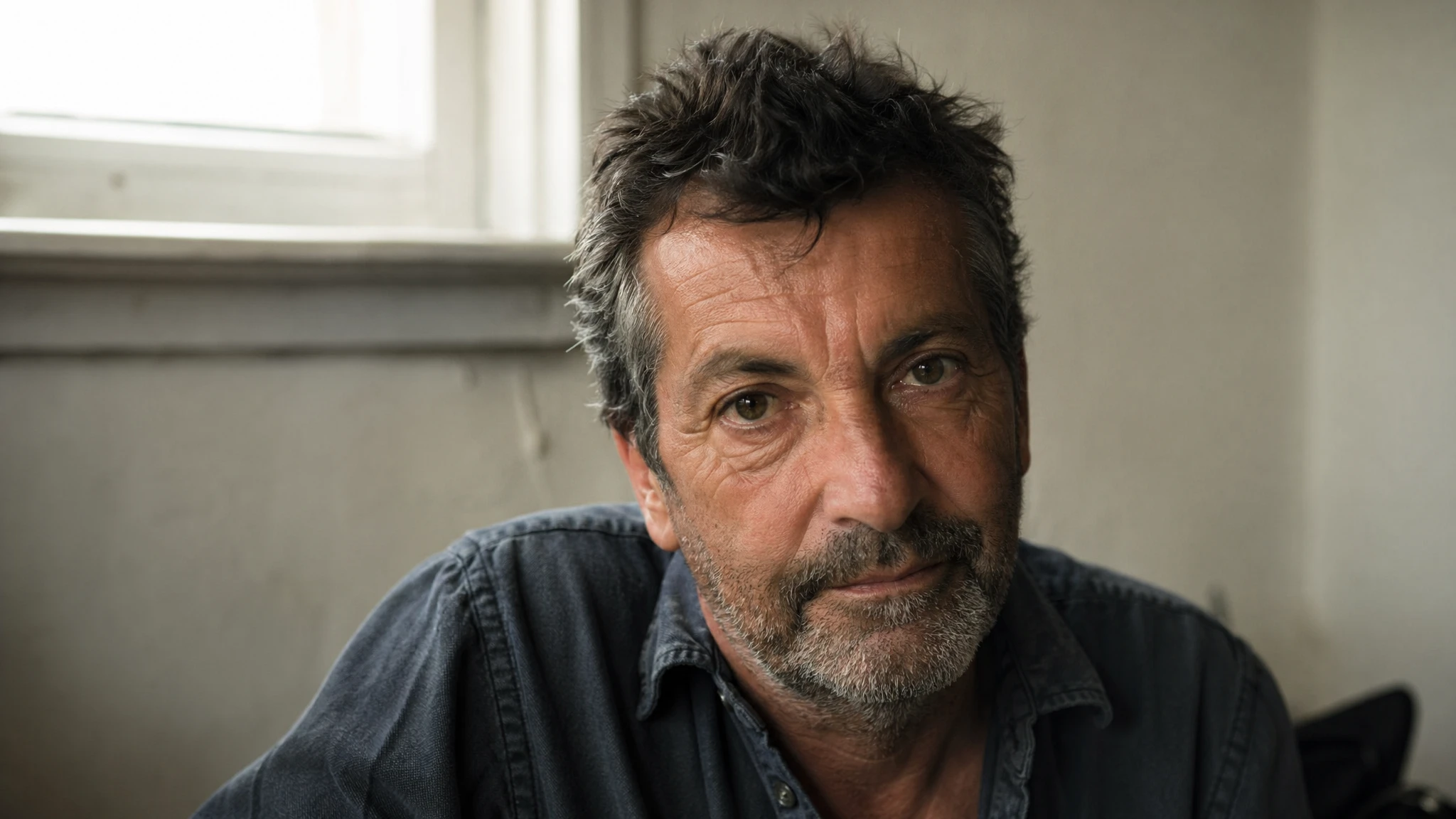
人像是图像生成中身份最敏感的类别。GPT Image 2 的诀窍是避开暗示"棚拍精修"的词("完美肌肤"、"无瑕"、"专业修图"),改为明确请求真实照片线索:毛孔、细纹、不对称、自然光。使用高质量档位,正方形或竖版比例可获得最干净的结果。
提示词
A photorealistic candid portrait of a man in his late 50s, weathered skin with visible pores and sun lines, short salt-and-pepper beard, calm direct gaze. Soft diffused window light from the upper left, warm neutral wall behind him slightly out of focus. Medium close-up at eye level, 50mm lens, shallow depth of field, subtle film grain, natural color balance. Honest and unposed, real skin texture, no glamorization, no heavy retouching. No watermark.
为什么有效:提示词点明了媒介(50mm、浅景深)、光照方向(左上方、柔和漫射)以及反向线索("无修饰、无重度修图")。这些约束把模型从通用 AI 人像感中拉出来。
示例 2 — 含图内文字的多语言海报
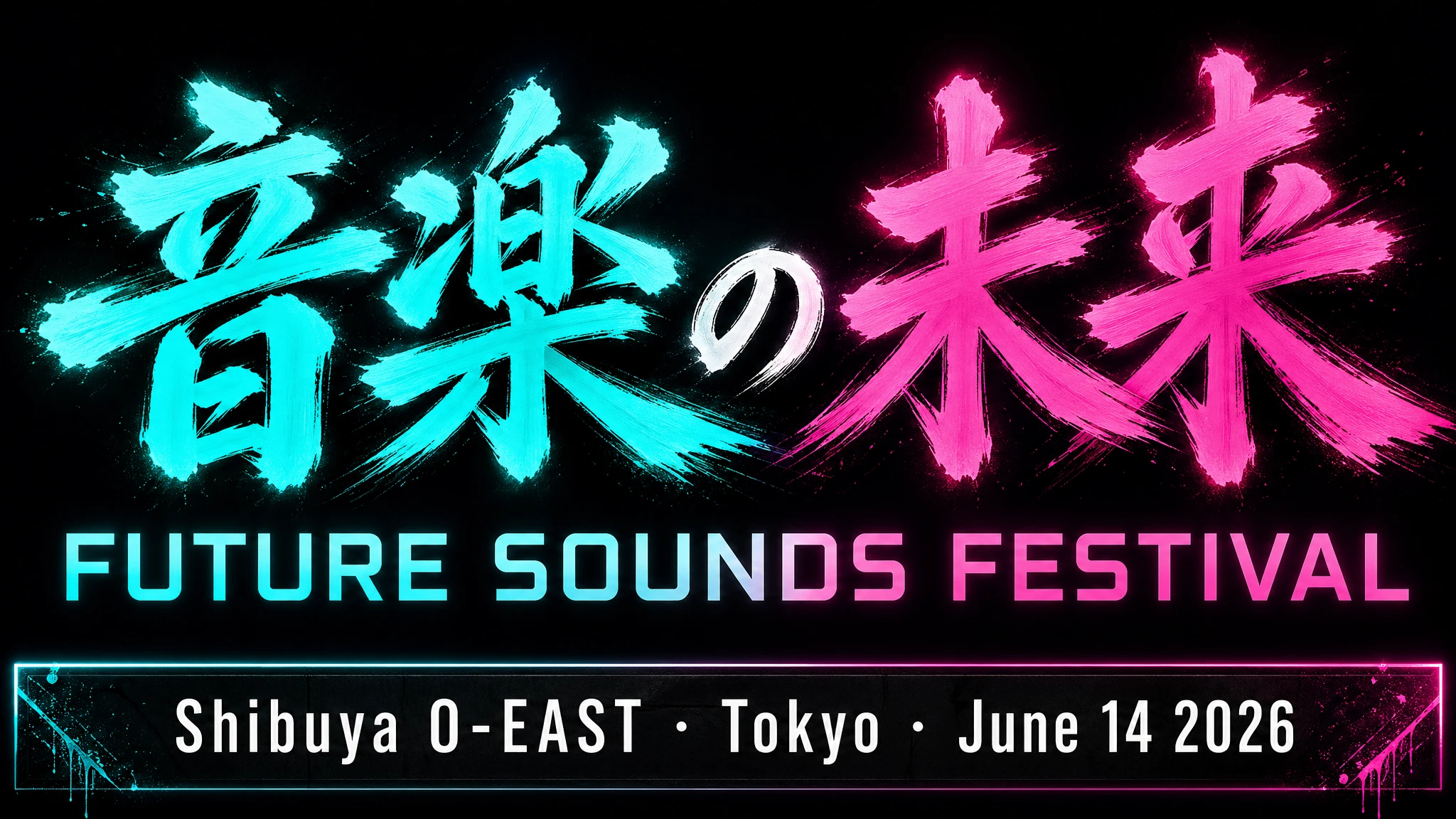
文字渲染是 GPT Image 2 的突破性能力。模型在扩散前先把字形作为矢量绘制,再光栅化——所以英、日、韩、阿、中、希等多种语言都能在多数情况下一次成图。务必给字面文案加引号、点名字体类别("粗体几何无衬线"),并指明位置。
提示词
A bold music festival poster, vertical orientation. Headline in large brushstroke kanji centered at the top third: "音楽の未来". Directly below in a clean geometric sans-serif: "FUTURE SOUNDS FESTIVAL". Bottom strip in smaller white type: "Shibuya O-EAST · Tokyo · June 14 2026". Dark background, electric teal and magenta neon glow. All text must be fully legible and correctly formed. No decorative elements that obscure the type. No watermark.
技巧:对于难处理的品牌名或不常见拼写,在提示词中按字母逐个拼出("F-U-T-U-R-E")。这能显著提升不寻常单词或包含数字时的字符准确度。
示例 3 — 标签清晰可读的产品摄影
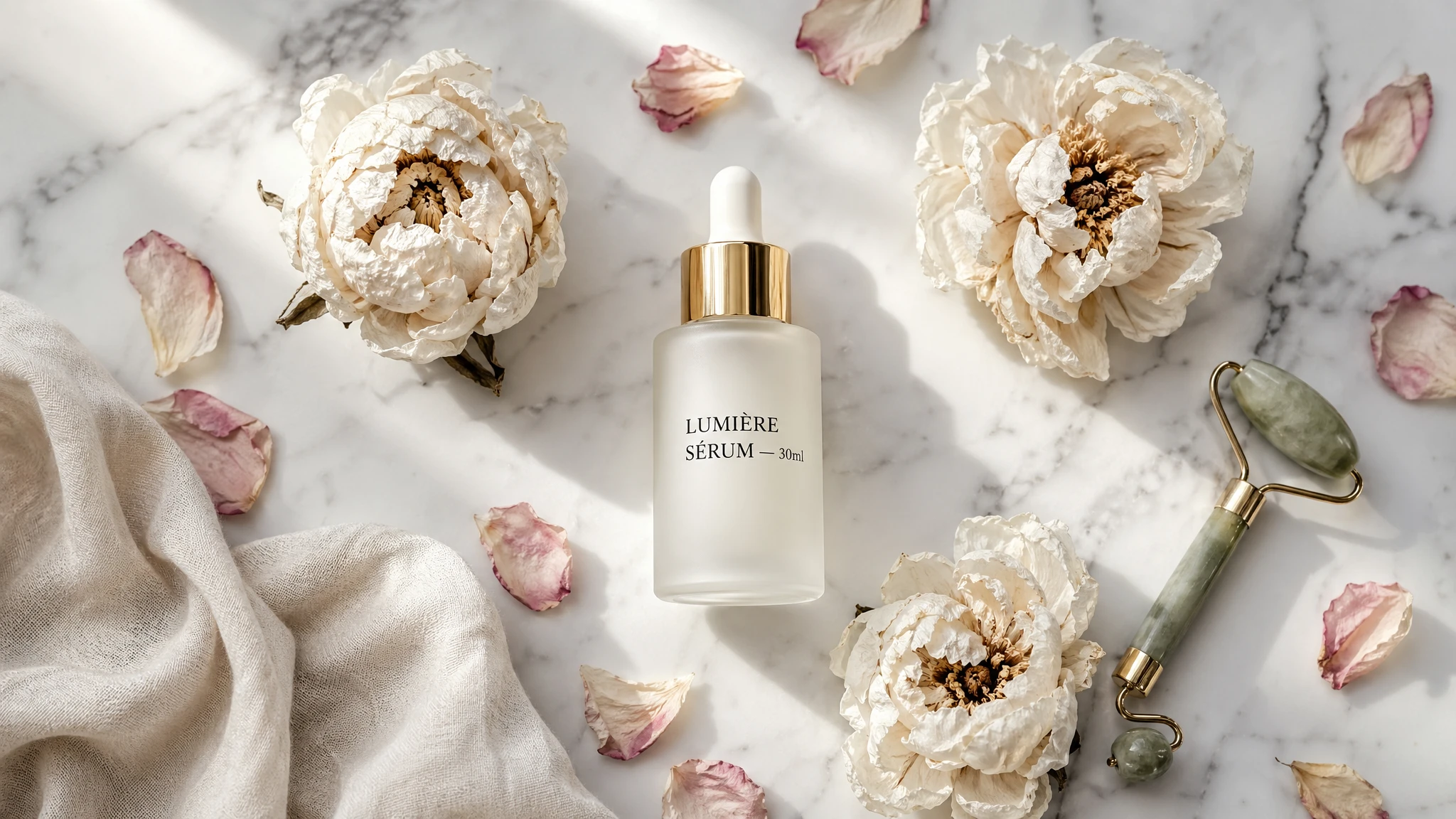
在大量电商 SKU 上,GPT Image 2 已能直接替代摄影棚。下面这种模式可靠有效:先点明表面与光照,再描述产品几何,然后用引号标注字面标签文字,最后构图与取景。高质量档位是标签可读性的保障。
提示词
A high-end skincare flat lay on smooth white marble. Center: a frosted glass serum bottle with a gold dropper cap. The label reads "LUMIÈRE SÉRUM — 30ml" in clean black serif type. Surrounding it: three dried white peonies, scattered rose petals, a small jade facial roller, and a cream-colored linen cloth crumpled in the bottom-left corner. Soft north-window light from above-left, clean drop shadows under each object. Shot from directly above. Magazine-editorial feel, not studio-staged. No watermark, no extra text.
示例 4 — 品牌完整性的包装效果图
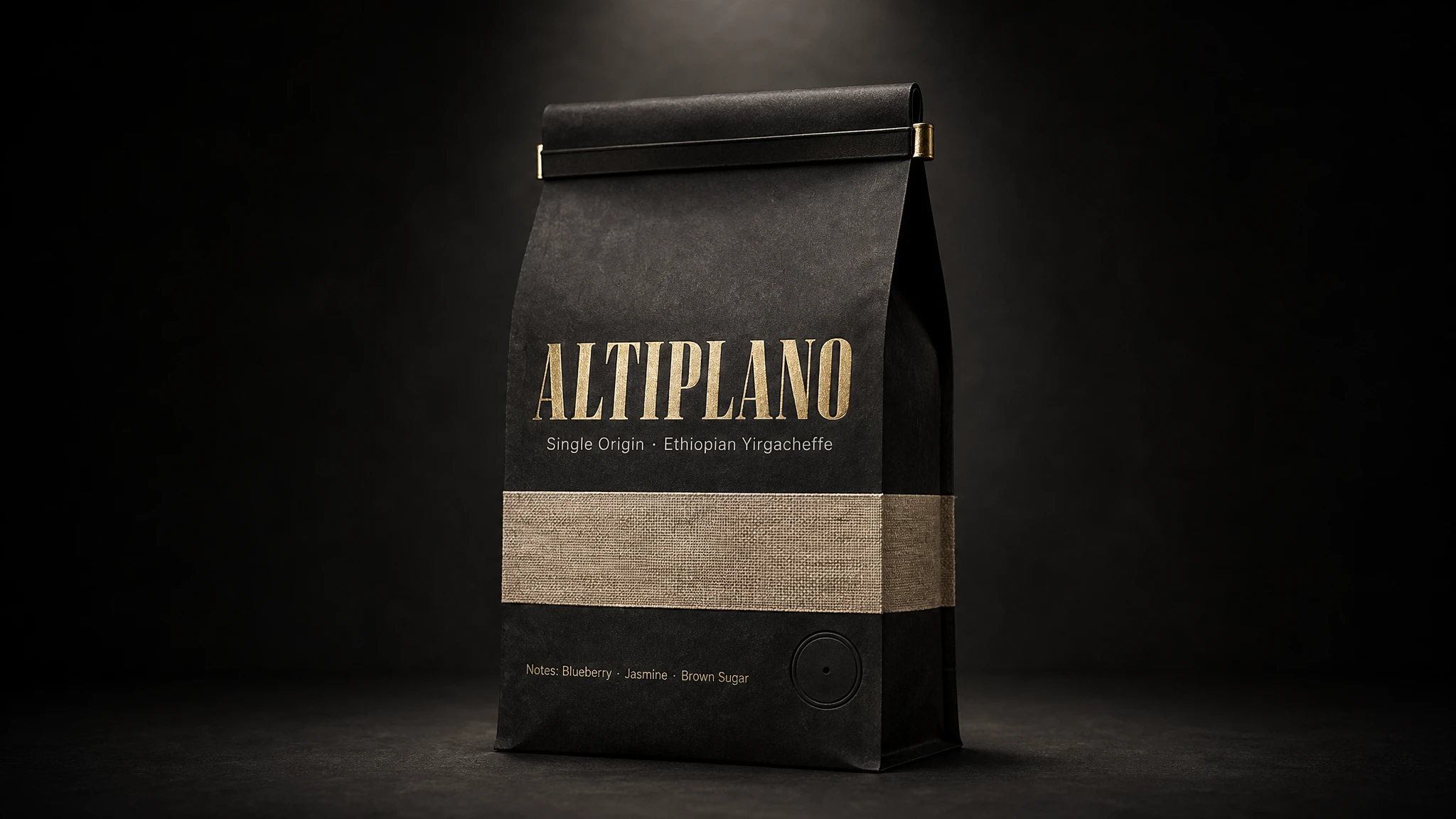
包装效果图需要在带曲面变形与材质纹理的 3D 表面上正确渲染文字。这在过去如果不靠 Photoshop 合成根本做不到。GPT Image 2 让它成为最具杠杆效应的应用场景之一:成分表、风味描述和品牌字体在多数提示词下都能一次成像清晰可读。请按图中应出现的顺序列出每一段文字。
提示词
A photorealistic standing coffee bag mockup. The bag is matte black kraft paper with a natural linen texture stripe across the center. Brand name on the front: "ALTIPLANO" in bold wide uppercase serif, letterpressed in gold foil. Below it: "Single Origin · Ethiopian Yirgacheffe" in a smaller clean sans-serif. Bottom strip: "Notes: Blueberry · Jasmine · Brown Sugar". Tin-tie closure at the top, circular degassing valve on the lower right. Dark studio background with a single dramatic spotlight from above. Realistic paper texture, no plastic sheen.
对品牌敏感的包装,锁定高质量档位,用同一段提示词跑两到三次。GPT Image 2 每次生成会有细微差异——挑字体最干净的那一版,其余元素本来就符合 brief。
示例 5 — 标题原字不动的营销广告
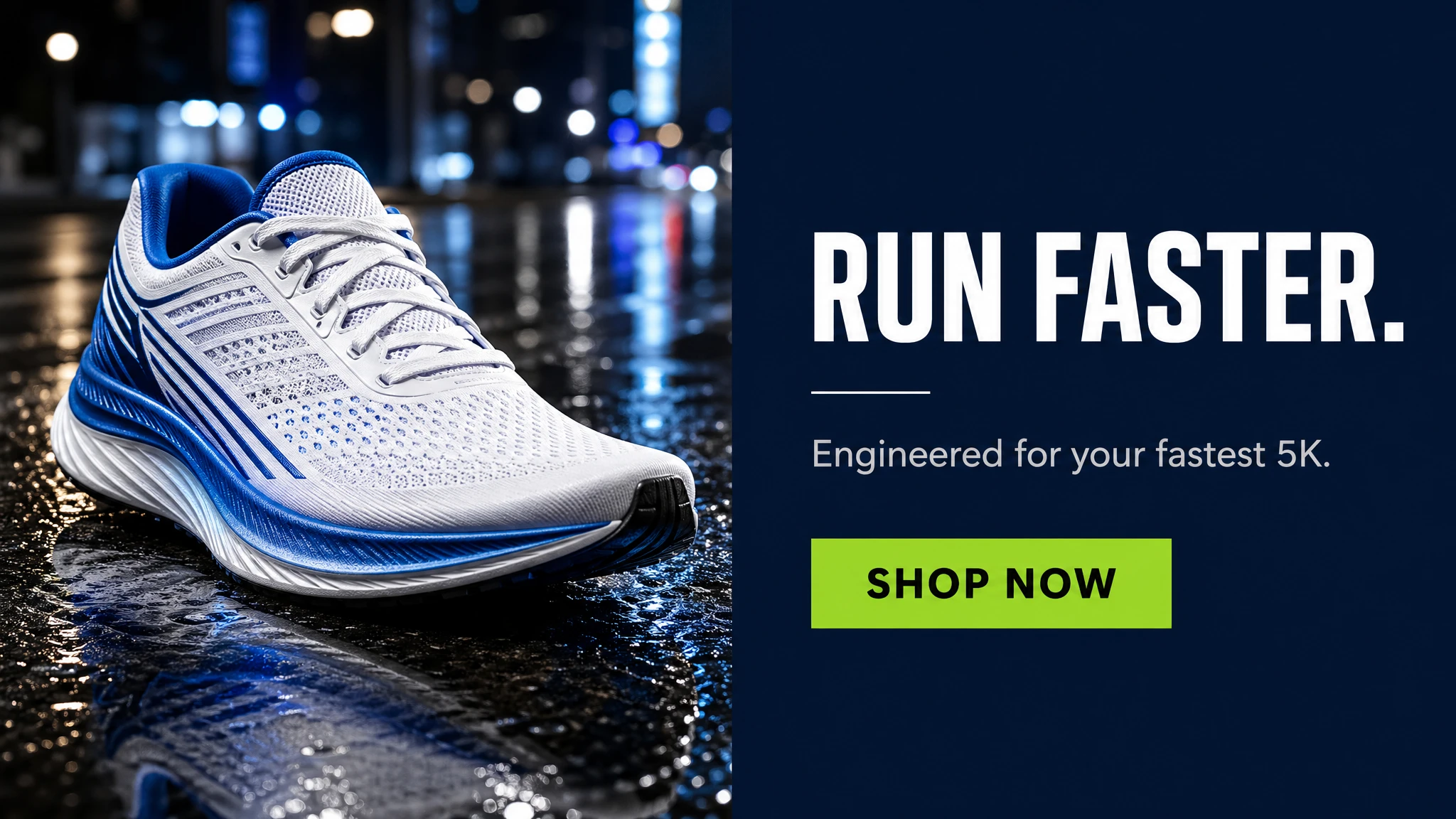
请把营销提示词当作创意 brief 写,而不是技术规格。描述品牌、受众、调性、场景与精确标语。字面文案用引号标出,加上 "EXACT, verbatim, no extra characters",防止模型替你改写。指明位置("右侧面板"、"居中"、"产品下方"),让多次重跑的版式可预测。
提示词
A clean social media ad for a premium running shoe brand. Split layout: left half shows a dramatic close-up of a white and electric blue running shoe on wet asphalt reflecting city lights. Right half is a solid dark navy panel. On the navy panel, stacked vertically: bold white headline "RUN FASTER." (EXACT, verbatim, no extra characters), a small white separator line, then secondary copy in light grey "Engineered for your fastest 5K." then below that a solid lime green CTA button with the text "SHOP NOW" in black. Modern, premium athletic aesthetic. No watermark, no extra text outside the elements above.
示例 6 — 含箭头与标注的信息图
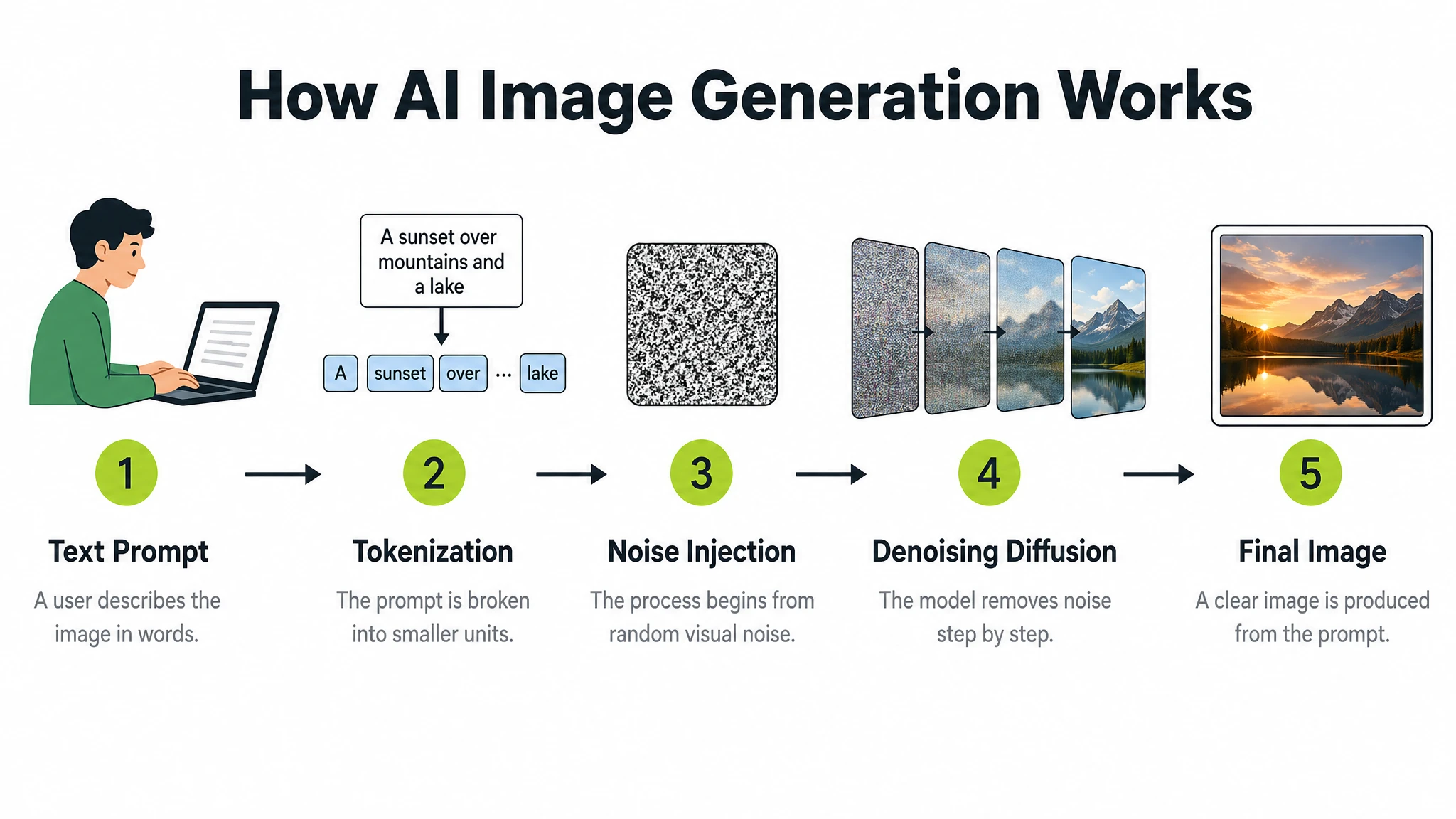
信息图同时考验三件难事:文字层级、图标系统、数据准确性。GPT Image 2 在前两项上对风格化教学图表表现可靠。每一步或每一节都要在提示词中显式列出——编号、标题、图标、一句话说明。密集排版用横版尺寸 + 高质量档位。
提示词
A clean modern educational infographic titled "How AI Image Generation Works" showing 5 steps in a left-to-right horizontal flow. Step 1: "Text Prompt" — icon of a person typing. Step 2: "Tokenization" — text split into tokens. Step 3: "Noise Injection" — abstract Gaussian noise cloud. Step 4: "Denoising Diffusion" — blurry image sharpening. Step 5: "Final Image" — completed photograph. Each step has: a bold number in a lime green circle, a flat icon above, the step title in bold dark text, and a one-line description in grey below. Steps connected by clean horizontal arrows. White background. Clear typographic hierarchy. No decorative clutter, no extra text.
对数字必须准确的数据信息图(市场规模、科学数值),把字面数字写进提示词。模型不会自己捏造数字——它会原样渲染你给的数值。
示例 7 — 像真实上线 App 的 UI 原型图
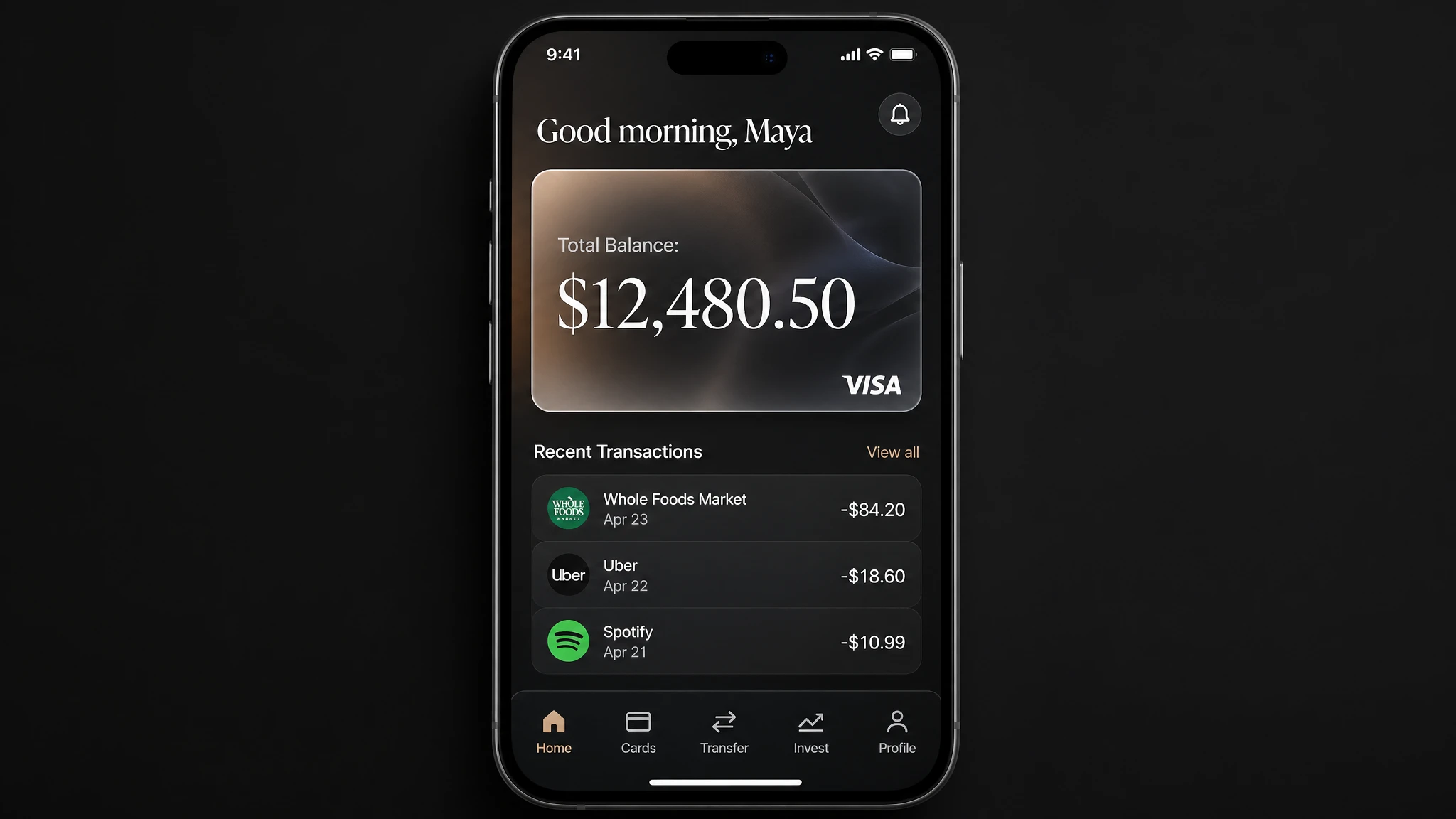
UI 原型图是 GPT Image 2 比任何前代模型都更擅长的新场景。关键诀窍:把产品当作已经存在的事物来描述。避开概念稿语言("梦幻界面"、"未来感 UI")。聚焦在版式、层级、间距、真实界面元素上,让结果看起来像可用 App,而不是设计草图。按顺序列出每个 UI 区块。
提示词
A photorealistic mobile app UI mockup for a premium digital bank, placed in an iPhone frame. Dark charcoal background. Top: user greeting "Good morning, Maya" in white. Below: a frosted glass card showing "Total Balance: $12,480.50" in large white serif, with a small visa logo bottom-right. Below the card: a section "Recent Transactions" with three rows — each row has a category icon left, merchant name and date center, and amount right (e.g. "Whole Foods Market · Apr 23 · -$84.20"). Bottom navigation bar with five icons: Home, Cards, Transfer, Invest, Profile. All labels must be legible. Clean, minimal, premium fintech aesthetic. No watermark.
示例 8 — 多变体 Logo 生成
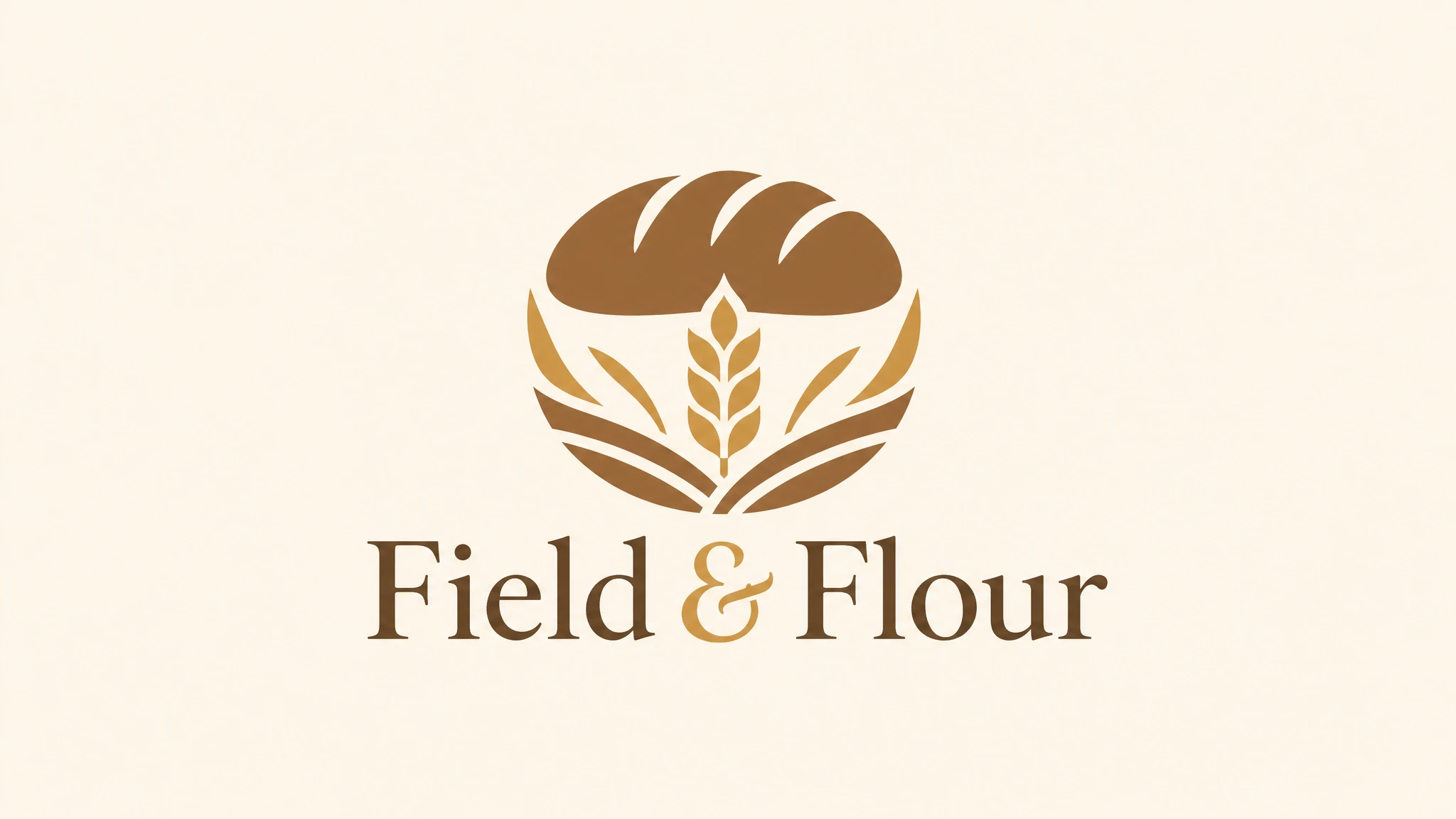
探索品牌标识时,可以让模型一次基于同一段提示词产出一组变体——大多数支持 GPT Image 2 的工具都提供"生成数量"选项,可以一次返回四张(或更多)同一 brief 的不同诠释。便于干系人评审与品牌探索。提示词保持简洁:点明品牌、调性,要求干净造型、平衡负空间和可缩放性。
提示词
Create an original, non-infringing logo for a company called "Field & Flour", a local bakery. The logo should feel warm, simple, and timeless. Use clean vector-like shapes, a strong silhouette, and balanced negative space. Favor simplicity over detail so it reads clearly at small and large sizes. Flat design, minimal strokes, no gradients unless essential. Plain background. Single centered logo with generous padding. No watermark.
技巧:生成多个变体时,用一个偏"调性"的形容词("温暖"、"工业"、"俏皮")给提示词加味,而不是规定形状。模型会朝那个形容词的方向探索,四个输出感觉更像协调的备选,而不是随机变体。
示例 9 — 角色一致的多格故事
GPT Image 2 在单次生成中支持多格叙事:把每一格定义为清晰的视觉节拍,模型会在一张图内的所有面板中保持角色外观、服装与整体风格一致。这适用于漫画条、分镜脚本、系列品牌活动以及童书插图。开头先把主角描述清楚,然后把每一格当作编号节拍逐条列出。
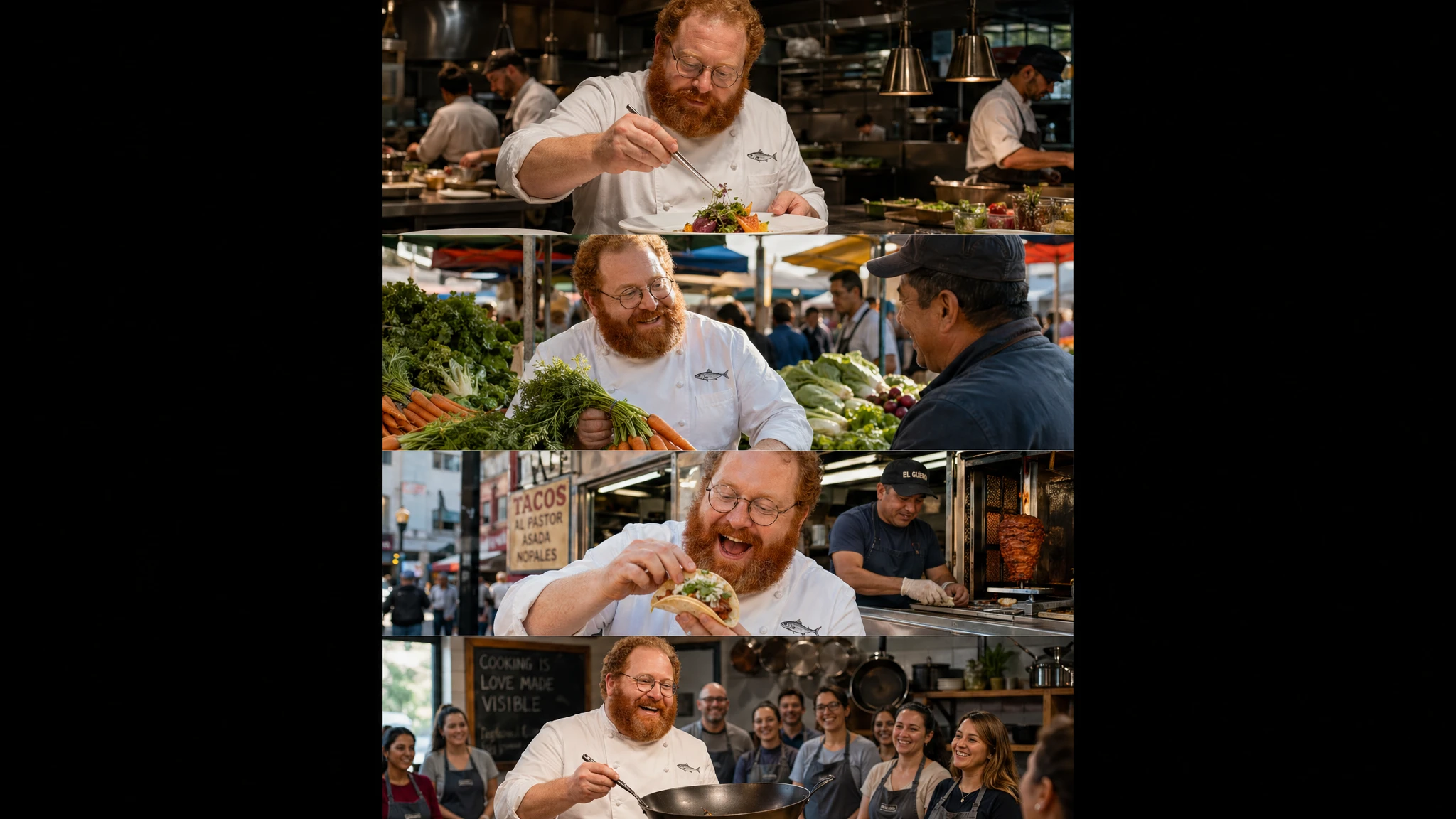
提示词
A vertical comic-style image with 4 equal-sized panels. Same character throughout: Chef Milo, a cheerful stocky man in his 40s with a thick red-orange beard, round wire-rimmed glasses, white double-breasted chef coat with a small anchovy embroidered on the chest pocket. Panel 1: Milo plating a dish with tweezers in a busy open kitchen, intense concentration. Panel 2: Milo at a morning market selecting vegetables, smiling at a vendor. Panel 3: Milo eating a street taco by a food cart, genuine delight. Panel 4: Milo teaching a cooking class, holding a carbon steel wok, students visible in the background. Keep Milo's face, beard, glasses, and coat identical across all four panels. Cinematic photography style.
示例 10 — 自然语言编辑(背景替换)
GPT Image 2 支持无 mask 的图像编辑。给模型一张参考图加一段文字指令,它就能在保留画面其余部分的前提下完成修改。最有效的模式:同时显式说明"要改什么"和"要保留什么"。用 "change only X" + "keep everything else the same" + 重复保留清单的句式,可以显著降低首次生成的偏移。
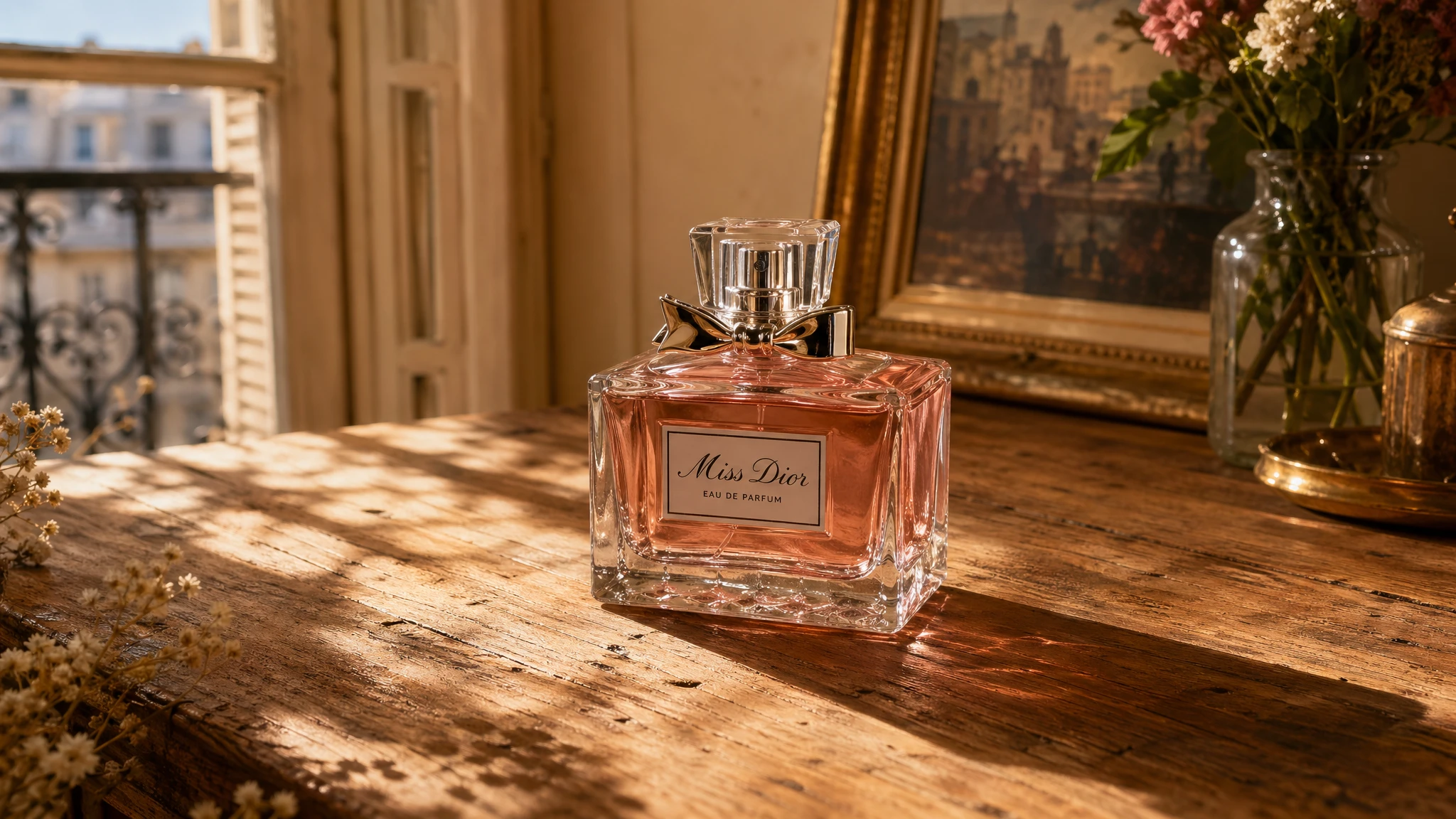
提示词
Change only the background. Keep the perfume bottle, its label, its reflections, and its shadow exactly as they appear in the input image. New background: a warm rustic wooden table surface with soft dappled sunlight from the upper left, like a sunlit Parisian apartment. Match the lighting direction so the bottle shadow falls naturally on the new surface. Do not change the bottle, do not change saturation or contrast of the bottle, do not add any text or watermark.
示例 11 — 基于参考图的风格迁移
风格迁移在保留参考图视觉语言(色板、笔触、胶片颗粒、插画风格)的同时更换主体。把参考图丢进去,然后描述什么必须保持一致(风格线索)、什么必须改变(新主体)。加一条"无多余元素"的硬约束,可以阻止模型自己脑补外围细节。
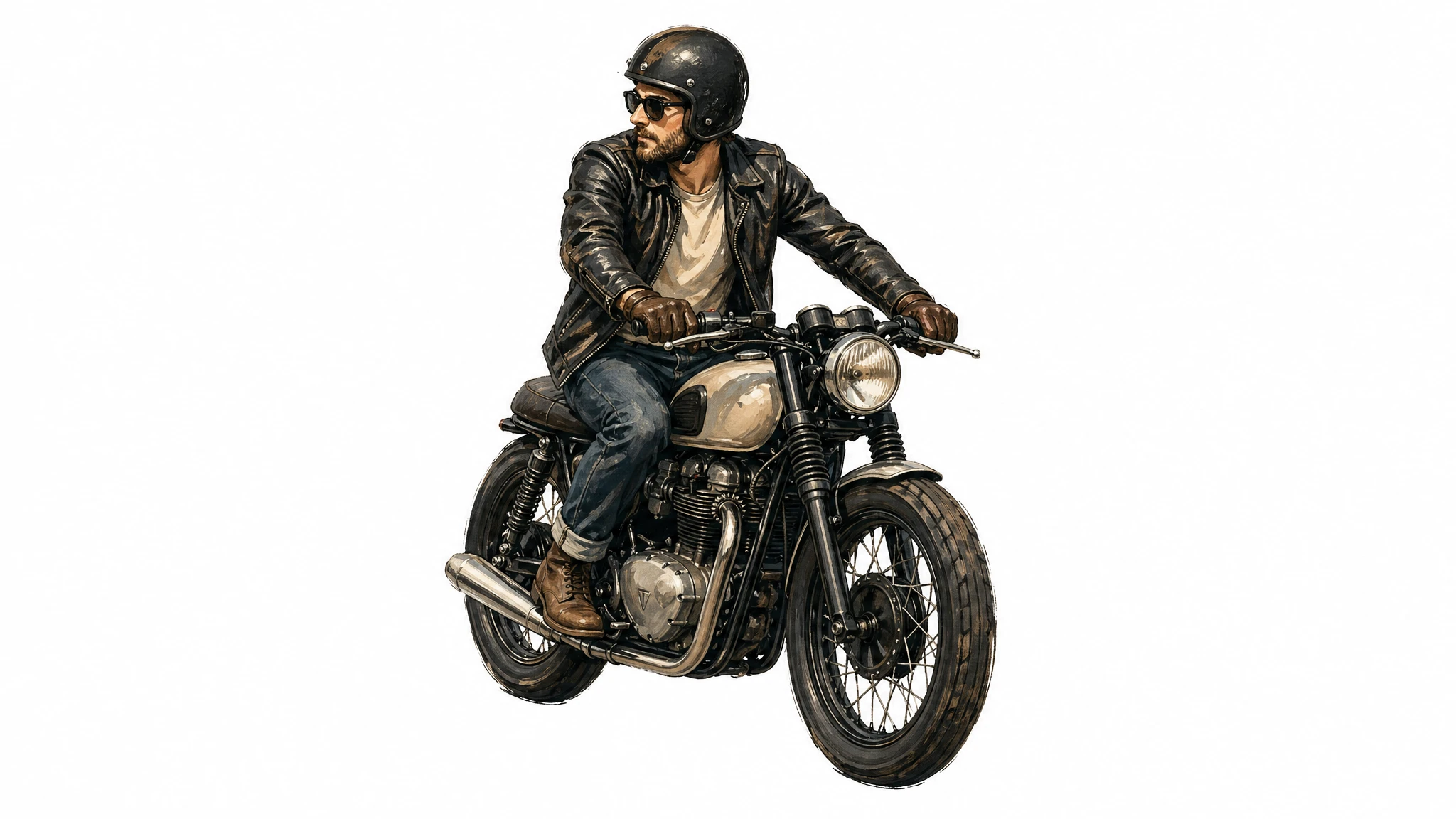
提示词
Use the same illustration style as the input image — the same palette, brushwork, line weight, and texture. Generate a new subject: a man riding a motorcycle on a plain white background. Keep the visual style identical to the reference. Centered subject, generous padding, no extra elements, no text, no watermark.
示例 12 — 翻译现有图像中的文字
图内翻译是 GPT Image 2 在生产中最实用的模式之一。把任意成品设计——广告、信息图、UI 截图、包装效果图——交给模型,让它仅翻译文字而不改其他。关键约束句式:"Translate the text to X. Do not change any other aspect of the image." 这能保留排版、位置、间距、层级与周边图像。
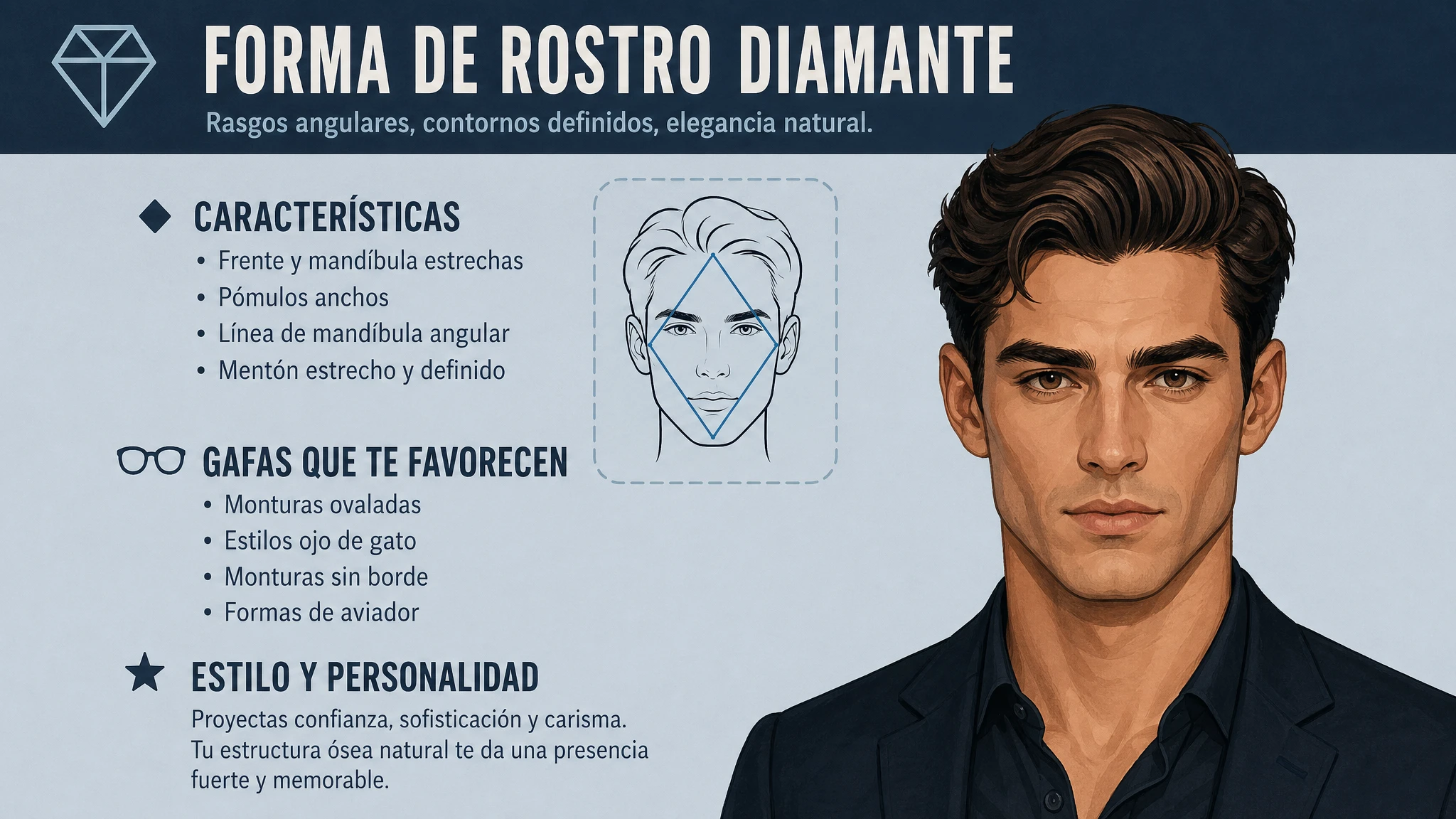
提示词
Translate the text in the input image to Spanish. Do not change any other aspect of the image: keep the typography style, font size, placement, spacing, hierarchy, icons, illustrations, color palette, and all non-text elements exactly as they appear. Translate verbatim and accurately, no added words. No reflow unless absolutely necessary. No watermark.
这个模式开启了一整套之前必须依赖设计工具的本地化流水线。一份源资产 → 每个目标语言一次提示词 → 直接可投放的本地化素材。极小字号的密集段落需要人工抽查,准确率会略有下降。
按使用场景挑画质与尺寸
GPT Image 2 提供三档画质——低、中、高,并支持从 1024×1024 正方形到 4K 主视觉的灵活尺寸。低档是最快档位,对缩略图、草稿、社交预览,以及任何会经过下游审核的图像已经够用。仅当保真度成为瓶颈时再升级到中或高。下表把推荐参数对应到常见使用场景。
| 工作流 | 推荐尺寸 | 推荐画质 | 备注 |
|---|---|---|---|
| 社交媒体草图/缩略图 | 1024×1024 | 低 | 最快,适合批量生成。 |
| 产品摄影(电商) | 1536×1024 | 高 | 标签可读性需要高画质。 |
| 人像/时尚大片 | 1024×1536 | 高 | 皮肤纹理与光线需要高画质。 |
| 含图内文字的营销广告 | 1024×1024 或 1080×1350 | 中或高 | 标题 + CTA + 正文密集时用高。 |
| 包装效果图 | 1024×1536 | 高 | 3D 表面多行文字需要高。 |
| 信息图/教学图表 | 1536×1024 | 高 | 密集标注与图例需要高。 |
| UI 原型图 | 1024×1536 | 中 | 版式驱动,中等已足够。 |
| Logo(多变体) | 1024×1024 | 中 | 同一提示词出多版,中等平衡速度。 |
| 多格漫画/分镜脚本 | 1024×1536 | 中 | 重点在跨格一致性,中等够用。 |
| 背景替换/物体编辑 | 1024×1024 或输入尺寸 | 中 | 编辑会自动保持输入保真度。 |
| 图内文字翻译 | 与输入一致 | 中 | 目标是保留版式。 |
| 4K 主视觉 | 3840×2160 | 高 | 实验性,稳定性会有所下降。 |
常见陷阱及规避方法
- 通用风格增强词("8K、超精细、大师级、电影感")基本被忽略,它们是旧版扩散模型的遗留套路。把那部分提示词预算花在光线、构图与约束上更划算。
- 要求"完美肌肤"或"无瑕"会得到通用 AI 人像感——塑料感、过度平滑、身份感弱。用真实照片线索替换那些词:"可见毛孔"、"细纹"、"不对称"、"自然光"、"无重度修图"。
- 版式指令模糊("看起来好看就行")会导致多次生成结果不一致。需要可预测位置时,把摆放写清楚("logo 右上角、标题居中、CTA 左下")。
- 忘了给字面文字加引号。不加引号,模型会改写;加引号并附上 "EXACT, verbatim, no extra characters",才会逐字渲染。
- 超过 2K(2560×1440)的输出标记为实验性——文字渲染、细节与提示词遵循度会变得更不稳定。需要 4K 主视觉时建议先在 2K 生成再单独放大。
- 一次编辑里同时改图像中三个或更多独立部位。多区域编辑往往需要 2–3 次迭代。把编辑拆成连续的单次修改,达到生产质量更快。
- 当前不支持透明背景,请在不透明背景上生成,如需透明素材再走下游抠图。
- 知识截止日期为 2025 年 12 月。对于该日期之后出现的主题——新产品设计、2026 年事件、近期改名的品牌——模型可能输出不准确。准确性要紧时请提供参考图。
总结:一份默认提示词模板
如果只能从这份指南里带走一样东西,那就是这份提示词模板。它对上文几乎所有场景都有效:
场景 → 主体(含尺度与目光) → 材质与纹理 → 构图(取景、视角、焦距) → 光线(方向与质感) → 加引号的图内文字 → 约束(保留 / 无水印 / 无多余文字)。
先用中等画质和 1024×1024 正方形起手,跑两次校准提示词,再切到高画质和非正方形比例出最终素材。改稿优先用自然语言指令在已有图像上编辑,而不是从头重生——后者是生产工作流中品牌偏移的最大单一来源。